ZigZag Elliott (Updating or Confirmed) v6ZigZag Elliott (Updating or Confirmed) v6 work in progess feel free to leave feed backIndicador Pine Script®por AaronnAmadorr14
FVG in Order Blocks Indicator📊 FVG in Order Blocks — Context-Based Fair Value Gap Analysis This indicator is designed to study Fair Value Gaps (FVGs) only when they appear within meaningful market structure zones, specifically Order Blocks and Breaker Blocks. Instead of treating imbalances in isolation, the script focuses on context — highlighting situations where price imbalance and structure align. The objective is analytical clarity, not prediction. 🧠 Core Idea Fair Value Gaps often indicate rapid price movement and potential inefficiencies. Order Blocks and Breaker Blocks are commonly used to represent areas where price previously reacted with strength. This script combines both concepts by restricting FVG detection to structurally relevant zones, allowing users to observe how imbalance behaves when it forms in areas already defined by market structure. 🔍 How the Indicator Works The logic follows a clear, step-by-step process: 🧱 1. Market Structure & Zone Detection Market swings are derived using a ZigZag-based structure model From these swings, the script identifies: Bullish & Bearish Order Blocks Bullish & Bearish Breaker Blocks These zones define where FVGs are considered relevant Only gaps forming inside these zones are evaluated further. ⚡ 2. Fair Value Gap Detection Bullish and bearish FVGs are detected using confirmed candle logic No future data or lookahead is used Optional Consequent Encroachment (midpoint) levels can be plotted for reference This ensures gaps are identified objectively and consistently. 🔗 3. Confluence Validation A visual signal is evaluated only when: An FVG forms The FVG is inside an active Order Block or Breaker Block This alignment helps users focus on areas where structure and imbalance overlap, rather than every gap on the chart. 📌 Signal Visualization (Informational Only) Signals are shown as chart markers and are intended for analysis, not automated execution. 🟢 Bullish Condition Price is inside a bullish Order Block or Breaker Block A bullish FVG forms within that zone The gap is confirmed after candle close 🔴 Bearish Condition Price is inside a bearish Order Block or Breaker Block A bearish FVG forms within that zone The gap is confirmed after candle close 🧪 Optional Filters (User-Controlled) All filters are optional and can be enabled or disabled independently: 📈 Trend Filter Market Structure bias EMA-based methods (EMA 50, EMA 200, EMA cross) ⚡ Displacement Filter Requires momentum before an FVG is accepted Based on ATR multiples or candle body percentage 📏 Minimum FVG Size Filter Ignores very small gaps that may represent noise Size measured using ATR %, ticks, or price value ⏱ Cooldown Filter Limits how frequently signals can appear Helps reduce clustering during ranging conditions 🎨 Visual & Layout Options Order Blocks and Breaker Blocks drawn as colored zones Fair Value Gaps displayed as shaded areas Optional Consequent Encroachment lines Optional EMAs used by trend filters Optional markers showing when a setup was filtered out Timeframe presets are included to adjust sensitivity for common intraday charts, while still allowing full manual customization. 🎯 Intended Use This indicator is intended for: Studying price imbalance within structure Learning how FVGs interact with Order Blocks and Breaker Blocks Manual trade planning and journaling Backtesting and educational analysis It can be applied to Forex, Crypto, Indices, Stocks, and Commodities across multiple timeframes. ℹ️ Important Notes Signals are non-repainting and based on confirmed bars The script does not place trades or manage risk No performance claims are made Outcomes depend on market conditions and user interpretation ⚠️ Disclaimer This script is provided for educational and analytical purposes only. It does not constitute financial, investment, or trading advice. Trading involves risk, and users should apply appropriate risk management and independent judgment.Indicador Pine Script®por AkkiCodez9
[CT] ORB SuiteThis indicator is an Opening Range first tool that also includes an Initial Balance framework, breakout detection, and a full target and alerting package. It is designed to define a clean Opening Range at the start of the regular trading session and then turn that range into an actionable breakout structure by plotting the key levels, projecting measured targets, and visually confirming the exact breakout candle on your chart. The Opening Range component can be configured as either the first bar of the session or a true time-based duration, such as 1, 2, 5, 10, 15, 30 minutes, or 1 hour, which lets you standardize the opening structure across different chart timeframes without needing to “count bars.” As price prints during the Opening Range window, the script continuously updates the OR high and OR low, then locks those levels once the window closes so you have a stable reference for the rest of the session. The OR area can be shaded for quick visual recognition, and an optional OR midpoint line and label can be displayed to help you judge whether price is accepting above the middle of the range or failing back through it. Once the Opening Range is formed, the script upgrades the workflow by adding breakout qualification rules that you can control. You can choose confirmation based on a body cross, a close cross, or a close above or below the range boundary, which is a meaningful improvement over simple “touch” logic because it helps reduce false signals and makes the breakout trigger more consistent with how you actually trade. When a breakout is confirmed, the indicator can highlight the breakout candle itself so there is no ambiguity about which bar triggered the signal. You can highlight the candle body, the chart background, or both, and you can select separate colors for long and short breakouts. This makes chart review and live decision-making cleaner because you can immediately see where the breakout truly occurred instead of guessing between several candles that probed the level. The next major upgrade is the breakout target system. After a long breakout, targets are calculated as true multiples of the Opening Range size, starting from the OR high and projecting upward by the selected multiples. After a short breakout, targets are calculated from the OR low and projected downward by the same multiple logic. By default, the script supports four take-profit targets, TP1 through TP4, with sensible preset multiples that step outward in a structured way, but you can customize each multiple to match your instrument and style. This target system is a practical enhancement because it provides objective, range-based profit-taking levels that align with common intraday expansion behavior rather than arbitrary fixed tick offsets. You also get full control over whether the target lines and labels appear only after a breakout triggers, which keeps the chart clean and prevents “pre-biasing,” or whether you want to see projected targets in both directions before the breakout occurs for planning and scenario mapping. In addition, the target hit detection is configurable so you can decide whether a target is considered “hit” by a simple high or low touch or only after a close crosses the target, which is important for traders who want stricter confirmation and cleaner backtesting logic. Beyond the OR and targets, the indicator includes a complete Initial Balance module as an additional layer of structure. The IB duration is selectable and independent, and the script can plot IB high, IB low, and an optional IB midpoint, with optional fill shading to make the balance area obvious. A key upgrade here is the ability to base the breakout targets on either the Opening Range or the Initial Balance. This means you can run a pure OR breakout playbook, a pure IB breakout playbook, or compare both structures on the same session without changing indicators. This flexibility matters because OR breakouts tend to be more sensitive and earlier, while IB-based levels often better reflect the session’s early balance and can produce more stable expansion targets. Another major improvement is the history and session management. The script can freeze all drawings at the end of the session so lines and fills do not incorrectly extend into the next day, and it can optionally keep a configurable amount of history, such as the last 20 sessions, so you can study how price reacts to prior OR and IB structures. You also have control over whether IB should be included in that stored history, which helps if you want a cleaner chart while still retaining the OR context. To support different chart themes and personal preferences, label styling is expanded with controls for label background colors, text colors, transparency, and horizontal offsets, so the levels remain readable without covering price action. Finally, the alerting system is upgraded into a full set of actionable events. The indicator can generate alerts for session open and session close, for the moment the Initial Balance forms, for the moment the Opening Range forms, for long and short breakouts, and for each target hit from TP1 through TP4. Alerts can be used in standard alertcondition form or as dynamic alert() calls that include price-filled messages, which is a practical enhancement for traders who want their phone or desktop notifications to contain the exact level values rather than generic labels. This script is a derivative work built on the original Initial Balance foundation authored by © czoa under the Mozilla Public License 2.0, with extensive additions and improvements by © ChaosTrader63 to expand it into a complete Opening Range and Initial Balance breakout suite. The core upgrades are the configurable time-based Opening Range, breakout candle highlighting, multi-target measured range projections through TP4 with optional pre-projection behavior, stricter breakout confirmation modes, target hit rules, richer history controls, stronger label customization, and a comprehensive alert system that turns the session structure into a usable trade planning and execution framework directly on TradingView.Indicador Pine Script®por ChaosTrader6322104
AG_fvg&zz_scrMultitimeframe fair value gap(fvg)+zigzag screener.Helps traders to choose trade directions both with fvg values and zigzag predictions. 1)Indicates Bullish&Bearish fvgs,both on grafiphc and table current fvg values(top,middle,,ages,% value to price of fvg)Shows % percent of mitigation 2)Shows before closes possible fvg values of higher timeframes if not already seen on screener 3)Hybrid zigzag calculation,automatically detects trends&horizontial flots and chooses zigzag calculation,predicts next zigzag levelIndicador Pine Script®por anilgorgun0
Trend ZigZag by LANZ🔷 Trend ZigZag by LANZ - is an overlay indicator designed to read market structure through four main modules: ZigZag legs (visual swing-to-swing path) Market Structure Ranges (two horizontal “active range” lines built from confirmed pivots, locked until a close breaks them) MTF Panel (shows “Before / Now / Date” structure states across up to 4 timeframes) Maker + Fibonacci Swing-to-Swing module (detects the farthest internal swing inside the active range and anchors Fib levels with an optional “discount lock” logic) It is not a strategy (no orders). Everything is visual + state tracking. ZigZag module (📉📈 ZigZag) Goal: Detect swing points and draw legs between them. Key inputs Show ZigZag: Turns the ZigZag legs ON/OFF. TimeFrame (tf): Timeframe used to build the ZigZag. If empty → uses chart timeframe. If set → pivots are built on that resolution and projected on your chart. Swing High / Low (prd): Sensitivity (min 2). Higher = fewer swings (more smoothing). Lower = more swings (more detail). Colors / Width / Style: Visual styling of ZigZag legs. How it works (important behavior) The script computes pivot candidates using a dynamic window (len) and: Swing High when the current bar is the highest in that window. Swing Low when the current bar is the lowest in that window. The last pivot can be updated (moved) if price makes a more extreme high/low before a direction flip is confirmed. ✅ This is normal for ZigZag logic. ⚠️ It means the most recent swing can “shift” until confirmed. What you see on chart When ON: legs connect the latest swing points. When OFF: it still draws a dotted last leg (your code intentionally keeps a dotted reference). Structure module 📉📈 Goal: To define a current active price range and determine whether price movement represents trend continuation or trend reversal. Key inputs Enable or disable structure lines. Show live labels at the right edge of the range. Control line appearance and how much historical structure remains visible. How the active range is created: A new structure range is created only when: A swing is confirmed and price changes direction. There is sufficient swing history to define a meaningful range. Once created: Two horizontal levels appear: Upper boundary (range high) Lower boundary (range low) This range becomes active and locked, extending forward in time. The range remains unchanged until price closes outside one of its boundaries. How breaks are confirmed: Only the candle close is considered. Wicks touching or crossing the level are ignored. BOS vs ChoCh logic: Breaks are classified based on the direction of the previous confirmed break: Upward break: Previous break was upward (or none) → BOS (trend continuation) Previous break was downward → ChoCh (trend change) Downward break: Previous break was downward (or none) → BOS Previous break was upward → ChoCh What happens visually on a break: The boundary that price breaks through is kept and recolored. The opposite boundary is removed. A label appears (if enabled): BOS labels are centered within the range. ChoCh labels appear near the start of the range. Live edge labels are removed to avoid clutter. The range is released and the system waits for the next structure to form. Right Tag behavior: While a range is active: Each boundary shows a live label indicating what type of event a break would currently produce: “BOS” if it would continue the trend. “ChoCh” if it would reverse the trend. MTF Panel (⏱️ MTF Panel) Goal: To provide a multi-timeframe overview of market structure without drawing structure lines on those timeframes. Panel fields TF: Timeframe represented: Before: The previous confirmed structural event. Now: The current state. Date: When the current state last changed. Behavior when no range is active: Last Event mode: keeps showing the last confirmed BOS or ChoCh. Waiting mode: displays “Waiting” until a new event appears. State logic (conceptual): For each timeframe, the panel evaluates: Whether price is currently inside an active range. Whether price has recently confirmed a structural break. Displayed states include: “Range Bullish” “Range Bearish” “Waiting” The last confirmed BOS or ChoCh What to expect: The panel is designed as contextual guidance, not a perfect visual replica of the main chart. Its purpose is to quickly align or contrast structure across timeframes. Maker module (🏷️ Maker) Goal: To identify the most meaningful internal swing that forms inside an active structure range. Rules applied Swings that define the range boundaries are excluded. Only confirmed swings inside the range are considered. At least two internal swings must exist for a Maker to be valid. Behavior on structure break: If price breaks upward: The most extreme internal low is stored. If price breaks downward: The most extreme internal high is stored. What you see If enabled, a “Maker” label appears at the selected internal swing. These labels are limited to a fixed historical amount to keep the chart clean. Fibonacci Swing-to-Swing (🧬 Fibonacci) + Discount Lock Goal: To project contextual Fibonacci levels within an active structure range. Core concepts 0.0 level: Represents the side of the structure where the break occurred. Can dynamically extend with price if discount lock is enabled. 1.0 level: Anchored either to: The structure’s change-of-character side, or The Maker from the previous completed range. If no previous Maker exists, the system automatically falls back to the structure anchor. Discount Lock behavior: When enabled: The 0.0 level follows new price extremes. Once price reaches the discount area, the level becomes fixed. When disabled: The 0.0 level remains fixed from the start. Discount trigger types Wick-based: activates as soon as price touches the level. Close-based: requires a candle close beyond the level. Extra Discount levels Up to four additional Fibonacci levels can be displayed. These are visual references only and do not affect structure logic. Limitations and expectations Swings are dynamic until confirmed; the most recent swing may adjust. Structural breaks are confirmed only by candle close. The indicator uses multiple visual elements, but historical objects are capped to maintain performance. Multi-timeframe states are simplified representations intended for orientation, not exact replication.Indicador Pine Script®por rau_u_lanzAtualizado 20
Auto Fibonacci Lines Depending on ZigZag %In the world of technical analysis, few tools are as powerful—or as misused—as Fibonacci Retracements. The Auto Fibonacci Lines Depending on ZigZag % is not just an indicator; it is a complete, automated trading system designed to eliminate subjectivity and bring institutional-grade precision to your charts. This script automates the identification of significant market structures using a ZigZag algorithm. Once a market swing is mathematically confirmed (based on your deviation settings), it instantly projects a complete suite of Retracement and Extension levels. This allows you to stop guessing where to draw your lines and start focusing on price action. 🧠 The Logic Behind the Indicator Understanding how your tools work is the first step to trusting them. This script operates on a three-step logic loop: ZigZag Identification: The script continuously monitors price action relative to the last known pivot point. It uses a user-defined Deviation % to filter out market noise. A new "Leg" is only confirmed when price reverses by this specific percentage. This ensures that the Fibonacci lines are only drawn on significant market moves, not random chop. Automated Anchor Points: Once a downward trend is confirmed (e.g., price drops 30% from the top), the script automatically anchors the Fibonacci tool to the Swing High (Start) and the Swing Low (End). It does this without you needing to click or drag anything. Dynamic Cleanup: Markets evolve. A key feature of this script is its self-cleaning mechanism. As soon as a new trend leg is confirmed, the script automatically deletes the old, invalidated Fibonacci lines and draws a fresh set for the new structure. This keeps your chart clean and focused on the now. 🎓 How to Trade This System This indicator is color-coded to simplify your decision-making process. It moves beyond standard "rainbow" charts by categorizing price levels into three distinct actionable zones. 1. The "Reload Zone" (White Lines: 0.618 - 0.786) ⚪ Role: High-Probability Support / Entry In institutional trading, the 0.618 (Golden Ratio) to 0.786 region is often where algorithms step in to defend a trend. Why it works : This is the "discount" area where smart money re-accumulates positions before the next leg up. 2. The "Decision Wall" (Blue Lines: 1.382 - 1.5) 🔵 Role: Strong Resistance / Trend Check This is a unique feature of this suite. The 1.382 and 1.5 levels often act as a "ceiling" for weak breakouts. Strategy : If you entered in the White Zone, the Blue Zone is your first major hurdle. If price stalls here, consider securing partial profits. Warning : A rejection from the Blue Lines often leads to a double-top formation. However, a clean break above the Blue Lines usually signals a parabolic move is beginning. 3. The "Extension Zone" (Yellow, Red, Purple > 1.618) 🟡🔴 Role : Take Profit / Exhaustion Levels above 1.5 (starting with the 1.618 Golden Extension) are statistical extremes. Strategy : These are Strict Take Profit levels. Do not FOMO (Fear Of Missing Out) into new long positions here. The probability of a reversal increases drastically as price climbs through these levels (2.618, 3.618, 4.618). 📐 The Mathematical Edge: Logarithmic vs. Linear One of the most critical features of this script is the ability to toggle between Logarithmic and Linear calculations. Why use Logarithmic? If you are trading Crypto (Bitcoin, Altcoins) or high-growth Tech Stocks, linear Fibonacci levels are mathematically incorrect over large moves. A 50% drop from $100 is different than a 50% drop from $10. This script calculates the percentage difference (Log Scale), ensuring your targets are accurate even during 100%+ parabolic runs. Why use Linear? For mature markets like Forex (EURUSD) or Indices (SPX500) where volatility is lower, Linear scaling is the industry standard. 🛠️ Configuration & Best Practices Deviation % : This is the heartbeat of the indicator. Swing Trading : Set to 20-30%. This filters out noise and only draws Fibs on major macro moves. Scalping : Set to 3-5%. This will catch smaller intraday waves. Text Place : Keeps your chart clean by pushing labels to the right, ensuring they don't overlap with the current price action. 👤 Who Is This Indicator For? The Disciplined Trader : Who wants to remove emotional bias from their charting. The Crypto Investor : Who needs accurate Logarithmic targets for long-term holding. The Confluence Trader : Who combines these automated levels with Order Blocks, RSI, or Volume to find the perfect entry. ⚠️ RISK DISCLAIMER & TERMS OF USE For Educational Purposes Only: This script and the strategies described herein are provided strictly for educational and informational purposes. They do not constitute financial, investment, or trading advice. The "Auto Fibonacci Lines" indicator is a tool for technical analysis and should not be used as the sole basis for any trading decision. No Guarantees: Past performance of any trading system or methodology is not necessarily indicative of future results. Financial markets are inherently volatile, and trading involves a high level of risk. You could lose some or all of your capital. User Responsibility: By using this script, you acknowledge that you are solely responsible for your own trading decisions and risk management. The author assumes no liability for any losses or damages resulting from the use of this tool or the information provided. Always consult with a qualified financial advisor before making investment decisions.Indicador Pine Script®por abgthecoder51
SMC Market Structure + Price Zones [MaB]📊 SMC Market Structure + Price Zones A precision market structure indicator that identifies valid swing points using a custom confirmation algorithm, combined with dynamic price zones for retracement analysis. ━━━━━━━━━━━━━━━━━━━━━━━━━━━━━━━━━━━━━━━━ 🔬 HOW THE ALGORITHM WORKS 1️⃣ Swing Point Detection Logic Unlike simple pivot-based indicators, this script uses a custom state machine that tracks price action in real-time: - Candidate Detection: When price makes a new high, the algorithm waits for a candle to CLOSE below the low of that high candle. This "close below trigger" initiates a candidate state. - Dual Confirmation System: A candidate becomes a validated swing point only when BOTH conditions are met: - Time Filter: A minimum number of candles must pass (configurable, default: 5) - Price Filter: Price must retrace by a minimum percentage of the previous leg's range (configurable, default: 10%) - Dynamic Threshold Adjustment: When the current leg amplitude exceeds 2.5× the average of the last 20 legs, the algorithm automatically relaxes confirmation filters to avoid missing extended moves. 2️⃣ Trend State Machine The indicator maintains an internal trend state (Uptrend/Downtrend) that determines how price action is interpreted: - Uptrend Mode: Searches for Higher Highs (H1, H2, H3...) and Higher Lows (L1, L2, L3...). A confirmed High triggers monitoring for breakout above that level. - Downtrend Mode: Searches for Lower Highs and Lower Lows. A confirmed Low triggers monitoring for breakdown below that level. - Trend Inversion: When price closes beyond the opposite structure point by the Breakout Threshold %, the trend state flips and the search pattern reverses. 3️⃣ Price Zones (Retracement Levels) Once a valid swing point is confirmed, the indicator automatically draws price zones between the protected level (current valid High/Low) and the previous swing point: - Level 0 (0%): The protected swing level - Level 0.3 (30%): First retracement level - Level 0.5 (50%): Mid retracement level - Level 0.7 (70%): Deep retracement level - Level 1 (100%): Previous swing level These levels provide visual reference points for analyzing price behavior during retracements. ━━━━━━━━━━━━━━━━━━━━━━━━━━━━━━━━━━━━━━━━ ⚙️ PARAMETERS EXPLAINED Market Structure - Min Confirmation Candles (default: 5) — Bars required after candidate detection before validation - Pullback Percentage (default: 10%) — Minimum retracement of leg range required for confirmation - Breakout Threshold (default: 5%) — Distance beyond structure level for confirmed breakout Price Zones - Level Colors — Customize colors for boundary (0/1) and intermediate (0.3/0.5/0.7) levels - Line Width — Thickness of zone lines - Extend Right — How far zones project into the future Display - Show Market Structure Table — Displays current state: valid H/L values, breakout status, trend mode - Dark Theme — Adapts colors for dark chart backgrounds - Replay Mode — Optimizes for TradingView's replay feature ━━━━━━━━━━━━━━━━━━━━━━━━━━━━━━━━━━━━━━━━ 🎨 VISUAL GUIDE Structure Labels: - H1, H2, H3... = Confirmed Higher Highs (uptrend) - L1, L2, L3... = Confirmed Higher Lows (uptrend) - Labels reset on trend inversion Structure Lines: - 🟢 Green = Uptrend leg (L→H movement) - 🔴 Red = Downtrend leg (H→L movement) - ⚪ Gray = Trend inversion point Price Zone Lines: - Horizontal lines at 0%, 30%, 50%, 70%, 100% retracement - Updated dynamically as new swing points are confirmed ━━━━━━━━━━━━━━━━━━━━━━━━━━━━━━━━━━━━━━━━ 💡 PRACTICAL USAGE 1. Trend Visualization: The colored structure lines help visualize the current market direction — green legs indicate bullish structure, red legs indicate bearish structure. 2. Retracement Analysis: Price zones provide reference levels to observe how price behaves during pullbacks within a trend. 3. Breakout Monitoring: The "Br↑" and "Br↓" labels indicate when price has exceeded a structure level by the configured threshold. 4. Structure Overview: The table provides a quick summary of current valid highs/lows and trend state without needing to scan the entire chart. ⚠️ This indicator is designed as an analytical tool to help visualize market structure. It does not generate buy/sell signals. ━━━━━━━━━━━━━━━━━━━━━━━━━━━━━━━━━━━━━━━━ 🔄 WHY THIS IS DIFFERENT Most market structure indicators use simple pivot highs/lows with fixed lookback periods. This creates: - False signals during consolidation - Missed swings during strong trends - No confirmation of actual breakouts This indicator addresses these issues with: ✅ Dual confirmation (time + price) before validating any swing ✅ Dynamic threshold adjustment for extended moves ✅ Explicit breakout detection with configurable sensitivity ✅ Automatic price zones for retracement visualization ━━━━━━━━━━━━━━━━━━━━━━━━━━━━━━━━━━━━━━━━ ⚠️ NOTES - Best results on 1H+ timeframes for cleaner structure - Use Replay Mode when backtesting to prevent buffer errors - Price zones update automatically when new swings are confirmed - The table shows real-time structure state for quick reference ━━━━━━━━━━━━━━━━━━━━━━━━━━━━━━━━━━━━━━━━ ⚠️ DISCLAIMER This indicator is for educational and analytical purposes only. It does not constitute financial advice or trading recommendations. Always conduct your own analysis and manage your risk appropriately.Indicador Pine Script®por MBARRECAAtualizado 33
ZigZag Volume Profile [Honestcowboy]The ZigZag Volume Profile Indicator is a combination of 2 very popular trading indicators, the volume profile and zigzag indicator. Instead of using predetermined sessions like traditional volume profile analysis. This indicator expands on zigzag indicators "legs" and draws a volume profile inside each zigzag leg. What is a Volume Profile? "Technical analysis tool showing trading volume at specific price levels, creating a horizontal histogram on the side of a chart to reveal areas of high buying/selling interest, unlike traditional volume bars showing volume over time. Key elements include the Point of Control (POC) for most traded price, the Value Area (VAH/VAL), identifying crucial support/resistance, and analyzing profile shapes (like D, B, P) to understand market balance and potential price targets, used by professionals to spot liquidity and market structure." Key Differences Does not have a value area but distinguishes each column in relation to the biggest column in percentage terms. Does not take sessions into account instead using zigzag legs 🟦 CALCULATION The zigzag volume profile first builds a standard zigzag indicator to find structure in the market. Using pivot points and a minimum % price move threshhold. Then once it knows the zigzags it will use each leg as a time window to calculate a volume profile inside. 🔹Coloring each column: The script will find the biggest column in the Profile and use that as a reference for all other columns. It will then decide for each column individually how big it is in % compared to the biggest column. It will use that percentage to decide which color to give it, top 20% will be red, top 40% purple, top 60% blue, top 80% green and all the rest yellow. The user is able to adjust these numbers for further customisation. 🟦 USAGE The idea behind this indicator is, if you look at markets as different legs (moves) going in a zigzag pattern you might want to look deeper inside your previous moves and see where the actual liquidity/volume was during that move. The hypothesis here is you build trade ideas based on zigzags but then use the volume profiles. Since volume and market structure are very well known concepts to discretionary traders I'm hoping this indicator might give some different perspective on this relation and help people create a trading approach based on it. Here's some quick cherry picked examples, just as a proof of concept: 🟦 SETTINGS 🔹ZIGZAG SETTINGS Price Deviotion % : This is the minimum price move in % term from last pivot price needs to move to form a new pivot for the zigzag. Pivot Legs (Left/Right): The amount of bars a high or a low needs to be higher/lower than to the left and right of the bar. 10 By default to create medium term zigzag 🔹Volume Profile Profile Rows: The amount of rows in Y axis the zigzag is going to be sliced into to create the volume profile. Higher number is more detailed volume profile but also uses more box objects which is maxed at 500. 25 by default Profiles to Display: The amount of volume profiles the indicator will draw back in time. Higher number means more history but also longer loading time. 20 by default 🔹Visual Settings This part is pretty self explanatory and you have can manually select the colors used to create the volume profile. Refer back the the explanation about the "🔹coloring each column" section. Indicador Pine Script®por Honestcowboy71
Adaptive ZigZag Context v1 (Stable)Adaptive ZigZag Context v1 (Stable) is a versatile swing structure indicator that adaptively detects pivot highs and lows while providing higher timeframe context. It helps traders visualize market structure, trend bias, and potential reversal points with stable signals. Key Features: Detects swing highs and lows adaptively using a configurable pivot leg length. Draws ZigZag lines connecting confirmed pivots for clear market structure visualization. Highlights higher timeframe trend bias using EMA and background color (green for bullish, red for bearish). Usage: Analyze market swings and identify potential reversal zones. Combine with other indicators for trend confirmation. Useful for multi-timeframe analysis with higher timeframe EMA context. Important Notes: This indicator does not provide performance guarantees. Past behavior does not imply future results. Traders are encouraged to use this tool alongside other analysis techniques and risk management strategies. Indicador Pine Script®por aioncharts73
#BLTA - CARE 7891🔷 #BLTA - CARE 7891: Ny session toolkit + Risk box + Confirmed levels + Asia box + Structure + Imbalances Description: #BLTA - CARE 7891 is an overlay toolkit 🧭🛠️ built for structured discretionary trading preparation. Its main purpose is to keep your chart reading and pre-trade planning in one place by combining time context, confirmed reference levels, liquidity framing, manual risk sizing, and context overlays (structure + imbalances). 🚫 This script is an indicator, not a strategy. It does not place orders. 🧩 Why these modules are combined (and how they work together) This is not a “mashup for the sake of mixing”. Each module supports a specific step of a practical workflow: 🕒 Time context (new york session mapping) Background highlights mark precise NY-time windows (day division at 17:00, london blocks, and new york blocks). This provides the timing framework for when you typically scan, plan, or execute. 📰📅 Confirmed reference levels (previous day/week highs & lows) Instead of plotting live extremes, this script confirms levels at defined boundaries: Trading day: 17:00 → 17:00 NY Weekly boundary: Sunday 17:00 NY Lines start exactly at the candle where the high/low occurred and extend forward. Optional “stop on hit” 🧊 freezes a level once price touches it, keeping the chart clean and realistic for forward analysis. 🈵 Asian range liquidity box (session that can cross midnight) A dedicated Asian range container tracks high/low and an optional 50% midline. It uses NY timestamps and safely handles sessions that cross midnight (storing the correct session date). This gives you a daily liquidity “frame” often used for sweeps, breaks, and invalidations. 💸 Manual risk planning (trade box + lot sizing + table) You select Entry (EP) and Stop (SL) directly on the chart using input.price(..., confirm=true) and time anchors. The script then calculates: 💰 cash at risk from balance and risk % 📏 stop distance in pips (forex-aware pip sizing) 📦 lot size using units-per-lot and account currency inputs 🎯 target price using a reward ratio It draws a risk box + target box and shows a compact table for quick verification. 🔁 Re-confirm mode (wizard) is included to prevent “stale” anchor points after timeframe changes or when you want a clean reset. While enabled, the risk table is replaced with a step guide and temporary EP/SL markers. 📈 Market structure overlay (1H zigzag projected to any timeframe) A zigzag swing engine is computed on 1H via request.security() and projected onto the current chart. Opacity is automatically reduced on non-1H charts so it stays contextual, not dominant. Optional live extension of the last leg helps you see the active swing in progress. 📊 Imbalance map (fvg / og / vi) + optional dashboard The script detects and draws: 🤏 fair value gaps (fvg) 👐 opening gaps (og) 🔎 volume imbalances (vi) Optional filters allow minimum width by points / % / atr, and each imbalance type can be extended forward. A dashboard 📱 can summarize bullish/bearish frequency and fill rates for context review. ✅ Quick start (recommended order) Turn on 🕒 session visualization to align with NY timing. Enable 📰 pdh/pdl and 📅 weekly highs/lows to map confirmed reference liquidity. Use 🈵 the asian range box to frame the early-session liquidity container. Plan your trade with 💸 risk module (pick EP/SL, verify pips + lots + target). Add 📈 zigzag structure and 📊 imbalances only as supporting context. ⚠️ Notes & limitations This tool is for planning and chart reading, not automated execution. Lot sizing is an estimate based on your inputs; always confirm broker contract specs. Some modules draw many objects (boxes/lines/tables) 🧱, which may slow very small timeframes. Indicador Pine Script®por rau_u_lanzAtualizado 23
Moving Average Structure ZigZag [Stable & Filtered] (日本語説明) このインジケーターは、移動平均線(MA)の転換に基づき、相場の「真の構造」を可視化するために開発されました。 通常のZigZagのように価格の単純な反転に依存せず、「MAのトレンド転換 + 指定した値幅の到達」という2つの条件を用いることで、レンジ相場の細かなノイズ(ダマシ)を排除し、ダウ理論に基づいた重要な高値・安値だけを結びます。 💡 主な機能 MAタイプの切り替え: SMA, EMA, HMA, VW-HMAなど、目的に合わせたトレンド感度を選択可能。 値幅フィルター(Min Deviation): 添付画像のように、小さな値動きをカットし、大きな市場構造だけを抽出します。 価格アクションへの追従: ラインはMAの数値ではなく、期間内の実最高値・最安値を正確に結び、高値更新時には自動で延伸されます。 🛠 活用シーン 環境認識: 上位足での大きな波形を確認し、現在のフェーズを定義。 ノイズ除去: 市場の主要な節目(レジサポ候補)の特定。 ダウ理論の視覚化: 高値・安値の切り上がり・切り下がりを明確化。 (English Description) This indicator was developed to visualize the "True Market Structure" based on Moving Average (MA) reversals. Unlike standard ZigZag which relies solely on price reversals, this tool combines MA Trend Reversals and a Minimum Deviation filter to eliminate market noise and highlight significant swing highs and lows based on Dow Theory. 💡 Key Features Multiple MA Types: Select from SMA, EMA, HMA, VW-HMA, etc., to match your preferred trend sensitivity. Min Deviation Filter: As shown in the attached image, it filters out minor price fluctuations to extract only the major market waves. Price Action Tracking: The lines connect the actual High/Low prices within the period, not the MA values themselves. Lines automatically extend when a trend continues to new highs/lows. 🛠 Use Cases Market Context: Identify major wave patterns on higher timeframes to define the current phase. Noise Reduction: Pinpoint key market levels and potential support/resistance. Dow Theory Visualization: Clearly visualize higher highs/lows and trend shifts. Settings MA Type: Choose the type of Moving Average. Moving Average Length: The lookback period for structure. Min Deviation (Pips): The threshold to filter noise. Adjust according to the volatility of the pair. Indicador Pine Script®por Hybrid_trader_Ichi44
123_HH_LL//2025/12/28 1. 請手動切至平均K線圖, 觀察K棒走向變化:HH、HL、LH、LL。 2. 尋找多頭趨勢的進場點。 // 2025/12/28 1. Please note that you need to manually switch to the and open the indicator , then observe the changes in the candlestick patterns: HH, HL, LH, LL. 2. Find the best entry point in an uptrend. Indicador Pine Script®por Tony9610132
T-DOW-FLOW: Final Edition T-DOW-FLOW: Market Structure & Smart Pivot Zones This indicator is a comprehensive technical analysis tool designed to visualize "Market Structure" based on Dow Theory and precise Supply/Demand Zones. It helps traders identify the true market trend and high-probability reaction levels by analyzing raw price action (ZigZag Pivots) rather than lagging indicators. The script integrates three core systems: ZigZag Trend Cloud: Visualizes the market bias (Uptrend/Downtrend). Smart Pivot Zones (Type 1): Highlights the specific "Wick-to-Body" area of recent pivots. Auto Density Channels (Type 2): Detects historical support/resistance clusters. 1. ZigZag Trend Identification Logic: The script utilizes ta.highestbars and ta.lowestbars to detect Swing Highs and Swing Lows. Trend Cloud: If the structure creates a Higher High, the background cloud turns Green (Uptrend). If the structure creates a Lower Low, the background cloud turns Red (Downtrend). This provides an instant visual filter for "Trend Flow," encouraging traders to trade only in the direction of the dominant market structure. 2. SR Type 1: Smart Pivot Zones (Wick-to-Body) Unlike standard indicators that draw thin lines at the absolute High/Low, this script focuses on the "Imbalance Zone". It calculates the price range between the Pivot's Wick and the Pivot's Body (Open/Close) and fills this area with a colored zone. Why? The area between the wick and body often represents the precise zone where institutional orders were filled, acting as a more reliable support/resistance level than a single price point. 3. SR Type 2: Auto Density Channels This module scans a significant amount of historical data (default: 300 bars) to find clusters of pivot points. Areas where multiple pivots align within a specific width are drawn as Channels. These represent strong, long-term psychological levels. Trend Filter: Check the Trend Cloud color. Green: Look for Long opportunities. Red: Look for Short opportunities. Entry Trigger: Wait for the price to retrace into a Smart Pivot Zone (Type 1) or an Auto Channel (Type 2). Look for price rejection (wicks) at these zones in the direction of the Trend Cloud. Structure Confirmation: Use the ZigZag lines and labels (HH, HL, etc.) to confirm that the market structure is still intact before entering. ZigZag Settings: Adjust the sensitivity of the trend detection. SR Type 1: Toggle the "Wick-to-Body" fill and choose between Wicks or Bodies as the primary source. SR Type 2: Adjust the historical loopback period and channel width sensitivity. This script is for educational and technical analysis purposes only. Past performance does not guarantee future results. (以下、日本語説明 / Japanese Description) このインジケーターは、「ダウ理論」に基づくトレンド判定と、精密な「需給ゾーン(Supply/Demand)」を可視化するための市場構造分析ツールです。 遅行指標を使わず、純粋なプライスアクション(ZigZagピボット)に基づいて、機関投資家の意識する価格帯を特定します。 1. ZigZagトレンドクラウド ロジック: 一定期間の高値・安値を検出し、ダウ理論に基づいてトレンドを判定します。 視覚化: 高値切り上げ(上昇トレンド)なら「緑」、安値切り下げ(下落トレンド)なら「赤」の背景色を表示します。これにより、トレードすべき方向(順張り)を一目で判断できます。 2. SR Type 1: スマートピボットゾーン (Wick-to-Body) 単なる水平線ではなく、ローソク足の**「ヒゲ先」から「実体」までの価格差**をゾーンとして塗りつぶして表示します。 理由: ヒゲと実体の間の領域は、大口の注文が執行された(需給の不均衡が発生した)重要なエリアであることが多く、ピンポイントのラインよりも信頼性の高い反発ゾーンとして機能します。 3. SR Type 2: オート・デンシティ・チャネル 過去の長期間(デフォルト300本)のデータをスキャンし、ピボットが密集している価格帯を自動で「チャネル」として描画します。長期的に意識される強力なレジサポ帯です。 環境認識: 背景のトレンドクラウドの色に従い、目線を固定します。 エントリー: 価格がSRゾーン(Type 1)やチャネル(Type 2)に引きつけて、反発する動きを確認してエントリーします。 構造確認: ZigZagラインとラベル(HH/HLなど)を見て、トレンドが崩れていないことを確認します。Indicador Pine Script®por na-gi44174
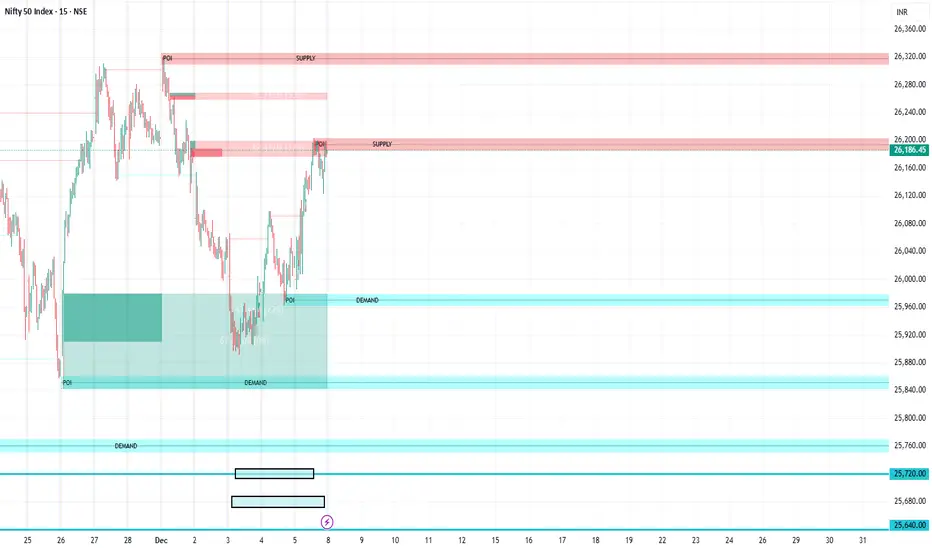
FVG Supply and DemandThis indicator combines powerful tools into one: • Supply & Demand Zones built from swing highs/lows with ATR-based zone width, POI markers, and Break-of-Structure (BOS) detection. • Volumized Fair Value Gaps (FVGs) showing bullish/bearish gaps, total volume inside the gap, volume distribution, optional zone-combining, and auto-cleanup. • Swing TSL Line and manage bar color. It helps visualize key imbalance areas, institutional zones, and price reaction points. Credits to the Author. ⚠️ Disclaimer This indicator is provided for educational and analytical purposes only. It does not provide trading advice. Past results do not guarantee future outcomes. Use responsibly and in conjunction with your market analysis.Indicador Pine Script®por vinothblr201522 1.1 K
SHAMAZZ = Smoothed Heikin Ashi + MA + ZigZagSHAMAZZ: Smoothed Heikin Ashi + Moving Averages + ZigZag Structure This script is a visual analysis tool that combines three components in one place: Smoothed Heikin Ashi candles • Candles are generated using a two-stage exponential smoothing process applied to open, high, low, and close • Helps visualize general price direction and candle transitions • Supports optional multi-timeframe views using TradingView’s request.security() Moving Averages • Includes two standard moving averages (SMA 50 and SMA 200 by default) • These are plotted on the same timeframe as the main chart or a selected higher timeframe • No trading signals or strategies are generated from the averages ZigZag Pivot Mapping • Identifies swing highs and lows based on user-selected pivot length • Classifies pivots into simple categories such as higher high, lower high, higher low, or lower low • Draws connecting lines between detected pivots • Can optionally display small labels showing the pivot type • The ZigZag is not predictive and only reflects swings already formed by the chosen pivot settings Purpose The script is meant as a charting helper for traders who want to visualize smoothed candles, major moving averages, and swing structure without switching indicators. It does not generate signals, alerts, or trading advice. It does not imply future outcomes, accuracy, or profitability. Note on Higher Timeframes When higher-timeframe values are requested, the script only displays confirmed higher-timeframe candle closes. No lookahead behavior is intended. Users who want the safest and strictest mode should keep all additional timeframe options disabled and use the indicator on one timeframe only. How to Use • Turn components on or off depending on your workflow • Adjust pivot length to make the ZigZag more or less sensitive • Use smoothed candles and moving averages as visual references • Use ZigZag swings only for structure mapping, not for trade signals or forecasts This tool is provided for visual analysis only and does not promise performance or predictive value.Indicador Pine Script®por V_R_SAtualizado 23
Larry Williams COT Analysis Enhanced [tradeviZion]Larry Williams COT Analysis Enhanced - Complete Description 📖 Introduction Welcome to the Larry Williams COT Analysis Enhanced indicator. This comprehensive description explains every setting, feature, and capability of this advanced Commitments of Traders (COT) analysis tool. This indicator implements Larry Williams' professional COT analysis methodology with enhanced features including statistical validation, combination analysis, and adaptive signal generation. --- 🎯 Quick Start Add the indicator to your chart The script will automatically detect your symbol's CFTC code and asset type Review the main COT analysis table (displayed by default) Customize settings based on your trading style Review the Trading Edge & Signals section for signal information --- ⚙️ Settings Groups Overview The indicator is organized into 9 logical groups of settings: 1. Core COT Settings - Data source and report configuration 2. Analysis Parameters - Calculation methods and lookback periods 3. Signal Generation - Buy/sell signals and trend weighting 4. Plot Display Settings - Visual customization of chart lines 5. Smoothing Settings - Data smoothing options 6. COT Proximity Index Settings - Price-based proxy indicator configuration 7. Common Table Settings - Shared table appearance 8. Main Table Display Settings - Main analysis table customization 9. Historical Comparison Settings - Historical data table configuration --- 📋 Group 1: Core COT Settings COT Report Type Options: Legacy | Disaggregated | Financial What it is: Selects the type of COT report data to analyze. Legacy - Traditional COT report format. Recommended for most users. Uses "Commercial Positions" and "Noncommercial Positions" metrics. Shows Commercial, Non-Commercial, and Small Speculator positions in the classic format. Commercials: "Commercial Positions" Speculators: "Noncommercial Positions" Small Specs: "Nonreportable Positions" Disaggregated - Separates managed money from other speculators. Uses different metrics than Legacy format. Commercials: "Producer Merchant Positions" Speculators: "Managed Money Positions" Small Specs: "Nonreportable Positions" Important: When using Disaggregated report type, the table will still show "Non-Comm" as the label, but the data displayed is actually " Managed Money Positions " (hedge funds and CTAs). The underlying data changes based on your report type selection, even though the table label remains "Non-Comm" for consistency. Where you'll see this data: 📊 Current Positions section - The "Non-Comm" row shows Managed Money long, short, and net positions 📊 Open Interest Analysis section - "Non-Comm" net changes reflect Managed Money position changes 📈 Analysis section - "Non-Comm" percentile and LW Index values are calculated from Managed Money positions Chart plots - The blue "Non-Commercial" line shows Managed Money net positions Useful when you want to analyze hedge funds (Managed Money) separately from other large speculators. The "Commercial" row will show " Producer Merchant Positions " instead of general "Commercial Positions". Financial - Designed for financial instruments (currencies, bonds, stock indices). Uses financial-specific metrics. Commercials: "Dealer Positions" Speculators: "Leveraged Funds Positions" Small Specs: "Nonreportable Positions" Important: When using Financial report type, the table will still show "Commercial" and "Non-Comm" as labels, but the data displayed is actually " Dealer Positions " (commercials) and " Leveraged Funds Positions " (speculators). The underlying data changes based on your report type selection. Where you'll see this data: 📊 Current Positions section - "Commercial" row shows Dealer long/short/net, "Non-Comm" row shows Leveraged Funds positions 📊 Open Interest Analysis section - Net changes reflect Dealer and Leveraged Funds position changes 📈 Analysis section - Percentile and LW Index values are calculated from Dealer and Leveraged Funds positions Chart plots - Lines show Dealer and Leveraged Funds net positions Use this for currency futures, bond futures, and stock index futures. Trading Use: Most traders use Legacy as it provides the most comprehensive view and works with all asset types. Switch to Disaggregated if you want to analyze managed money positions separately. Use Financial specifically for financial instruments (currencies, bonds, stock indices). --- Include Options Data Default: Off (false) What it is: Toggles whether to include options positions in addition to futures positions. Trading Use: Larry Williams observed no significant difference in COT analysis when including options data. Keep this disabled unless you specifically need options data. Most traders leave it off for cleaner analysis. --- Auto-detect CFTC Code Default: On (true) What it is: Automatically finds the correct CFTC code for your symbol. Trading Use: Keep this enabled unless you need a specific CFTC code. The script automatically detects codes for: - Currency futures: CME:6E1! , CME:6B1! , CME:6J1! - Stock index futures: CME_MINI:ES1! , CBOT_MINI:YM1! , CME_MINI:NQ1! - Commodities: NYMEX:CL1! , COMEX:GC1! , CBOT:ZC1! - And many more Only disable if you're analyzing a symbol that requires a specific CFTC code not in the auto-detection database. --- Manual CFTC Code Default: Empty What it is: Enter a specific CFTC code manually (e.g. for E-mini S&P 500). "13874+" Trading Use: Only used when Auto-detect CFTC Code is disabled. Most users never need this setting. --- 📊 Group 2: Analysis Parameters Display Mode Options: COT Report | COT Index | COT Proximity Index What it is: Controls what data is displayed on the chart and in the table. COT Report - Shows raw position data (Long, Short, Net positions) plus analysis. Best for detailed analysis. Displays Commercial, Non-Commercial, Small Speculator, and Open Interest lines. COT Index - Shows index values based on your selected Analysis Method (Percentile or LW Index). Best for quick sentiment analysis. Displays index lines for Commercial, Non-Commercial, Small Speculator, and Open Interest. Percentile can exceed 0-100% for extremes, LW Index stays 0-100%. Percentile can exceed 0-100% for extremes LW Index stays 0-100% COT Proximity Index - Shows a price-based proxy indicator. Useful when COT data is delayed or unavailable. Calculates sentiment based on price action patterns. Trading Use: - Use COT Report for comprehensive analysis - Use COT Index when you want to focus on extreme sentiment levels - Use COT Proximity Index as a backup when COT data is delayed or unavailable. --- Analysis Method Options: Percentile | LW Index What it is: Selects the calculation method for position rankings. Percentile - Professional approach. Excludes current bar from range calculation. Can show extremes (>100% or <0%) when today's value breaks historical range. More sensitive to recent extremes. LW Index - Original Larry Williams method. Includes current bar in range, always 0-100%. Traditional approach. Trading Use: Percentile - Better for catching new extremes and recent market shifts LW Index - Better for traditional Larry Williams analysis Most traders prefer Percentile for its ability to show when positions break historical ranges. --- Lookback Mode Options: Auto | Manual What it is: Controls how the historical lookback period is determined. Auto - Automatically sets lookback period based on detected asset type Manual - Choose your own lookback period Trading Use: Use Auto unless you have a specific reason to customize. The script automatically sets optimal periods: Currencies: 26 weeks Metals: 13 weeks Grains: 26 weeks Stocks/Indices: 13 weeks Bonds: 52 weeks Energies: 13 weeks --- Manual Lookback Period Options: 1 Month | 3 Months | 6 Months | 1 Year | 3 Years | Asset-specific presets | Manual What it is: How far back to look for historical comparison. Only used when Lookback Mode is set to Manual . --- Manual Lookback Weeks Default: 18 weeks | Range: 1-500 What it is: Exact number of weeks to look back. Only used when Manual Lookback Period is set to Manual . Trading Use: Set a custom period if you want precise control. 18 weeks = approximately one quarter (3 months). --- 🎯 Group 3: Signal Generation Show Signal Arrows Default: Off (false) What it is: Displays buy/sell arrows on the chart when extreme positions are detected. Trading Use: Enable to get visual alerts for signals. Signals use strict multi-factor conditions requiring: - Commercial extreme positioning - Speculator positioning alignment - Open Interest confirmation - Trend consistency - And more... --- Show Background Colors Default: Off (false) What it is: Colors the chart background during extreme market conditions. Trading Use: Enable for visual market state awareness: - Strong signals = Darker background colors - Moderate signals = Lighter background colors - Green background = Bullish extreme - Red background = Bearish extreme Useful for quick visual assessment of market conditions. --- Use Price Trend Weighting Default: On (true) What it is: Weights signals based on price trend alignment. How it works: Uptrend + Commercials long = Stronger bullish signal Downtrend + Commercials short = Stronger bearish signal Counter-trend signals = Harder to trigger (more conservative) Trading Use: Keep enabled for more reliable signals. Commercials aligned with price trend are historically more accurate. This feature makes signals easier to trigger when commercials align with the trend and harder when they're counter-trend. --- Trend MA Period Default: 40 | Range: 1-200 What it is: Moving average period for price trend detection. How it works: Price above MA with the MA rising = Uptrend Price below MA with the MA declining = Downtrend --- 📈 Group 4: Plot Display Settings Commercial Line Settings Default Color: Red | Default Width: 2 What it is: Controls the Commercial traders net position line appearance. Trading Use: Commercials are considered "smart money." Watch for: Extreme long positions (high index ≥74%) = Heavy buyers = BULLISH signal Extreme short positions (low index ≤26%) = Heavy sellers = BEARISH signal Red is traditional for commercials. When Commercials are heavy buyers (high index), it's a bullish signal. When they're heavy sellers (low index), it's a bearish signal. --- Non-Commercial Line Settings Default Color: Blue | Default Width: 2 What it is: Controls the Non-Commercial (Large Speculators) net position line appearance. Trading Use: Large speculators are often trend-followers. Watch for: Extreme long = Potential top (contrarian sell signal) Extreme short = Potential bottom (contrarian buy signal) They're often wrong at extremes - use as contrarian indicator. --- Small Speculator Line Settings Default Color: Green | Default Width: 2 What it is: Controls the Small Speculators net position line appearance. Trading Use: Small specs are typically wrong at extremes: Extreme long = Potential top (sell signal) Extreme short = Potential bottom (buy signal) Exception: In Meats markets, small specs are accurate (like commercials). --- Small Speculator Multiplier Default: 5.0x | Range: 0.1-20.0 What it is: Multiplies Small Speculator PLOTTED values for visual comparison. Important: This only affects the visual plot line, NOT calculations or table values. Raw values used in all calculations remain unchanged. Trading Use: Small spec positions are often much smaller than commercials. Use multiplier (default 5.0x) to scale the line for easier visual comparison. --- Open Interest Line Settings Default Color: Black | Default Width: 1 What it is: Controls the Open Interest line appearance. Trading Use: Open Interest shows market participation: Rising OI = New money entering (confirms trend) Falling OI = Money leaving (potential reversal) Watch WHO is driving OI changes - This is critical --- Scale Open Interest Default: On (true) What it is: Scales Open Interest values to fit chart range. Important: Only affects plotted lines, not table values. Scaling changes based on lookback period: - Shorter lookback = More compressed range - Longer lookback = Wider range Trading Use: Keep enabled for better visual comparison. Disable if you want absolute OI values. --- Show Reference Lines Default: Off (false) What it is: Toggles the display of horizontal reference lines at 0%, 50%, and 100% levels on the chart. What it shows: Zero Line (0%) - Dotted gray line at 0% level Midline (50%) - Solid gray line at 50% level 100 Line (100%) - Dotted gray line at 100% level Trading Use: Enable when you want visual reference points for: 0% = Extreme bearish positioning 50% = Neutral/middle range 100% = Extreme bullish positioning --- 🔄 Group 5: Smoothing Settings Smoothing Method Options: None | SMA | EMA | WMA | RMA What it is: Selects the moving average type for smoothing data. None - Use raw data (no smoothing) SMA - Simple Moving Average (equal weight to all periods) EMA - Exponential Moving Average (more weight to recent data) WMA - Weighted Moving Average (linear weighting) RMA - Relative Moving Average (Wilder's smoothing) Trading Use: None - Best for catching extremes quickly SMA - Most common, balanced smoothing EMA - More responsive to recent changes WMA/RMA - Advanced smoothing methods Smoothing reduces noise but may delay signal detection. Use None for most responsive signals. --- Smoothing Period Default: 4 | Range: 2-20 What it is: Number of periods for the moving average smoothing. Trading Use: Shorter periods (2-5) = Less smoothing, more responsive Longer periods (10-20) = More smoothing, less noise Default 4 = Good balance Only used when Smoothing Method is not None. --- Smooth COT Report Plots Default: Off (false) What it is: Applies smoothing to COT Report plotted lines (Commercial, Non-Commercial, Small Speculators, Open Interest). Trading Use: Enable if you want smoother chart lines. Note: Smoothing affects visual display but calculations use raw data unless Smooth COT Index Plots is also enabled. --- Smooth COT Index Plots Default: Off (false) What it is: Applies smoothing to COT Index plotted lines. Trading Use: Enable if you want smoother index lines. Important : When enabled, smoothed values are used in table displays and signal calculations. This affects the "user-facing" index values shown in the table and used for signals. --- 📊 Group 6: COT Proximity Index Settings Proximity Length Mode Options: Auto | Manual What it is: Controls how the proximity index calculation period is determined. Auto - Calculates length based on ZigZag patterns (dynamic) Manual - Uses fixed length setting Trading Use: Use Auto for adaptive calculation. Use Manual if you want consistent period regardless of market conditions. --- Manual Proximity Length Default: 8 bars | Range: 1+ What it is: Fixed number of bars for COT Proximity Index calculation. Only used when Proximity Length Mode is Manual . Trading Use: Set based on your timeframe. 8 bars works well for weekly chart. --- Heavy Buyers Level Default: 74% | Range: 50-100 What it is: COT Index level above which commercials are considered heavy buyers (extreme long positioning). Trading Use: This threshold is used for: - Signal generation - Market state calculation - Entry level recommendations Default 74% means commercials are "heavy buyers" when LW Index ≥ 74%. --- Heavy Sellers Level Default: 26% | Range: 0-50 What it is: COT Index level below which commercials are considered heavy sellers (extreme short positioning). Trading Use: This threshold is used for: - Signal generation - Market state calculation - Entry level recommendations Default 26% means commercials are "heavy sellers" when LW Index ≤ 26%. --- ZigZag Deviation Default: 1.0% | Range: 1-100.0 What it is: Minimum price change (%) required to create a new ZigZag pivot point. Trading Use: Smaller values = More sensitive, more pivots Larger values = Less sensitive, fewer pivots Used for Auto proximity length calculation. --- ZigZag Depth Default: 1 | Range: 1+ What it is: Minimum number of bars between pivot points. Trading Use: Higher values filter out minor pivots. Default 1 captures all significant pivots. --- Extend ZigZag to Last Bar Default: Off (false) What it is: Draws ZigZag lines to the current bar (may show incomplete patterns). Trading Use: Enable to see current ZigZag pattern, but be aware it may change as new bars form. --- Show ZigZag Lines Default: Off (false) What it is: Displays ZigZag pivot lines on the chart for visual reference. Trading Use: Enable to see the ZigZag pattern used for proximity index calculation. Useful for understanding how Auto mode works. --- 🎨 Group 7: Common Table Settings Color Theme Options: Dark | Light | Midnight Blue | Ocean Blue | Forest Green | Amber Gold | Slate Gray What it is: Color scheme for both main and historical comparison tables. Trading Use: Choose based on your preference: Dark/Light - Classic themes Midnight Blue - Professional dark theme Ocean Blue - Calming blue tones Forest Green - Natural green theme Amber Gold - Warm gold tones Slate Gray - Modern gray theme Theme applies to both tables simultaneously for consistency. --- 📋 Group 8: Main Table Display Settings Show COT Table Default: On (true) What it is: Toggles the main COT analysis table display. Trading Use: Disable only if you want to use chart plots only. Most traders keep this enabled for comprehensive analysis. --- Table Mode Options: Full | Compact What it is: Controls the detail level of the main table. Full - Complete analysis table with all sections Compact - Essential info only (mobile-friendly) Trading Use: Full - Desktop trading, comprehensive analysis Compact - Mobile trading, quick reference See "Table Modes Explained" section below for details. --- Table Position Options: Top Right | Top Left | Bottom Right | Bottom Left | Middle Right | Middle Left What it is: Position of the main COT analysis table on the chart. Trading Use: Choose based on your chart layout and preference. Top Right is default and works well for most traders. --- Table Text Size Options: Tiny | Small | Normal | Large What it is: Size of text in the COT analysis table. --- Section Visibility Controls All default: On (true) What it is: Individual toggles to show/hide specific table sections. ⚙️ Settings - Report Type, CFTC Code, Options setting 📊 Current Positions - Long, Short, Net positions for each group 📈 Analysis - LW Index, Percentile, Market State 🎯 Trading Edge & Signals - Current Signal, Entry Level, Best Setup 💡 Trading Tips - Context-aware trading insights 📈 Trend Analysis - Trend Direction, Strength, Cum Change, ROC, vs MA 🔄 Market Maker Activity - Spreading, Activity Level, Trading Edge Trading Use: Customize your table to show only what you need: Quick traders - Show only Trading Edge & Signals Detailed analysis - Show all sections Mobile users - Hide less critical sections Each section can be toggled independently for maximum customization. --- 📊 Group 9: Historical Comparison Settings Show Historical Comparisons Default: On (true) What it is: Toggles the historical comparison table display. Trading Use: This table shows how current positions rank over different time periods (1M, 3M, 6M, 1Y, 3Y, All Time). Very useful for context. --- Historical Table Mode Options: Full | Compact What it is: Controls the detail level of the historical comparison table. Full - Complete historical comparison with all time periods (1M, 3M, 6M, 1Y, 3Y, All Time) and all COT groups Compact - Essential periods only (1M, 3M, 6M, 1Y, All Time) showing Commercial % only Trading Use: - Full - Comprehensive historical analysis - Compact - Quick reference, mobile-friendly --- Table Position (Historical) Options: Top Right | Top Left | Bottom Right | Bottom Left What it is: Position of the historical comparison table on the chart. --- Table Text Size (Historical) Options: Tiny | Small | Normal | Large What it is: Size of text in the historical comparison table. --- Trading Days Options: Weekdays | 24/7 What it is: How to calculate time periods for historical comparisons. Weekdays - Calculate based on trading days only (5 days/week) 24/7 - Include all calendar days (7 days/week), Use for 24/7 markets like cryptocurrencies Used for both main COT data and COT Proximity Index historical comparisons. --- 📊 Table Modes Explained Full Mode - Main Table The Full mode displays all available sections: ⚙️ Settings - Report type, CFTC code, options setting 📊 Current Positions - Long, Short, Net for Commercial, Non-Commercial, Small Speculators 📊 Open Interest Analysis - OI value, change, who's driving changes, concentration 📈 Analysis - Percentile ranks, LW Index values, Market State 🎯 Trading Edge & Signals - Current Signal, Entry Level, What to Watch, Best Setup 💡 Trading Tips - Context-aware insights 📈 Trend Analysis - Trend Direction, Strength, Consistency, Cumulative Change, ROC %, vs MA 🔄 Market Maker Activity - Spreading %, Activity Level, Interpretation, Trading Edge Best for: Desktop trading, comprehensive analysis, detailed market assessment --- 📋 Understanding Each Table Section This section explains what each part of the main table means and how to use it for trading decisions. ⚙️ Settings Section Report Type - Shows which COT report format you're using (Legacy, Disaggregated, or Financial). Verify this matches your asset type. Options - Indicates if options data is included ("Included") or excluded ("Excluded"). Most traders exclude options for cleaner analysis. CFTC Code - Unique identifier for your futures contract. Shows "Auto" when automatically detected, or displays the manual code if set. Trading Use: Always verify your CFTC code is correct. Wrong code = wrong data = wrong signals. --- 📊 Current Positions Section Shows the actual position sizes for each trader group. What Each Column Means: Long - Total long contracts held by this group Short - Total short contracts held by this group Net - Net position (Long - Short). This is the key number. How to Interpret: Commercial Net Position: - Negative (Net Short) = Commercials expect prices to fall - Positive (Net Long) = Commercials expect prices to rise - Commercials are "smart money" - their positioning often precedes major moves Non-Commercial Net Position: - Positive (Net Long) = Large speculators bullish - Negative (Net Short) = Large speculators bearish - Often trend-followers, can be caught at extremes Small Spec Net Position: - Positive (Net Long) = Small traders bullish - Negative (Net Short) = Small traders bearish - Often contrarian indicator - wrong at extremes Trading Edge: Watch for extremes in Commercial net positions. When Commercials are heavy buyers (high index ≥74%), it's a bullish signal. When they're heavy sellers (low index ≤26%), it's a bearish signal. --- 📊 Open Interest Analysis Section Open Interest - Total number of outstanding contracts. Shows market participation level. Change - Week-over-week change in Open Interest. Rising OI = new money entering, Falling OI = money leaving. Net Changes - Shows which group is driving Open Interest changes. This is Larry Williams' most important insight. 🎯 Critical Question: Who is Driving OI Changes? EXTREMELY BULLISH SIGNAL (Very Rare - Pay Close Attention): - Commercials driving OI increase + Commercials raising positions + Uptrend market - Meaning: Smart money (commercials) accumulating long positions while market is rising - Action: Extremely bullish - very rare setup, pay close attention to this signal - This is the strongest bullish signal possible BULLISH SIGNAL (Strong Buy): - Commercials driving OI increase + Commercials net long - Meaning: Smart money accumulating long positions - Action: Strong bullish setup BEARISH SIGNAL (Strong Sell - Market Topping): - Commercials exiting + OI increasing due to Small Specs + Non-Commercials - Meaning: Smart money leaving while speculative money entering - Action: Market top forming - most likely scenario for bearish reversal - This indicates speculative excess and potential market top BEARISH SIGNAL (Speculative Excess): - Small Specs + Non-Commercials driving OI increase + They are net long - Meaning: Speculative excess, "dumb money" driving market - Action: Bearish reversal likely Trading Use: - Rising OI = New money entering (confirms trend) - Falling OI = Money leaving (potential reversal) - Watch WHO is driving OI changes - This is critical - When Commercials drive OI increases while raising positions in an uptrend = Extremely bullish and very rare - pay attention - When Commercials exit while OI increases due to Small Specs and Non-Commercials = Market topping signal Concentration - Shows how much of the market is controlled by the largest traders: - Top 4 - Four largest traders' share of total OI - Top 8 - Eight largest traders' share of total OI Trading Use: High concentration (>30%) means fewer dominant players, potential for volatility. Low concentration means more distributed positions, healthier market. --- 📈 Analysis Section Proximity Index (when in COT Proximity Index mode): - Value: Current proximity index reading (0-100%) - Length: Number of bars used in calculation - Status: Heavy Buyers, Heavy Sellers, or Neutral Analysis Method - Shows whether you're using Percentile or LW Index calculation. Small Spec Mode - Shows how Small Speculators are interpreted: - Contrarian (Traditional) - Small specs are wrong at extremes (default) - Accurate (Meats) - Small specs are accurate like commercials (for Meats markets) Market State - Overall market sentiment assessment: - STRONG BULLISH - Multiple factors aligned bullish, strong buy signal - MODERATE BULLISH - Several bullish factors, moderate buy signal - LEANING BULLISH - Slight bullish bias, watch for confirmation - NEUTRAL - Mixed signals, trade with existing trend - LEANING BEARISH - Slight bearish bias, watch for confirmation - MODERATE BEARISH - Several bearish factors, moderate sell signal - STRONG BEARISH - Multiple factors aligned bearish, strong sell signal Trading Use: Start your analysis here. Market State gives you the overall picture before diving into details. --- 🎯 Trading Edge & Signals Section Current Signal - Shows which combination is active based on current positioning extremes and its expected accuracy percentage: - Comm+Spec+OI - All three groups at extremes (highest accuracy) - Comm+Spec - Commercials and specs at extremes (opposite extremes - Larry Williams' favorite) - Comm+OI - Commercials and Open Interest at extremes (smart money + participation) - Commercials - Only Commercials at extreme (smart money indicator) - Wait - No extremes detected, wait for setup Entry - Trading signal based on Commercial positioning: - LONG - Commercials are heavy buyers (≥Heavy Buyers Level), bullish signal - SHORT - Commercials are heavy sellers (≤Heavy Sellers Level), bearish signal - Wait - Commercials neutral, no clear signal Best Setup - Shows the historically highest accuracy combination found in the data: - Comm+Spec+SmallSpec+OI - All four groups aligned (strongest signal) - Comm+Spec+OI (All) - Commercials + Speculators + Open Interest aligned - Comm+Spec+SmallSpec - Commercials + Speculators + Small Specs aligned - Comm+Spec (Both) - Commercials + Speculators (opposite extremes - Larry Williams' favorite) - Comm+OI (Both) - Commercials + Open Interest (participation confirms smart money) - Comm+SmallSpec - Commercials + Small Specs (especially strong in Meats markets) - Commercials Alone - Commercial positioning only (baseline - smart money indicator) Trading Use: This is your action center . Focus on Entry signals when Market State confirms. Higher accuracy setups (shown in Best Setup) are more reliable. --- 💡 Trading Tips Section Context-aware insights based on current market conditions. What You'll See: Commercial positioning assessment (extreme long/short, favorable/unfavorable) Speculator positioning (contrarian support or warning) Open Interest guidance (who's driving changes) Trend assessment (aligning or conflicting) Information about entry timing, position sizing, and confirmation needs Trading Use: Review these tips when analyzing. They provide context-specific information tailored to current conditions. --- 📈 Trend Analysis Section Trend Direction - Overall price trend: - Bullish - Price trending up - Bearish - Price trending down - Mixed - No clear direction Consistency - How stable the trend is: - Consistent - Trend is stable and maintaining direction - Mixed - Trend is unstable, direction changing - Accelerating - Trend is gaining momentum Strength - Trend intensity: - Strong - Powerful trend - Steady - Moderate trend - Weak - Weak trend This Week - Net position change this week (percentage). Cumulative Change - Total net position change over different periods: - 4W - 4-week cumulative change - 13W - 13-week cumulative change (one quarter) - 26W - 26-week cumulative change (half year) ROC % - Rate of Change percentage over different periods. Shows momentum. vs MA - Current net position compared to moving average: - Positive = Above average (strong positioning) - Negative = Below average (weak positioning) Trading Use: Align COT signals with trend direction for higher accuracy. When COT signals align with price trend, signals are more reliable. Counter-trend signals require more confirmation. --- 🔄 Market Maker Activity Section Total Spreading - Percentage of open interest in spread positions (simultaneous long and short in different months). Percentile - Where current spreading level ranks historically. High percentile = unusual spreading activity. 13W Trend - 13-week trend in spreading activity (+ = increasing, - = decreasing). Activity Level - Market maker activity intensity: - High - Very active, expect volatility - Moderate - Normal activity - Low - Quiet, less volatility expected vs 13W Avg - Current activity compared to 13-week average. Trading Edge - Interpretation of market maker activity: - High & Rising - Expect volatility, market makers hedging risk - High & Stable - Active hedging, monitor for changes - Low & Falling - Reduced activity, potential for directional moves Trading Use: High market maker activity often precedes volatility. Use this to adjust position sizing and risk management. When spreading is high and rising, expect choppy conditions. --- 📋 Understanding Compact Mode Fields The Compact mode provides essential information for quick trading decisions. Here's what each field means: State Shows the overall market sentiment based on combined COT analysis. Possible Values: - STRONG BULLISH - Multiple factors aligned bullish, strong buy signal - MODERATE BULLISH - Several bullish factors, moderate buy signal - LEANING BULLISH - Slight bullish bias, watch for confirmation - NEUTRAL - Mixed signals, trade with existing trend - LEANING BEARISH - Slight bearish bias, watch for confirmation - MODERATE BEARISH - Several bearish factors, moderate sell signal - STRONG BEARISH - Multiple factors aligned bearish, strong sell signal Trading Use: Start your analysis here. Strong signals (STRONG BULLISH/BEARISH) indicate higher confidence setups. Neutral means trade with price trend. --- Entry Your actionable trading signal based on Commercial positioning. Possible Values: - LONG - Commercials are heavy buyers (≥Heavy Buyers Level), bullish signal - SHORT - Commercials are heavy sellers (≤Heavy Sellers Level), bearish signal - Wait - Commercials neutral, no clear signal Trading Use: This is your go/no-go decision point. Only take trades when Entry shows LONG or SHORT. When Entry = Wait, stay on sidelines until clearer signal develops. --- Comm Index Commercial LW Index percentage showing where Commercial net position ranks historically. Range: 0% to 100% - 0-26% = Commercials heavy sellers (bearish positioning) - 27-73% = Commercials neutral (no extreme) - 74-100% = Commercials heavy buyers (bullish positioning) Trading Use: Commercial extremes are most reliable. Values ≥74% (heavy buyers/extreme long) = BULLISH signal. Values ≤26% (heavy sellers/extreme short) = BEARISH signal. When Commercials are heavy buyers, it indicates bullish sentiment. When they're heavy sellers, it indicates bearish sentiment. --- OI Status Open Interest condition showing market participation level and trend. Format: Status (Percentile %) Examples: - High (100.0%) - OI at extreme high, strong participation - Moderate (50.0%) - OI at average level - Low (10.0%) - OI at extreme low, weak participation Trend Indicators: - Rising - OI increasing (new money entering) - Falling - OI decreasing (money leaving) - Stable - OI unchanged Trading Use: High OI with rising trend = strong market participation, confirms directional moves. Falling OI = watch for potential reversals. Low OI = reduced participation, potential for volatility. --- Best Setup Shows which combination of factors has the highest historical accuracy. Format: Combination Name (Accuracy %) Examples: - Commercials Alone (75.3%) - Commercial positioning only - Commercials + Speculators (68.2%) - Commercials and specs aligned - Commercials + Open Interest (72.1%) - Commercials with OI confirmation - Commercials + Speculators + OI (82.1%) - All factors aligned (strongest) Trading Use: Higher accuracy values indicate signals with higher historical accuracy. When Best Setup shows "Commercials + Speculators + OI" with high accuracy, it indicates a combination with strong historical performance. --- Trend 13-week cumulative trend direction based on net position changes. Possible Values: - Bullish - Net positions trending bullish over 13 weeks - Bearish - Net positions trending bearish over 13 weeks - Mixed - No clear directional trend Trading Use: Align Entry signals with Trend for higher accuracy. When Entry = LONG and Trend = Bullish, signal is stronger. When Entry = LONG but Trend = Bearish, wait for price confirmation before entering. Counter-trend signals require more confirmation. --- Full Mode - Historical Table The Full historical mode shows: All time periods: 1 Month, 3 Months, 6 Months, 1 Year, 3 Years, All Time All COT groups: Commercial, Non-Commercial, Small Speculators, Open Interest Complete header with asset type and lookback information Best for: Comprehensive historical analysis, understanding long-term positioning --- Compact Mode - Historical Table The Compact historical mode shows: Essential periods only: 1M, 3M, 6M, 1Y, All Time Commercial % only (most important indicator) Simplified header Best for: Quick reference, mobile-friendly, focused analysis --- 🎯 How to Use Each Feature for Trading Using Display Modes COT Report Mode - Use for: Understanding raw position sizes Analyzing net position changes Comparing absolute positions across groups Detailed market structure analysis COT Index Mode - Use for: Quick sentiment assessment Identifying extremes (Percentile can show >100% or <0%, LW Index shows 0-100%) Comparing relative positioning Signal generation COT Proximity Index Mode - Use for: When COT data is delayed Real-time sentiment estimation Price-action based analysis --- Using Analysis Methods Percentile Method - Use when: You want to catch new extremes (>100% or <0%) You need responsive signals You're analyzing recent market regime changes You want to use the professional approach (excludes current bar from range) LW Index Method - Use when: You want traditional Larry Williams analysis You prefer stable, conservative signals You're doing long-term analysis You want always 0-100% range --- Using Signal Generation Enable Signal Arrows when: You want visual alerts for high-quality setups You're scanning multiple charts You want to catch extreme positioning Enable Background Colors when: You want quick visual market state assessment You're monitoring multiple timeframes You want to see market conditions at a glance Use Price Trend Weighting to: Increase signal reliability Align COT signals with price action Filter counter-trend signals --- Using Smoothing No Smoothing - Best for: Catching extremes quickly Responsive signal generation Active trading With Smoothing - Best for: Reducing noise Trend identification Swing trading Remember: Smoothing affects visual display. Enable "Smooth COT Index Plots" if you want smoothed values in calculations. --- Using Heavy Buyers/Sellers Levels Default 74%/26% - Good starting point Tighter levels (80%/20%) - More conservative, fewer signals Wider levels (70%/30%) - More signals, less extreme Trading Use: Adjust based on your risk tolerance and signal frequency preference. --- Using Table Sections Settings - Verify your configuration Current Positions - Understand current market structure Analysis - Identify extremes and market state Trading Edge & Signals - Most important - Entry signals based on Commercial positioning Trading Tips - Context-aware insights Trend Analysis - Understand momentum and direction Market Maker Activity - Assess market maker positioning --- 💡 Key Trading Concepts Market State Interpretation STRONG BULLISH - Multiple factors aligned bullish. Strong buy signal. MODERATE BULLISH - Several bullish factors. Moderate buy signal. LEANING BULLISH - Slight bullish bias. Watch for confirmation. NEUTRAL - Mixed signals. Trade with existing trend. LEANING BEARISH - Slight bearish bias. Watch for confirmation. MODERATE BEARISH - Several bearish factors. Moderate sell signal. STRONG BEARISH - Multiple factors aligned bearish. Strong sell signal. --- Entry Level Signals LONG - Commercials are heavy buyers (≥Heavy Buyers Level). Bullish signal. SHORT - Commercials are heavy sellers (≤Heavy Sellers Level). Bearish signal. Wait - Commercials neutral. No clear signal. When Commercials are heavy buyers (high index), it indicates bullish sentiment. When they're heavy sellers (low index), it indicates bearish sentiment. --- Best Setup Interpretation The Best Setup shows the historically highest accuracy combination: Commercials Alone - Commercial positioning is most reliable Commercials + Speculators - Both groups aligned Commercials + Open Interest - Commercials + OI confirmation Commercials + Speculators + OI - All factors aligned (strongest) Higher accuracy = More reliable signal. Use this to prioritize which signals to follow. --- Open Interest Analysis Critical Question: Who is driving Open Interest changes? EXTREMELY BULLISH (Very Rare): Commercials driving OI increase + Commercials raising positions + Uptrend = EXTREMELY BULLISH This is very rare - pay close attention when this occurs STRONG BULLISH: Commercials driving OI increase + Commercials long = STRONG BULLISH BEARISH (Market Topping): Commercials exiting + OI increasing due to Small Specs + Non-Commercials = BEARISH (market topping) Most likely scenario for bearish reversal - speculative excess BEARISH (Speculative Excess): Speculators driving OI increase + Speculators long = BEARISH (speculative excess) TREND CONFIRMATION: Rising OI = Confirms trend (new money entering) Falling OI = Potential reversal (money leaving) This is one of Larry Williams' most important insights. When Commercials drive OI increases while raising positions in an uptrend, it's extremely bullish and very rare - pay attention. When Commercials exit while Small Specs and Non-Commercials drive OI increases, the market is likely topping. --- 🚀 Practical Trading Workflow Daily Analysis Routine Check Market State - Overall assessment Review Entry Level - Actionable signal Check Best Setup - Signal reliability Review Trading Tips - Context-aware insights Analyze Trend Analysis - Momentum confirmation Check Historical Comparison - Context over time Verify Open Interest - Who's driving changes --- Signal Confirmation Checklist Before taking a trade based on COT signals: ✓ Market State shows clear bias (not Neutral) ✓ Entry Level matches Market State ✓ Best Setup shows high accuracy (>60%) ✓ Price trend aligns with signal (if using trend weighting) ✓ Open Interest confirms (rising for trend continuation, falling for reversal) ✓ Historical comparison shows extreme positioning ✓ Price action confirms (wait for price confirmation) --- ⚠️ Important Notes COT data is weekly - Updates every Friday afternoon Extremes can persist - Don't expect immediate reversals Combine with price action - COT is one tool among many Historical context matters - Consider market conditions Meats markets are special - Small specs are accurate (like commercials) Signals are rare - High-quality signals don't appear every week --- This description covers all settings and features of the Larry Williams COT Analysis Enhanced indicator. Larry Williams recommends combining COT analysis with other indicators for setup signals: Williams Sentiment Index, Williams Valuation Index, Williams True Seasonal, Pinch and Paunch Signal, along with price action, technical analysis, and fundamental factors. --- 📖 Conclusion The Larry Williams COT Analysis Enhanced indicator provides a sophisticated framework for understanding market sentiment through the lens of different participant groups. By combining mathematical analysis with behavioral insights, it displays COT positioning data, calculates index values, and generates signals based on extreme positioning. Remember: This is a tool for analysis, not a crystal ball. Consider combining COT analysis with other Larry Williams indicators, price action, technical analysis, and fundamental factors. Practice with the indicator, study historical signals, and develop your understanding of how different market participants behave. Signals with multiple factors aligned - Commercials at extremes, Open Interest changes driven by the right groups, and price action confirming the COT signals - have shown higher historical accuracy. This description provides comprehensive documentation for the Larry Williams COT Analysis Enhanced indicator. For the most current data and analysis, always refer to the latest COT reports and market conditions. --- Acknowledgment This tool builds upon the foundational work of Larry Williams, who developed the Commitments of Traders (COT) analysis methodology and the principles for interpreting COT data. It also incorporates enhancements including statistical validation, combination analysis, adaptive signal generation, and comprehensive historical comparison features. Note: Always practice proper risk management and thoroughly test the indicator to ensure it aligns with your trading strategy. Past performance is not indicative of future results.Indicador Pine Script®por TradeVizionAtualizado 37
ZigZag + Support/ResistanceZigZag + Support/Resistance — Overview This tool combines a ZigZag swing-detection engine with an automatic Support and Resistance system. Swing highs become resistance zones, swing lows become support zones, and each zone is drawn, merged, extended, or expired according to market activity. The goal of this indicator is to create a clear, structured view of market turning points and key levels, without manual plotting. It helps traders understand where price has previously reacted, where liquidity may rest, and how structure shifts over time. How the Indicator Works The ZigZag engine identifies significant market swings by waiting for price to move far enough in one direction to confirm a true turning point. A confirmed swing low becomes a Support level. A confirmed swing high becomes a Resistance level. The indicator connects ZigZag pivots visually if enabled. Every time a new swing forms, the indicator automatically adds or updates the nearest Support or Resistance zone. Support and Resistance Zones Instead of drawing simple horizontal lines, this script uses price “bands” taken from the candle’s wick and body at the swing point. This gives more realistic zones that represent true areas where the market reacted. Each zone extends to the right for a user-defined number of bars and remains active until one of the following occurs: Price breaks the level (optional: requires a candle close depending on settings) The level expires based on the chosen lifetime or automatic timeframe-based defaults. When a zone is broken or expires, it automatically disappears from the chart. Zone Merging The indicator includes advanced logic to identify overlapping or near-overlapping zones: Zones that touch or nearly touch each other can be merged. Merged zones can be displayed with a neutral color if desired. The tool automatically combines, updates, and redraws these zones to keep the chart clean and organized. This prevents clutter and highlights areas where multiple reactions have occurred, signaling stronger levels. ZigZag Swings The ZigZag component identifies major market swings using the “ZigZag Length” setting. Higher values produce fewer, stronger swings. Lower values produce more detailed swing structure. When enabled, the indicator draws straight lines connecting each ZigZag pivot to the next, outlining the overall trend and showing the flow of market structure. Each ZigZag pivot directly feeds the Support/Resistance system. Key Features Automatic support and resistance detection Full zone visualization (rectangles or lines) Optional merging of overlapping or nearby zones Adjustable zone transparency and appearance Time-based expiration of old or inactive levels Option for break-confirmation using only candle closes ZigZag swing visualization Adaptable to any timeframe Recommended Use This indicator is designed for traders who rely on market structure, swing analysis, or price-reaction areas. It is useful for identifying potential turning points, breakout zones, liquidity areas, and strong historical supports/resistances. Whether you trade reversals, breakouts, trend continuation, or liquidity concepts, this tool provides an organized and automated view of the most important levels on the chart. Indicador Pine Script®por mehmettopbas_Atualizado 2251
ZigZagZigZag Indicator – Overview This ZigZag indicator highlights the most important swing highs and swing lows on the chart, helping traders see market structure more clearly by filtering out minor price movements. It connects significant turning points with straight lines, creating a clean visual representation of trend direction and major reversals. How It Works Price constantly moves up and down, but not every movement is meaningful. The ZigZag indicator waits for price to make a move large enough to be considered a true swing point. Once such a movement occurs, the indicator identifies it as either a swing high or a swing low and draws a line connecting it to the previous swing. This produces a simplified outline of market structure, making it easier to recognize trends, corrections, and major turning points. Settings ZigZag Length Controls the sensitivity of the indicator. Lower values produce more frequent swing points. Higher values show only major swings and reduce noise. Show ZigZag Enables or disables the visual lines. When disabled, the indicator continues tracking swing points internally. What You See on the Chart Every time the market creates a confirmed swing high or swing low, the indicator draws a line to the previous swing in the opposite direction. After a major low is confirmed, a line is drawn to the most recent high. After a major high is confirmed, a line is drawn to the most recent low. This creates a clear, continuous zigzag that outlines the dominant movements of the market without reacting to every small fluctuation. Why This ZigZag Is Useful It does not repaint once a swing is confirmed. It provides a clean and simplified view of price structure. It helps identify trend direction, structure breaks, impulses, and corrections. It is useful for traders who follow price action, smart money concepts, and swing-based strategies. Recommended Use Cases This ZigZag indicator is suited for traders who rely on market structure analysis, including: Swing trading Smart Money Concepts (BOS/CHOCH detection) Identifying impulses and pullbacks Finding strong highs and lows Studying overall trend direction Indicador Pine Script®por mehmettopbas_Atualizado 100
TrenVantage TRADER - Market Structure Intelligence 📘 TrenVantage TRADER – Market Structure Intelligence Hello Traders! We are excited to introduce TrenVantage TRADER! This indicator is a professional-grade market structure tool designed for active traders and analysts who require deeper insight and more precise control. It combines advanced pivot-based level detection, a dynamic ZigZag engine, multi-timeframe trend awareness, and Fibonacci integration into a clear and actionable visual layout. The TRADER edition offers enhanced logic that highlights multiple key levels (up to 8) with strength ratings, making it ideal for traders who need full market context without oversimplification. Whether you are day-trading, swing-trading, or managing multiple assets, TrenVantage TRADER empowers you to understand price structure, identify confluence zones, and monitor directional bias in real time. ✨ Key Features 🔹 Smart Support & Resistance (Max 8 Levels – TRADER Version) - Auto-detected levels using precision candle-body logic - Prioritizes the strongest zones with strength ratings - Includes tested vs. untested levels for professional analysis - Ideal for reaction-based trading and advanced setups 🔹 Advanced Pivot Engine - Timeframe-aware, body-focused pivot detection - Dynamic lookback for professional-level accuracy - Filters weak pivots to reduce chart clutter 🔹 Dynamic Trend Detection (ZigZag Core) - Real-time uptrend / downtrend state with swing-based mapping - Adjustable deviation and sensitivity for professional precision - Tracks higher highs, higher lows, lower highs, lower lows 🔹 Multi-Timeframe Trend Integration - Detects trends across multiple higher timeframes - Displays trend confluence scores for actionable insight - Helps identify alignment with larger market bias 🔹 Status Box Dashboard - Displays current trend, price, price change, and SMA & EMA trend position - Nearest S/R with distance and strength information - Multi-timeframe trend direction and confluence - Market position summary (above, below, or between levels) - Active S/R count and proximity detection status 🔹Dual SMA & EMA Overlay - Fully adjustable period and visual style - Acts as a directional filter and confluence tool - Integrated into status box for instant comparison - Crossover signals printed 🔹 Proximity & Trend Alerts - Alerts when price approaches key S/R within defined distance - Alerts on trend changes (Uptrend / Downtrend) - Level break alerts for advanced breakout and reversal strategies - Once-per-bar logic to avoid excessive notifications 🔹 Fibonacci Levels Overlay - Auto-detects recent swing high/low for retracements and extensions - Retracements: 23.6%, 38.2%, 50%, 61.8% - Extensions: 127.2%, 161.8% - Labels percentage levels directly on chart - Works alongside S/R for confluence-based analysis 🔍 In-Depth Feature Breakdown 1. Smart Support & Resistance Levels TrenVantage TRADER uses a refined pivot-based engine combined with candle-body logic to detect the strongest support and resistance zones. Unlike simpler tools, it can maintain up to 8 key levels with visual strength ratings. How It Works - Prioritizes zones with multiple touches and tested/untested status - Tracks both current timeframe and higher timeframe context - Highlights levels with color-coded clarity: - Green = Support - Red = Resistance How It Helps Traders - Provides comprehensive market structure overview - Helps identify strong confluence zones for trading setups - Reduces guesswork and supports data-driven decisions 2. Advanced Pivot Engine Professional-grade pivot detection ensures only significant pivots are plotted, improving the reliability of support/resistance levels. How It Works - Dynamically adapts lookback periods based on volatility - Focuses on candle bodies for more robust zone detection - Filters out weak or irrelevant pivots How It Helps Traders - Clean, reliable chart with actionable levels - Supports both breakout and reaction strategies - Works across scalping, day, and swing-trading approaches 3. Dynamic Trend Detection (ZigZag Core) Tracks real structural swings for professional trend analysis, avoiding guesswork or noise. How It Works - Detects higher highs/lows and lower highs/lows - Adjustable deviation filtering for precision - Smoothly updates trend direction without excessive repainting How It Helps Traders - Quickly identifies trend shifts and continuation setups - Aligns positions with market structure for higher probability trades - Reduces false signals by focusing on meaningful swings 4. Multi-Timeframe Trend Integration Professional traders need to see trend alignment across multiple timeframes. How It Works - Detects trend direction on 2–3 higher timeframes - Displays MTF confluence in status box - Provides a clear bias score for informed decision-making How It Helps Traders - Confirms entries and exits with higher timeframe alignment - Improves risk management with multi-level awareness - Supports advanced strategy building 5 . Status Box Dashboard A compact information hub displaying essential market data in real time. What It Shows - Trend direction & momentum bias - SMA position & influence - Nearest support & resistance levels - Distance and strength of each level - Multi-timeframe trend confluence - Market position summary - Active S/R count and proximity alerts How It Helps Traders - Reduces need to constantly scan the chart - Improves situational awareness and trade timing - Supports multi-asset monitoring with clarity 6. Dual SMA & EMA Overlay Adds professional-grade trend filters with both SMA and EMA, giving traders more clarity and confluence without chart clutter. How It Works - Plots two adjustable moving averages: one SMA and one EMA - SMA serves as a directional trend filter, EMA highlights momentum shifts - Both moving averages can be integrated into the status box for instant comparison - Optional cross signals indicate potential trend reversals or acceleration How It Helps Traders - Confirms trend alignment across both smooth (SMA) and reactive (EMA) perspectives - Detects momentum shifts early to support entries, exits, and trade management - Adds confluence when combined with support/resistance levels and multi-timeframe trends - Provides a clear visual guide for swing, day, and position trading 7. Proximity & Trend Alerts Professional-grade alerts ensure traders never miss actionable events. How It Works - Alerts when price approaches key levels within set distance - Alerts on trend change or level break - Configured once-per-bar for clarity How It Helps Traders - Supports breakout, reaction, and reversal strategies - Reduces chart monitoring time - Ensures key market shifts are noticed immediately 8. Fibonacci Levels Overlay TrenVantage TRADER integrates dynamic Fibonacci retracements and extensions directly into your chart, giving you an advanced tool to anticipate potential reversal, continuation, and breakout zones. How It Works - Automatically detects the most recent significant swing high and swing low - Draws retracement levels: 23.6%, 38.2%, 50%, 61.8% - Draws extension levels: 127.2%, 161.8% - Retracements follow the direction of the last swing; extensions project potential breakout targets - Optional labels show the percentage level directly on the chart for clarity - Fully adjustable opacity and visibility settings for clean visual representation How It Helps Traders - Highlights areas where price is likely to react or stall - Supports both trend-following and counter-trend strategies - Works in conjunction with support/resistance levels for confluence-based decision-making - Adds an objective, mathematically-based reference for target setting and trade management 🚀 Getting Started (Quick Guide) 🔹Add the Indicator to Your Chart - Works instantly on any timeframe or market 🔹Adjust the Settings - Configure S/R levels, SMA, MTF trend, and alerts 🔹Watch Key Levels - Red = Key Resistance Levels, Green = Key Support Levels 🔹Level Types - By default, Tested Levels = Dotted, Untested Levels = Solid 🔹Monitor Status Box - Check trend, SMA position, nearest levels, and market context 🔹Set Alerts - Enable proximity, trend change, and level break notifications 📈 Best Practices for TrenVantage TRADER 🔹 Trend Confirmation: - Combine ZigZag trend state, SMA, and MTF trend alignment. 🔹 Level Reactions: - Observe price at the nearest support/resistance zones; proximity alerts help anticipate reactions. 🔹 Market Positioning: -Use status box to quickly assess whether price is above, below, or between levels. 🔹 Confluence Building: - Combine multiple levels, SMA, and MTF alignment for higher probability setups. 🔹 Professional Clarity: - Up to 8 key levels are shown with strength ratings, balancing insight and chart readability. 📌 Disclaimer This indicator is a technical analysis tool provided for informational and educational purposes only. It does not constitute financial advice, trading advice, or investment recommendations. All trading involves risk, and past performance does not guarantee future results. Always perform your own analysis and use proper risk management. You are solely responsible for any decisions made based on this tool. If you'd like access or have any questions, feel free to reach out to me directly via DM. Indicador Pine Script®por largepetrolAtualizado 16
Price Action ZigZag (Impulses & Corrections)This indicator tracks price structure by connecting significant swing highs and lows—giving a clear, actionable “ZigZag” view of market movement. It automatically maps the underlying price action as alternating impulses (trend legs) and corrections (pullbacks), directly on your chart, for any timeframe. How does it work? Swing Detection: The script uses the user-selected “pivot length” to identify confirmed swing highs and lows with Pine Script’s ta.pivothigh and ta.pivotlow. These pivots only print after full confirmation, making all lines strictly non-repainting. ZigZag Drawing: After pivots are captured, the indicator connects each alternating swing with lines that trace the progression of price structure. Each line segment is mapped according to the sequence and direction of swings: Impulse: Moves that break further away from prior swing in the same direction (continuations/uptrends/downtrends) Correction: Moves that pull price back, but do not extend past the previous impulse (retracements/sideways action) Impulse vs Correction Logic: Bullish impulse: swing from a higher low to a higher high (fast upward moves after a low) Bearish impulse: swing from a lower high to a lower low (fast downward moves after a high) Corrections appear as smaller lines between alternating swing points not leading to new trend extension. Labels & Colors: Impulse lines are drawn teal (customizable), corrections in gray. Tiny labels ("Impulse", "Correction") are shown for clarity (optional). Most recent pivots are highlighted with yellow dots for quick visual reference. Key Features: User-adjustable pivot length controls sensitivity and structure size (scalp to swing). Distinguishes between impulses and corrections instantly on the chart. Labels and color coding for clarity—traders can spot trend continuation vs. pullback at a glance. Non-repainting confirmed pivots and lines; never show incomplete data. Fully customizable appearance—all colors and label display adjustable in settings. Zero lookahead or repainting: all signals use confirmed, historical price only. How to use: Add to any chart and set 'Swing Length' to fit your trading style (shorter for scalping, longer for bigger structure). Follow the ZigZag lines to see when price makes an impulse vs. correction, and use this to identify high-probability momentum or reversal zones. Combine this script with your own analysis/strategy or other indicators for deeper context. Adjust colors and label options for your preferred chart clarity. Disclaimer: This script is a visualization and analysis tool for educational purposes—it does not predict future price movement, guarantee results, or provide trading signals. Always use sound risk management and your own judgment in live trading.Indicador Pine Script®por darshakssc363
Pivots High Low Live DetectionPivots High Low Live Detection Identifies and visualizes swing highs and lows on the chart in real time. Helps to observe evolving market structure by connecting confirmed or developing pivot points with lines and labels. Using a configurable lookback, minimum deviation, and confirmation bar system, the indicator highlights new Higher Highs (HH), Higher Lows (HL), Lower Highs (LH), and Lower Lows (LL) as they form. When “Live (repainting)” mode is enabled, the current swing leg updates dynamically with each candle, giving immediate feedback as price develops. When disabled, only confirmed pivots are plotted, ideal for historical validation and backtesting. + Key Features Detects and labels major swing points (HH, HL, LH, LL). Works in live or confirmed (non-repainting) mode. Adjustable parameters for lookback, deviation (in ticks), and confirmation bars. Lightweight and compatible with any timeframe or symbol. Includes runtime alerts for new structural pivots and direction shifts. + How to Use Adjust the inputs under the “Pivots” group to control sensitivity. Enable “Live (repainting)” to see developing swing legs, or disable it for confirmed structure only. Use alerts to track structural changes or potential trend reversals.Indicador Pine Script®por AGreatEscape44322
Kameniczki RSI MASTERKAMENICZKI RSI MASTER is a professional trading indicator based on RSI (Relative Strength Index) with advanced features for precise identification of trading opportunities. The indicator combines classic RSI analysis with intelligent Zig Zag system and smoothing techniques for maximum signal accuracy. Features: RSI Analysis with Gradient Display The indicator displays RSI in the lower panel with color gradient - blue for overbought zones and pink for oversold zones. RSI is calculated with adjustable period (recommended 14 for daily charts, 7-9 for shorter timeframes). Zig Zag Signal System Intelligent Zig Zag system generates BUY and SELL signals based on RSI extremes. The system automatically identifies swing points and creates clear visual markings with blue BUY and pink SELL labels. Smoothing Moving Average Advanced smoothing techniques supporting SMA, EMA, SMMA, WMA and VWMA. MA is displayed in price chart with dual-color system - blue for rising trend, pink for falling trend. Bollinger Bands Integration Optional Bollinger Bands around RSI and price for volatility identification and potential breakouts. Bands automatically adapt to market conditions. Comprehensive Alert System Extensive alert system includes Zig Zag signals, RSI levels, MA direction changes, BB touches and combined strong signals for maximum trading accuracy. Real-Time Trend Analysis Instant trend identification with priority for actual price direction. System displays current trend (BUY/SELL/WAIT) and risk analysis with visual table. Risk Management Automatic volatility and risk level analysis with percentage expression. System identifies high and low risk periods for safer trading. Recommended Timeframes: - 1H, 4H, 1D - optimal for swing trading - 15M, 30M - for day trading - 1W - for position trading Success Rate: - Zig Zag signals: 75-85% accuracy - Combined strong signals: 80-90% accuracy - Trend identification: 70-80% accuracy - Overall system success: 75-85% with proper settings ⚠️ IMPORTANT WARNING: Zig Zag signals may cause repainting on lower timeframes. For live trading, use higher timeframes (15M, 1H+) or wait for signal confirmation to avoid false signals. The indicator is suitable for all types of traders - from beginners to professionals, with detailed parameter adjustment options according to individual needs.Indicador Pine Script®por kameniczkifxAtualizado 1126
KD-10-20 Cross No Chop ChopThis strategy avoids 80% of the choppy trades. Take entry when it gives a buy signal and put TP and SL as per your convenience. Happy Trading! Indicador Pine Script®por krish168871114