OPEN-SOURCE SCRIPT
[CLX] Library Motion - Examples
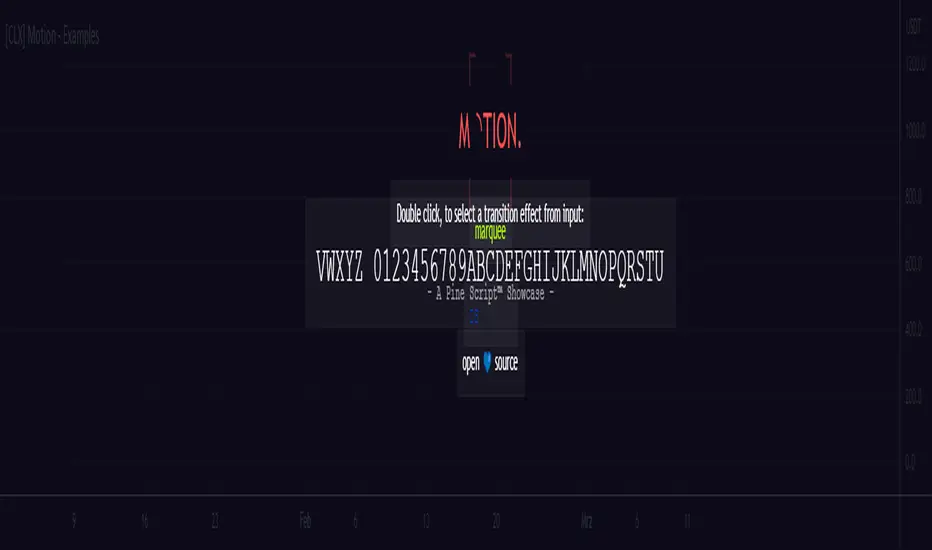
📑 Showcase
This is ready-to-show indicator version of the example code form the `motion` library. It can be used to create string- or color-based effects.
Library:
================================================================================
📑 Setup
To use this library in your own scripts, you must first import it. To do this, add the following line to the top of your script:
Pine Script®
Next, create a `keyframe` object by using the `varip` keyword.
Pine Script®
Based on your needs, you can now use one of the simplified functions to create a transition effect, or you can use the `transition()` or `iteration()` function to create a custom transition effect.
📑 Simplified Functions:
(direct output)
Pine Script®
(indirect output)
Pine Script®
This is ready-to-show indicator version of the example code form the `motion` library. It can be used to create string- or color-based effects.
Library:
================================================================================
📑 Setup
To use this library in your own scripts, you must first import it. To do this, add the following line to the top of your script:
import cryptolinx/Motion/1 as motion
Next, create a `keyframe` object by using the `varip` keyword.
varip myKeyframe = motion.keyframe.new(_intv = 1, _steps = 1)
Based on your needs, you can now use one of the simplified functions to create a transition effect, or you can use the `transition()` or `iteration()` function to create a custom transition effect.
📑 Simplified Functions:
(direct output)
// motion.marquee(keyframe myKeyframe, string _seq, int _ws, int _maxLoops, bool _ltr)
motion.marquee(myKeyframe, 'Hello World!', 3, 0) // 0 = infinite loops
// motion.slideInLeft(keyframe myKeyframe, string _seq, int _ws, int _maxLoops, bool _refill)
motion.slideInLeft(myKeyframe, 'Hello World!', 3, 0) // 0 = infinite loops
// motion.slideOutLeft(keyframe myKeyframe, string _seq, int _ws, int _maxLoops, bool _refill)
motion.slideOutLeft(myKeyframe, 'Hello World!', 3, 0) // 0 = infinite loops
// motion.slideInRight(keyframe myKeyframe, string _seq, int _ws, int _maxLoops, bool _refill)
motion.slideInRight(myKeyframe, 'Hello World!', 3, 0) // 0 = infinite loops
// motion.slideOutRight(keyframe myKeyframe, string _seq, int _ws, int _maxLoops, bool _refill)
motion.slideOutRight(myKeyframe, 'Hello World!', 3, 0) // 0 = infinite loops
// motion.blink(keyframe myKeyframe, string _seq, int _ws, int _maxLoops)
motion.blink(myKeyframe, 'Hello World!', 3, 0) // 0 = infinite loops
(indirect output)
// After you create a transition, you can use the `output` field of the `keyframe` object to get the result.
// motion.marquee(myKeyframe, 'Hello World!', 3, 0)
myKeyframe.output
Script de código aberto
Em verdadeiro espírito do TradingView, o criador deste script o tornou de código aberto, para que os traders possam revisar e verificar sua funcionalidade. Parabéns ao autor! Embora você possa usá-lo gratuitamente, lembre-se de que a republicação do código está sujeita às nossas Regras da Casa.

Aviso legal
As informações e publicações não se destinam a ser, e não constituem, conselhos ou recomendações financeiras, de investimento, comerciais ou de outro tipo fornecidos ou endossados pela TradingView. Leia mais nos Termos de Uso.
Script de código aberto
Em verdadeiro espírito do TradingView, o criador deste script o tornou de código aberto, para que os traders possam revisar e verificar sua funcionalidade. Parabéns ao autor! Embora você possa usá-lo gratuitamente, lembre-se de que a republicação do código está sujeita às nossas Regras da Casa.
Aviso legal
As informações e publicações não se destinam a ser, e não constituem, conselhos ou recomendações financeiras, de investimento, comerciais ou de outro tipo fornecidos ou endossados pela TradingView. Leia mais nos Termos de Uso.