LARGER PRICE LINE Adjustable (UPDATED)LARGER PRICE LINE
I made this so I could SEE THE PRICE LINE BETTER and try to reduce some eye strain!!
Hope it helps... enjoy! comment for improvements or suggestions
Improved Adjustable Size and Color for the Price Line and Price Box
Adjustment for Price Line: Size and Color plus Solid Line, Dashed or Dotted Line
Adjustments include: Price Box Text Size and Color (Small, Normal, Large, Huge!)
Adjustable Right Side Offset for Price Box
Timer

Adjustable Price Line Size with Countdown Timer (Larger)Adjustable Size and Color for the Price Line and Timer so I Can See it Better From Across the Room...
Adjustments include: Price Line Width Size and Color (Small, Normal, Large, Huge)
Adjustment for: Solid Line, Dashed or Dotted Line
Countdown Timer: ON/OFF
I Can Now See The Price and Price Line From Across the Room!!

Session Lines + ATR AnalyticsDescription:
Overview:
A comprehensive trading tool that combines session visualization with real-time ATR analytics. Perfect for intraday traders who need precise timing and volatility measurements.
Features:
Session Markers
Visual indicators for Asia (00:00-08:00), London (07:00-15:00), and New York (13:00-21:00) trading sessions
Color-coded session bands at the bottom of the chart for quick identification
Fully customizable session times and colors
Hourly Vertical Lines
Automatic vertical lines drawn at the start of each hour (works on 1-minute charts)
Multiple line styles available: solid, dotted, dashed, arrows
Adjustable color and width settings
Helps identify exact timing of price movements
ATR Tool
Real-time candle range measurement
Modified ATR calculation (excludes current candle for accuracy)
Customizable ATR length and multiplier
Live countdown timer showing time remaining in current timeframe
Floating label with adjustable offset and styling
Date & Timeframe Display
Bottom-right watermark showing current date in LA timezone
Displays current timeframe with proper units (1m, 5m, 1H, etc.)
Useful for backtesting to confirm you're viewing the correct date
Best Used For:
Day trading and scalping (especially on 1-minute charts)
Session-based trading strategies
Volatility analysis using ATR
Time-based entry and exit planning
Settings:
All elements are fully customizable through the indicator settings panel, including colors, sizes, visibility toggles, and calculation parameters.

Alert N seconds before candle closeThe indicator alerts about the closing of the candle in N seconds.
Instruction:
1. Add an indicator
2. Specify the time in the indicator settings
3. Alt+A, Condition - choose indicator

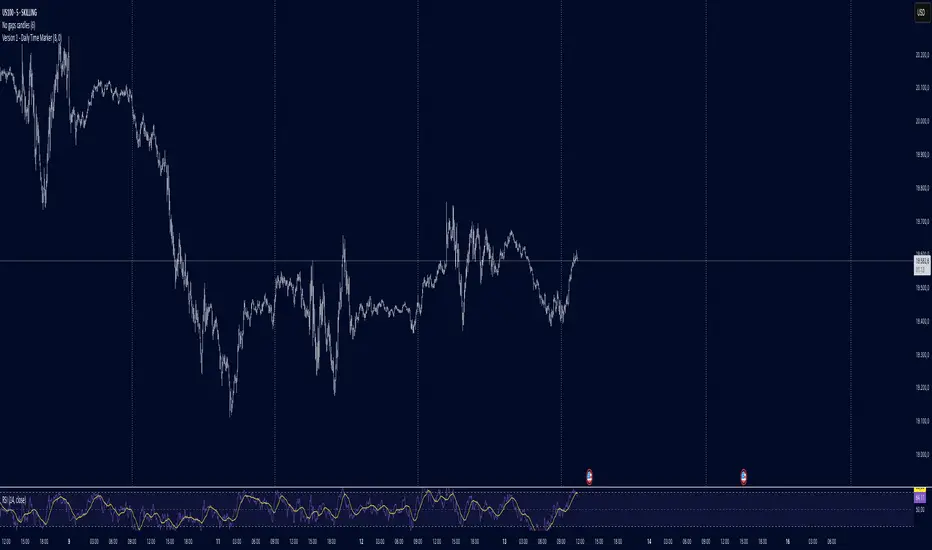
Daily Time MarkerThis TradingView indicator draws thin, white, dashed vertical lines on the chart at a user-defined time each day. The indicator takes into account Daylight Saving Time (DST) adjustments, ensuring the correct time is displayed throughout the year.
Key Features:
✅ Daily Vertical Markers:
Displays vertical dashed lines from Monday to Friday at the selected time.
The lines extend infinitely in both directions.
✅ Historical & Future Projection:
Shows lines 15 days into the past and 5 days into the future for better visualization of key time levels.
✅ DST Adjustment:
Automatically adjusts between summer and winter time , ensuring the correct hour is displayed.
This indicator is useful for traders who rely on specific time-based events, such as market opens or key trading sessions.
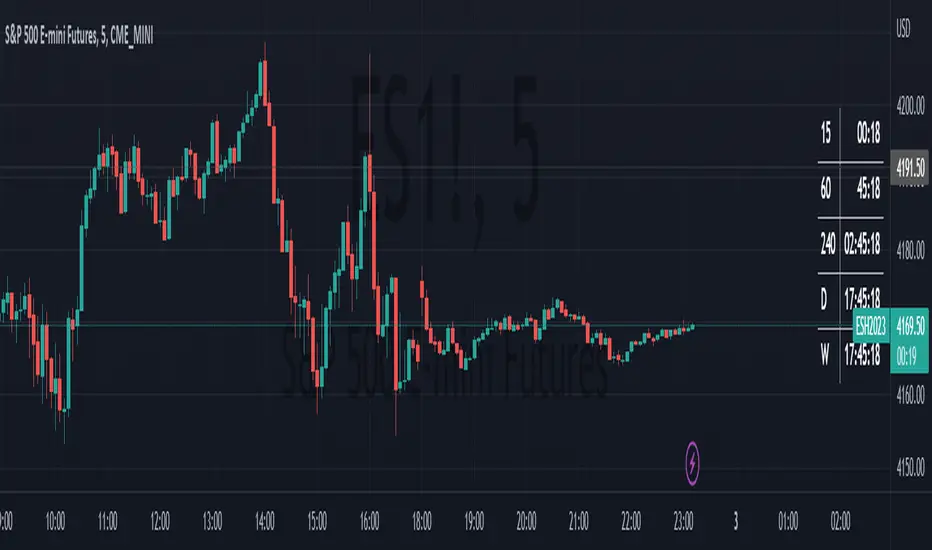
HTF Bar Close CountdownThis simple indicator displays a countdown for the amount of time left until a bar of your chosen timeframe closes.
Displays up to 5 different HTF countdowns.
Fully Customizable to fit any style, change the text colors, background colors, frame colors, display size and border & frame widths.
Flat display option for a sleek look to mesh with your charts.
Notes/Tips:
Higher Time Frames only! This is only intended to view HTF countdowns, will not work when trying to use a timeframe lower than your current chart's.
Some weird timeframes do not work, you'll know when.
Only works on live charts! Will display "Closed" when on an inactive chart.
Does not work for replay! A countdown is pretty pointless on a replay that is not real-time anyways...
Enjoy!
Run TimerThis is a simple utility which counts the number of bars and time elapsed after starting the script. This can be used in time or bars based conditions to modify script behavior.
This particular script does the following:
Starts timer when script is added to chart
Timer is green when starting and continues to be in green if the right Auth key is used in input (Which is hardcoded as 1234 here)
If right auth key is not provided in the input, timer background turns red after trial bars.
Script can be modified to use elapsed time instead.
Thanks to @Bjorgum on assisting on few calculations :)
