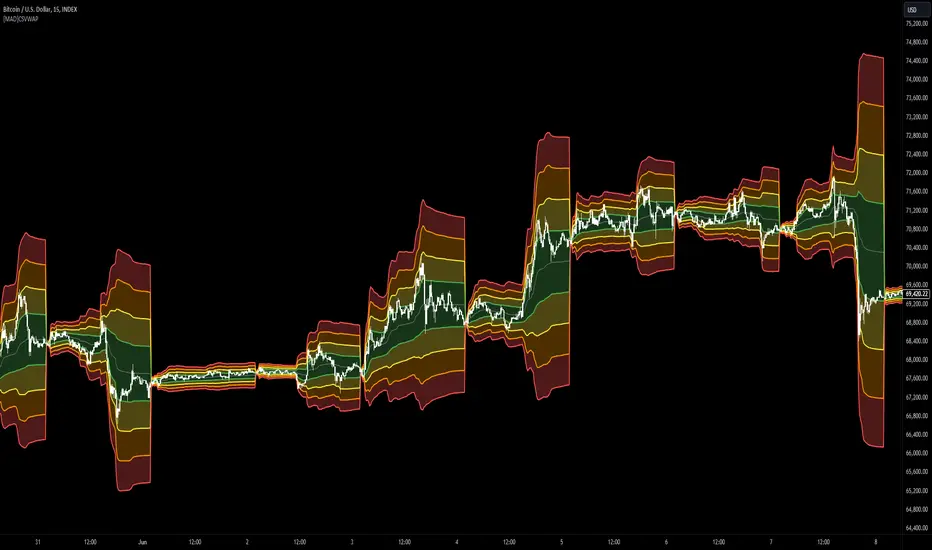
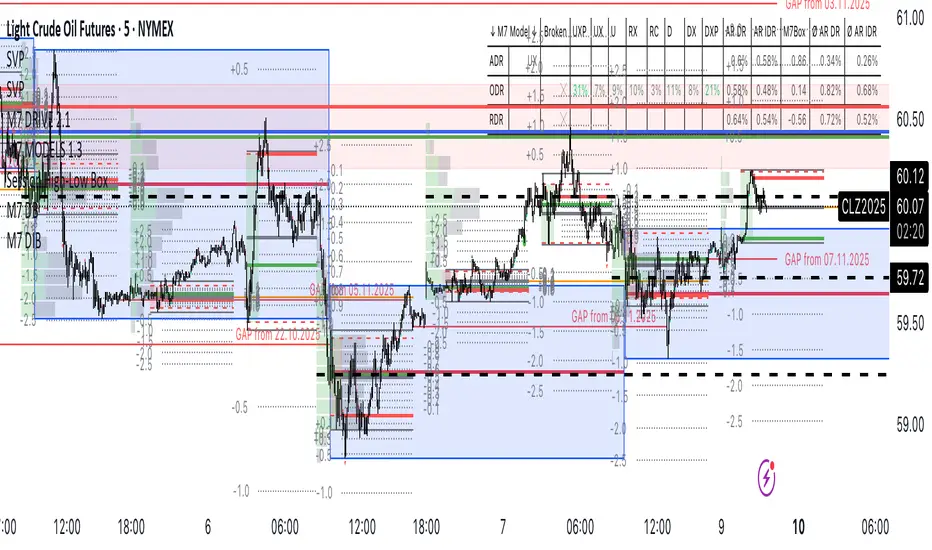
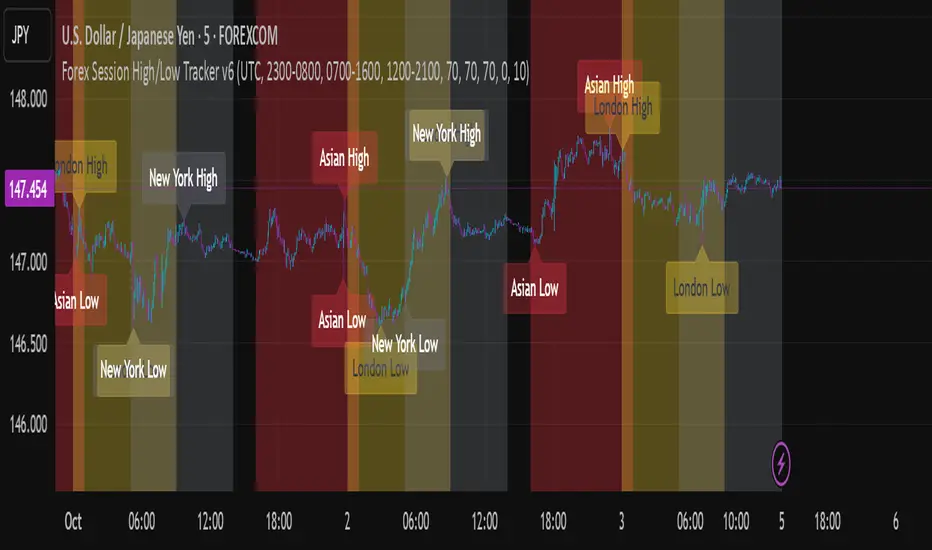
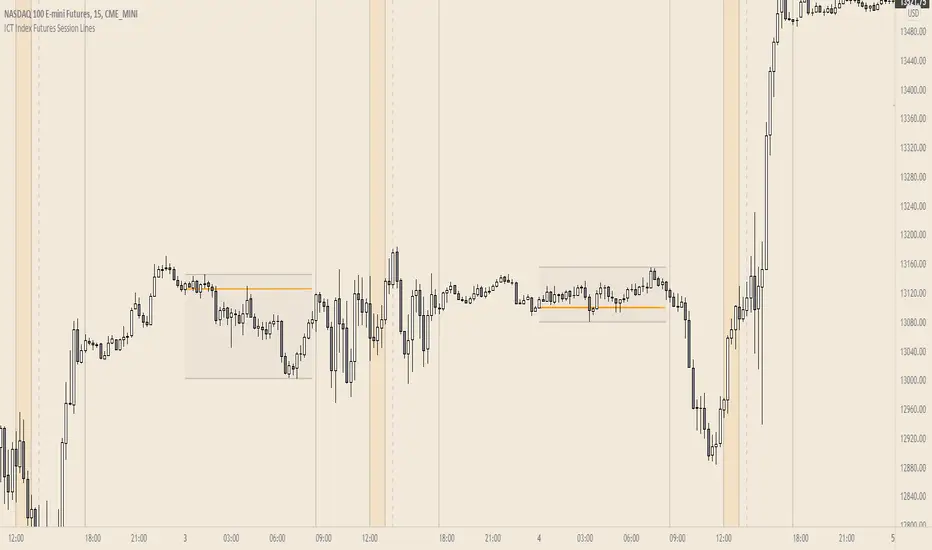
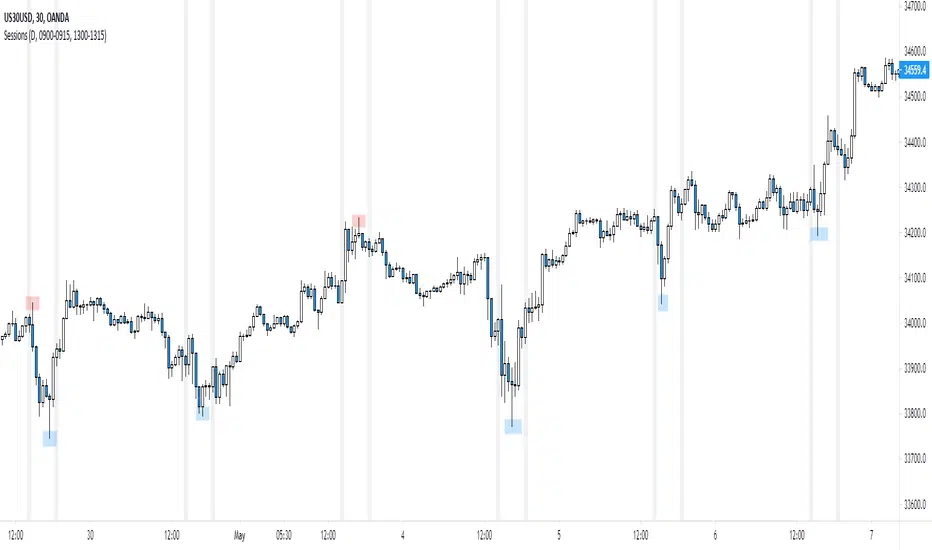
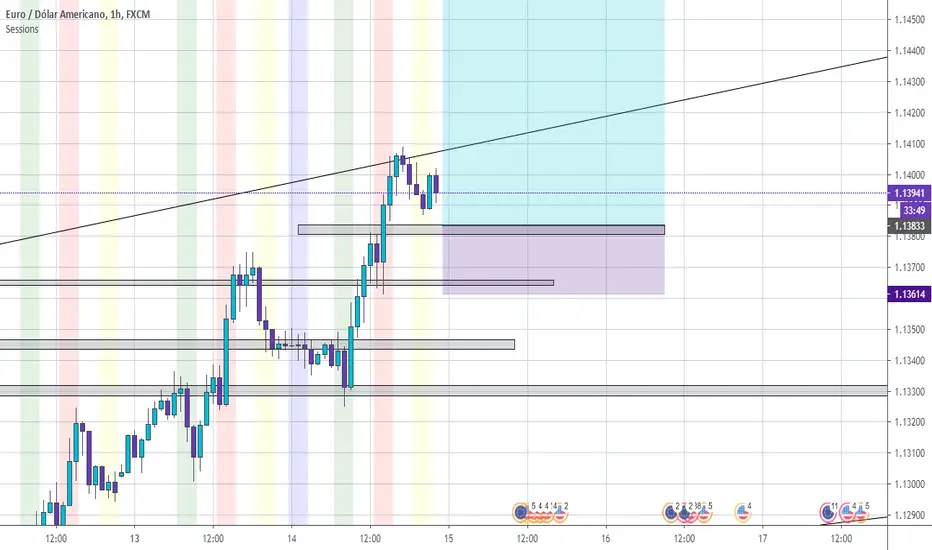
SessionBoxLibrary "SessionBox"
This library provides functions to manage and visualize session boxes and labels on chart. A session box is a visual representation of a trading session with properties like time, name, color and the ability to track the high and low price within that session.
SessionBox
SessionBox: stores session data and provides methods to manage that data and visualize it on the chart.
Fields:
session_time (series bool)
session_name (series string)
session_color (series color)
Pesquisar nos scripts por "session"
SessionsThis is an advanced level sessions indicator.
Not so much an indicator, more of an auto way of plotting levels rather than drawing levels by hand every day.
It maps out the London and New York Sessions.
It also maps out the closing time and price for future reference.
Daily high and low of the past few days are laid out.
Each setting can be turned on and off in the settings if you don't require that session info.
The time settings are setup according to NY time. It should work straight without any modifications.
If you are a price action trader using sessions, this indicator will help you track price movement between sessions and give you possible support and resistance levels based on the previous session close.
This indicator does require allot of sessions based trading knowledge but if you understand it, it can be of major use to you.
Best used on GBP and USD currency pairs
Best timeframes 5Min - 1Hour
Best trading style would be day trading
SessionInBoxesProLibrary "SessionInBoxesPro"
get_time_by_bar(bar_count)
Parameters:
bar_count
get_positions_func(sessiontime_, duration_)
Parameters:
sessiontime_
duration_
get_period(_session, _start, _lookback)
Parameters:
_session
_start
_lookback
is_start(_session)
Parameters:
_session
is_end(_session)
Parameters:
_session
draw_progress(_show, _session, _is_started, _is_ended, _color, _bottom, _delete_history)
Parameters:
_show
_session
_is_started
_is_ended
_color
_bottom
_delete_history
draw_label(_show, _session, _is_started, _color, _top, _bottom, _text, _delete_history, i_label_chg, i_label_size, i_label_position, i_tz, i_label_format_day)
Parameters:
_show
_session
_is_started
_color
_top
_bottom
_text
_delete_history
i_label_chg
i_label_size
i_label_position
i_tz
i_label_format_day
draw_fib(_show, _session, _is_started, _color, _top, _bottom, _level, _width, _style, _is_extend, _delete_history)
Parameters:
_show
_session
_is_started
_color
_top
_bottom
_level
_width
_style
_is_extend
_delete_history
get_op_stricts(_session, _is_started, top, bottom, i_o_minutes)
Parameters:
_session
_is_started
top
bottom
i_o_minutes
draw_op(_show, _session, _is_started, _color, top, bottom, _is_extend, _delete_history, i_o_minutes, i_o_opacity)
Parameters:
_show
_session
_is_started
_color
top
bottom
_is_extend
_delete_history
i_o_minutes
i_o_opacity
get_pm_stricts(_show, _show_pm, tf, ctf, _is_started)
Parameters:
_show
_show_pm
tf
ctf
_is_started
draw_pm(_show, _show_pm, tf, ctf, _is_started, _is_ended, _delete_history, _color)
Parameters:
_show
_show_pm
tf
ctf
_is_started
_is_ended
_delete_history
_color
draw_market(_show, _session, _is_started, _color, btr, _top, _bottom, _extend, _is_extend, _delete_history, i_sess_border_style, i_sess_border_width, i_sess_bgopacity)
Parameters:
_show
_session
_is_started
_color
btr
_top
_bottom
_extend
_is_extend
_delete_history
i_sess_border_style
i_sess_border_width
i_sess_bgopacity
draw(_show, _show_pm, pm_tf, ctf, _session, _color, btr, _label, _extend, _show_fib, _show_op, i_label_chg, i_label_size, i_label_position, i_o_minutes, i_o_opacity, i_sess_border_style, i_sess_border_width, i_sess_bgopacity, i_show_history, i_show_closed, i_label_show, i_f_linewidth, i_f_linestyle, top, bottom, i_tz, i_label_format_day)
Parameters:
_show
_show_pm
pm_tf
ctf
_session
_color
btr
_label
_extend
_show_fib
_show_op
i_label_chg
i_label_size
i_label_position
i_o_minutes
i_o_opacity
i_sess_border_style
i_sess_border_width
i_sess_bgopacity
i_show_history
i_show_closed
i_label_show
i_f_linewidth
i_f_linestyle
top
bottom
i_tz
i_label_format_day
SessionsInBoxesLibLibrary "SessionsInBoxesLib"
Provides functions calculating the all-time high/low of values.
get_positions()
draw()
Session S/RThis indicator marks the resistances and supports of the post, pre and market sessions of the previous day projecting up to the market of the day, also it marks the hours of these three markets allowing to identify the beginning and end of the sessions in London, Hong Kong, and America.
SessionsA very simple indicator that draws vertical lines on the chart to visually indicate session boundaries. You can set any target timeframe that is larger than the current one and is a multiple of it.
--
Очень простой индикатор, который строит вертикальные линии на графике, чтобы визуально указать границы сессий. Можно задавать любой целевой таймфрейм, который больше текущего и кратен ему.
Sessions [Plug&Play]This indicator automatically highlights the three major FX trading sessions—Asia, London, and New York—on your chart and, at the close of each session, draws right-extended horizontal rays at that session’s high and low. It’s designed to help you visually identify when price is trading within each session’s range and to quickly see where the highest and lowest prices occurred before the next major session begins.
Key Features:
Session Boxes
Draws a semi-transparent box around each session’s timeframe (Asia, London, New York) based on your local UTC offset.
Each box dynamically expands in real time: as new candles form during the session, the box’s top and bottom edges update to match the highest high and lowest low seen so far in that session.
When the session ends, the box remains on your chart, anchored to the exact candles that formed its boundaries.
High/Low Rays
As soon as a session closes (e.g., London session ends at 17:00 UTC+0 by default), two horizontal rays are drawn at that session’s final high and low.
These rays are “pinned” to the exact candles where the high/low occurred, so they stay in place when you scroll or zoom.
Each ray extends indefinitely to the right, providing a clear reference of the key supply/demand levels created during that session.
Session Labels
Optionally places a small “London,” “New York,” or “Asia” label at the top edge of each completed session’s box.
Labels are horizontally centered within the session’s box and use a contrasting, easy-to-read font color.
Customizable Appearance
Show/Hide Each Session: Toggle display of London, New York, and Asia sessions separately.
Time Ranges: By default, London is 08:00–17:00 (UTC), New York is 13:00–22:00 (UTC), and Asia is 00:00–07:00 (UTC). You can override each session’s start/end times using the “Time Range” picker.
Color & Opacity: Assign custom colors to each session. Choose a global “Dark,” “Medium,” or “Light” opacity preset to adjust box fill transparency and border shading.
Show/Hide Labels & Outlines: Turn the text labels and the box borders on or off independently.
UTC Offset Support
If your local broker feed or price data is not in UTC, simply adjust the “UTC Offset (+/–)” input. The indicator will recalculate session start/end times relative to your chosen offset.
How to Use:
Add the Indicator:
Open TradingView’s Pine Editor, paste in this script, and click “Add to Chart.”
By default, you’ll see three translucent boxes appear once each session begins (Asia, London, New York).
Watch in Real Time:
As soon as a session starts, its box will appear anchored to the first candle. The top and bottom of the box expand if new extremes occur.
When the session closes, the final box remains visible and two horizontal rays mark that session’s high and low.
Analyze Key Levels:
Use the high- and low-level rays to gauge session liquidity zones—areas where stop orders, breakouts, or reversals often occur.
For example, if London’s high is significantly above current price, it may act as resistance in the New York session.
Customize to Your Needs:
Toggle specific sessions on/off (e.g., if you only care about London and New York).
Change each session’s color to match your chart theme.
Adjust the “UTC Offset” so sessions align with your local time.
Disable labels or box borders if you prefer a cleaner look.
Inputs Overview:
Show London/New York/Asia Session (bool): Show or hide each session’s box and its high/low rays.
Time Range (session): Defines the start/end of each session in “HHMM–HHMM” (24h) format.
Colour (color): Custom color for each session’s box fill, border, and high/low rays.
Show Session Labels (bool): Toggle the “London,” “New York,” “Asia” text that appears at the top of each completed box.
Show Range Outline (bool): Toggle the box border (if off, only a translucent fill is drawn).
Opacity Preset (Dark/Medium/Light): Controls transparency of box fill and border.
UTC Offset (+/–) (int): Adjusts session times for different time zones (e.g., +1 for UTC+1).
Why It’s Useful:
Quickly Identify Session Activity: Visually distinguish when each major trading session is active, then compare price action across sessions.
Pinpoint High/Low Liquidity Levels: Drawn rays highlight where the market hit its extremes—critical zones for stop orders or breakout entries.
Multi-Timeframe Context: By seeing historical session boxes and rays, you can locate recurring supply/demand areas, overlap zones, or session re-tests.
Fully Automated Workflow: Once added to your chart, the script does all the work of tracking session boundaries and drawing high/low lines—no manual box or line drawing necessary.
Example Use Cases:
London Breakout Traders: See where London’s high/low formed, then wait for price to revisit those levels during the New York session.
Range Breakout Strategies: If price consolidates inside the London box, use the boxed extremes as immediate targets for breakout entries.
Intraday Liquidity Swings: During quieter hours, watch Asia’s high/low to identify potential support/resistance before London’s opening.
Overlap Zones: Compare London’s range with Asia’s range to find areas of confluence—high-probability reversal or continuation zones.
Session VWAPS [QuantVue]The Session VWAPS indicator is a designed for traders to enhance their trading analysis by incorporating Volume Weighted Average Price (VWAP) anchored to custom-defined trading sessions.
This indicator automatically plots VWAPs at three critical points of a user defined session:
🔹session start
🔹session high
🔹session low
Additionally, it provides the option to display the VWAPs from previous sessions, offering a look at potential areas of support and resistance.
Anchored VWAP, or Anchored Volume-Weighted Average Price, is a technical analysis tool used to determine the average price of a stock weighted by volume, starting from a specific point in time chosen by the analyst.
Unlike traditional VWAP, which starts at the beginning of the trading session, the anchored VWAP allows traders to select any point on the chart, such as a significant event, price low, high, or a breakout, to begin the calculation.
VWAP incorporates price and volume in a weighted average and can be used to identify areas of support and resistance on the chart.
Indicator Features:
Custom Session Definition:
Users can define their own trading sessions by specifying start and end times, allowing for tailored analysis according to individual trading strategies or market hours.
Anchored VWAP at Three Key Points:
🔹Session Start VWAP: This VWAP is anchored at the start of the defined session.
🔹Session High VWAP: Anchored at the highest price point within the session.
🔹Session Low VWAP: Anchored at the lowest price point within the session.
Previous Session VWAPs:
The indicator can display VWAPs from the previous session, allowing traders to spot potential areas of support and resistance.
Give this indicator a BOOST and COMMENT your thoughts below!
We hope you enjoy.
Cheers!
Session Fibonacci Levels [QuantVue]The "Session Fibonacci Levels" indicator is a powerful tool designed for traders who aim to use Fibonacci retracement and extension levels in their trading strategy.
The indicator combines Fibonacci levels with customized trading sessions, allowing traders to observe and utilize Fibonacci levels that are automatically calculated for each defined session.
This approach offers a dynamic and session-relevant perspective on potential support and resistance levels, which can be crucial for intraday trading strategies.
🔹The indicator calculates Fibonacci retracement and extension levels based on the high and low prices of a specified trading session, dynamically adjusting to the location of the high and low bar.
If the low of the session occurs before the high, the fib levels are measured from low to high.
If the low of the session occurs after the high, the fib levels are measured from high to low.
🔹Users can set their time zone and define trading sessions, allowing for flexibility and applicability across global markets. This is particularly beneficial for traders who focus on specific market hours like the London or New York sessions.
Important sessions:
New York (8:00am - 5:00pm EST)
London (3:00am - 12:00pm EST)
Asia (7:00pm - 4:00am EST)
Custom session (user defined session in indicator settings)
🔹The indicator dynamically updates Fibonacci levels as new highs and lows are made within the session, keeping the analysis current. Additionally, it provides alerts when prices hit key Fibonacci levels, aiding in timely decision-making.
How to Use:
Configure the time zone and session time
Once the session begins, the indicator will begin highlighting the session range
When the session ends, Fibonacci levels based on the high and low of the session will be drawn
Use these levels to identify potential support and resistance areas
Session Highlighter Pro [Eˣ]🌍 Session Highlighter Pro - Free Indicator
Overview
Session Highlighter Pro brings institutional-level session analysis to your charts. This indicator automatically highlights the Asian, London, and New York trading sessions, marks high-volatility "Kill Zones", identifies profitable session overlaps, and tracks key session levels - all essential for timing your trades and understanding when the smart money is active.
━━━━━━━━━━━━━━━━━━━━━━━━━━━━
🎯 What This Indicator Does
Highlights Trading Sessions:
• 🟡 Asian Session (19:00-04:00 EST) - Lower volatility, range-bound
• 🔵 London Session (03:00-12:00 EST) - High volatility, trend moves
• 🟢 New York Session (08:00-17:00 EST) - Highest volume, major moves
• All times automatically adjust for EST/EDT (daylight saving)
Marks Kill Zones:
• 🔥 London Kill Zone (02:00-05:00 EST) - London market makers most active
• 🔥 NY Kill Zone (08:30-11:00 EST) - NY institutional activity peaks
• Highest probability setups occur during these windows
• Peak liquidity and volatility periods
Identifies Session Overlaps:
• ⚡ London-NY Overlap (08:00-12:00 EST) - Maximum volume period
• 💜 Asian-London Overlap (03:00-04:00 EST) - Early volatility spike
• Most explosive moves happen during overlaps
• Best time for breakout and momentum trading
Tracks Session Levels:
• Session High/Low lines (support and resistance)
• Session Open lines (key reference levels)
• Real-time range calculations
• Customizable line styles and colors
Smart Features:
• Statistics panel showing current session and ranges
• Fully customizable colors and display options
• Works on all timeframes (best on 5min to 1H)
• Built-in alerts for session starts and kill zones
• Clean, professional visualization
━━━━━━━━━━━━━━━━━━━━━━━━━━━━
📊 Understanding Trading Sessions
Why Sessions Matter
Different trading sessions have dramatically different characteristics:
• Volume: Sessions determine who's in the market (retail vs institutional)
• Volatility: Major sessions bring major moves
• Liquidity: Better fills and tighter spreads during active sessions
• Trends: Real trends start during London/NY, not Asian
• Reversals: Often happen at session opens/closes
Professional traders time their entries based on sessions - now you can too.
━━━━━━━━━━━━━━━━━━━━━━━━━━━━
🟡 Asian Session (19:00-04:00 EST)
Characteristics:
• Lowest volume of the three major sessions
• Range-bound, choppy price action
• Less institutional activity
• Tokyo, Hong Kong, Singapore markets open
• Good for range trading, poor for breakouts
Best For:
• Range trading strategies
• Scalping in established ranges
• Identifying support/resistance for London open
• Pairs: AUD/JPY, NZD/JPY, AUD/USD
Trading Tips:
• Avoid breakout trades - often false breakouts
• Trade between session high/low
• Watch for range compression before London
• Expect reversal at support/resistance
What To Avoid:
• Chasing breakouts (usually fail)
• Large position sizes (low liquidity)
• News trading (limited market participation)
━━━━━━━━━━━━━━━━━━━━━━━━━━━━
🔵 London Session (03:00-12:00 EST)
Characteristics:
• High volatility and volume
• Strongest trends develop here
• Major institutional activity
• European markets + early London traders
• Real breakouts happen during this session
Best For:
• Trend trading strategies
• Breakout trading (especially at open)
• Major currency pairs (EUR/USD, GBP/USD, EUR/GBP)
• Gold and oil trading
Trading Tips:
• Watch for breakout of Asian range at London open
• First hour (03:00-04:00 EST) often sets daily tone
• London Kill Zone (02:00-05:00) has highest win rate
• Session high/low often hold as support/resistance
Key Moments:
• 03:00 EST: London open - major volatility spike
• 02:00-05:00 EST: London Kill Zone - institutional orders
• 08:00 EST: London-NY overlap begins - explosive moves
━━━━━━━━━━━━━━━━━━━━━━━━━━━━
🟢 New York Session (08:00-17:00 EST)
Characteristics:
• Highest volume globally (when overlapping with London)
• US market open brings major moves
• Economic news releases (08:30 EST typically)
• Strong directional moves
• US institutional money flows
Best For:
• Trend continuation trades
• News trading (NFP, CPI, FOMC, etc.)
• US indices (ES, NQ, YM)
• Major pairs involving USD
Trading Tips:
• 08:30 EST = Most economic releases (high volatility)
• NY Kill Zone (08:30-11:00) = Highest probability window
• First 2 hours most volatile (08:00-10:00)
• After 12:00 (London close) volume drops significantly
Key Moments:
• 08:00 EST: NY open + London overlap begins
• 08:30 EST: Economic data releases
• 08:30-11:00 EST: NY Kill Zone - institutional activity
• 12:00 EST: London close - volume drops
• 16:00 EST: Stock market close - volatility spike
━━━━━━━━━━━━━━━━━━━━━━━━━━━━
🔥 Kill Zones Explained
What Are Kill Zones?
Kill Zones are specific time windows within sessions where institutional traders (banks, hedge funds, market makers) are most active. These periods consistently show:
• Highest win-rate setups
• Largest moves relative to risk
• Best liquidity for entries/exits
• Most reliable technical patterns
Popularized by ICT (Inner Circle Trader), these zones represent when smart money acts.
London Kill Zone (02:00-05:00 EST)
Why It Works:
• London banks and institutions place orders
• Pre-London positioning before official open
• Often runs stops before reversing
• Sets up the trend for London session
How To Trade:
1. Watch for sweep of Asian highs/lows
2. Look for reversal back into range
3. Enter in direction of reversal
4. Target: Opposite side of range or session high/low
Best Pairs: EUR/USD, GBP/USD, EUR/GBP, Gold
NY Kill Zone (08:30-11:00 EST)
Why It Works:
• Overlaps with London session (maximum volume)
• Economic data releases at 08:30
• US institutions enter positions
• Highest liquidity period globally
How To Trade:
1. Wait for news spike at 08:30 (if applicable)
2. Identify sweep and reversal patterns
3. Enter with momentum after confirmation
4. Target: Session high/low or previous day levels
Best Instruments: Indices (ES, NQ), USD pairs, Gold
━━━━━━━━━━━━━━━━━━━━━━━━━━━━
⚡ Session Overlaps
London-NY Overlap (08:00-12:00 EST)
The Golden Window:
• Highest trading volume of entire 24-hour cycle
• Both European and US traders active
• Maximum liquidity = tightest spreads
• Biggest moves of the day often occur here
• Best time for all trading styles
Trading Strategies:
• Breakout trading (high follow-through probability)
• Momentum trading (strong trends develop)
• News trading (major releases during this time)
• Scalping (high volatility + tight spreads)
What To Watch:
• Direction established in first hour often continues
• 08:30 economic data can reverse or accelerate trends
• After London close (12:00), expect consolidation
Asian-London Overlap (03:00-04:00 EST)
The Early Bird Window:
• Short overlap period
• Early volatility as Asian session ends
• London traders positioning before official open
• Often see reversal of Asian range
Trading Strategies:
• Fade Asian extremes (sell highs, buy lows)
• Play breakout of Asian range
• Quick scalps during volatility spike
• Position for London session trend
━━━━━━━━━━━━━━━━━━━━━━━━━━━━
📊 How To Use This Indicator
Strategy 1: Session Breakout Trading
Best For: Trend trading, catching major moves
Timeframes: 5min, 15min, 1H
Setup:
1. Note Asian session high/low (yellow lines)
2. Wait for London open (03:00 EST)
3. If price breaks Asian high/low with strong candle, enter breakout
4. Stop loss: Opposite side of Asian range
5. Target: 1.5-2x Asian range or session high/low
Why It Works: London volume breaks Asian consolidation
Strategy 2: Kill Zone Reversals
Best For: High win-rate setups
Timeframes: 5min, 15min
Setup:
1. Wait for Kill Zone to begin (red background)
2. Watch for stop hunt (sweep of recent high/low)
3. Look for rejection/reversal pattern
4. Enter when price reverses back into range
5. Stop: Beyond the swept level
6. Target: Opposite kill zone extreme
Why It Works: Institutions sweep stops then reverse
Strategy 3: Overlap Momentum
Best For: Riding strong trends
Timeframes: 15min, 1H
Setup:
1. Wait for London-NY overlap (08:00 EST, orange background)
2. Identify trend direction in first 30 minutes
3. Enter pullbacks in trend direction
4. Stop: Below recent swing low/high
5. Target: Session high/low or previous day levels
6. Hold until overlap ends (12:00 EST)
Why It Works: Maximum volume drives sustained moves
Strategy 4: Asian Range Trading
Best For: Low-risk scalping
Timeframes: 5min, 15min
Setup:
1. During Asian session (yellow background)
2. Let range establish (first 2-3 hours)
3. Buy at session low, sell at session high
4. Tight stops outside range
5. Exit before London open (03:00 EST)
Why It Works: Asian session typically ranges
Strategy 5: Session Level Trading
Best For: Support/resistance trading
Timeframes: All
Setup:
1. Previous session highs/lows become S/R levels
2. Watch for price reaction at these levels
3. Enter bounces (support) or rejections (resistance)
4. Use session open lines as confirmation
5. Stop: Slightly beyond session level
Why It Works: Traders watch session levels globally
━━━━━━━━━━━━━━━━━━━━━━━━━━━━
⚙️ Settings Explained
Sessions
Show Asian/London/NY Session
• Toggle each session on/off
• Customize background colors for each
• Adjust transparency to your preference
• Tip: Disable sessions you don't trade
Highlight Session Overlaps
• Shows when sessions overlap (different color)
• Critical for identifying high-volume periods
• Recommended: Keep ON
Overlap Color
• Customize the overlap background color
• Default: Orange (stands out from session colors)
Levels
Show Session High/Low Lines
• Displays horizontal lines at session extremes
• Acts as intraday support/resistance
• Choose line style: Solid, Dashed, or Dotted
• Recommended: Keep ON for level trading
Show Session Open Lines
• Displays line at session opening price
• Key reference level for traders
• Choose line style (default: Dashed)
• Useful for mean reversion strategies
Kill Zones
Show Kill Zones
• Master toggle for kill zone highlighting
• Turn OFF if you don't use kill zone strategies
London Kill Zone (02:00-05:00 EST)
• Toggle London KZ on/off
• Most important for forex traders
NY Kill Zone (08:30-11:00 EST)
• Toggle NY KZ on/off
• Most important for indices/stock traders
KZ Color
• Customize kill zone background color
• Default: Red (indicates high importance)
Display
Show Session Statistics
• Toggle the info panel (top-left)
• Displays current session and ranges
• Keep ON for session awareness
Show Session Labels
• Toggle session name labels on chart
• Shows session name + current range %
• Turn OFF for cleaner appearance
━━━━━━━━━━━━━━━━━━━━━━━━━━━━
📱 Statistics Panel Guide
Current Session
• Shows which session is currently active
• Color-coded for quick identification
• Displays "KILL ZONE 🔥" when applicable
• Shows "OVERLAP" during London-NY overlap
Session Table
Session Column:
• Lists all three major sessions
• Color-coded icons for quick reference
Time Column:
• Shows session hours in EST
• All times automatically adjust for daylight saving
Range Column:
• Current session range as percentage
• Updates in real-time during active session
• Shows "-" when session hasn't started
• Higher range = More volatility
Using The Stats:
• Compare daily ranges to historical average
• Larger ranges = More opportunity
• Small ranges in Kill Zones = Potential breakout coming
• Track which sessions are most profitable for your style
━━━━━━━━━━━━━━━━━━━━━━━━━━━━
📱 Alert Setup
This indicator includes 6 alert types:
1. Asian Session Open
• Fires when Asian session starts (19:00 EST)
• Useful for range traders
2. London Session Open
• Fires when London session starts (03:00 EST)
• Critical alert for breakout traders
3. NY Session Open
• Fires when NY session starts (08:00 EST)
• Important for US market traders
4. London Kill Zone Start
• Fires at 02:00 EST
• High-probability trading window begins
5. NY Kill Zone Start
• Fires at 08:30 EST
• Prime time for indices and USD pairs
6. London-NY Overlap Start
• Fires at 08:00 EST
• Maximum volume period begins
To Set Up Alerts:
1. Click "Alert" button (clock icon)
2. Select "Session Highlighter Pro"
3. Choose your alert type
4. Configure notification method
5. Click "Create"
Pro Tip: Set alerts for kill zones and overlaps - these are your highest probability trading windows
━━━━━━━━━━━━━━━━━━━━━━━━━━━━
💎 Pro Tips & Best Practices
✅ DO:
• Trade during your session - Match your schedule to high-volume sessions
• Focus on Kill Zones - Highest win-rate setups occur here
• Use session levels as S/R - Previous session highs/lows are watched globally
• Wait for overlaps - Best moves happen during London-NY overlap
• Fade Asian extremes - Asian highs/lows often reversed by London
• Watch the first hour - Sets tone for the entire session
• Track session ranges - Know if volatility is high or low
• Respect session transitions - Major reversals happen at opens/closes
⚠️ DON'T:
• Don't fight the session - Don't expect trends during Asian session
• Don't ignore overlaps - Missing London-NY overlap = Missing best moves
• Don't trade all sessions - Focus on one or two that fit your schedule
• Don't chase late session - After London close (12:00 EST), volume drops
• Don't ignore time - Same setup has different probability in different sessions
• Don't trade low-volume gaps - Between NY close and Asian open, stay flat
🎯 Session Selection By Trading Style:
• Scalpers: London-NY overlap (08:00-12:00 EST)
• Day Traders: London + NY sessions (03:00-17:00 EST)
• Swing Traders: Focus on London/NY opens for entries
• Range Traders: Asian session (19:00-04:00 EST)
• Breakout Traders: London open + Kill Zones
• News Traders: NY Kill Zone (08:30-11:00 EST)
🔥 Best Instruments By Session:
• Asian: AUD/JPY, NZD/JPY, AUD/USD, Nikkei
• London: EUR/USD, GBP/USD, EUR/GBP, Gold, FTSE, DAX
• New York: All USD pairs, ES, NQ, YM, Gold, Oil
• Overlap: Everything (maximum liquidity)
━━━━━━━━━━━━━━━━━━━━━━━━━━━━
🚀 What Makes This Different?
Unlike basic session indicators, Session Highlighter Pro includes:
• Kill Zones - ICT-style high-probability windows marked
• Session Overlaps - Automatically identifies peak volume periods
• Real-Time Statistics - Track session ranges and volatility
• Dynamic Levels - Session highs/lows update in real-time
• Full Customization - Colors, styles, toggle everything
• Clean Display - Professional look, not cluttered
• Smart Alerts - Never miss a session or kill zone
• EST Timezone - Standard format all pro traders use
Based On Professional Concepts:
• ICT Kill Zone methodology
• Institutional order flow timing
• Global market structure understanding
• Session-based trading psychology
━━━━━━━━━━━━━━━━━━━━━━━━━━━━
📈 Common Session Patterns
Pattern 1: Asian Range, London Breakout
• Asian session creates tight range
• London open breaks range with volume
• Trade breakout in direction of London move
Pattern 2: London Reversal At NY Open
• London trends one direction all session
• NY open (08:00) reverses the London trend
• Often happens at London highs/lows
Pattern 3: Kill Zone Sweep & Reverse
• Kill zone begins
• Price sweeps recent high/low (stop hunt)
• Immediately reverses in opposite direction
• Most reliable pattern in trading
Pattern 4: Overlap Continuation
• London establishes trend direction
• NY open (08:00) confirms and accelerates
• Trend continues through entire overlap
Pattern 5: Late Session Consolidation
• After London close (12:00 EST)
• Volume drops, price ranges
• Wait for next session instead of trading
━━━━━━━━━━━━━━━━━━━━━━━━━━━━
📈 Upgrade Your Trading Toolkit
This free indicator gives you professional session analysis. Want more?
🔥 Check out my premium scripts for:
• Automated entry signals timed to sessions
• Advanced multi-timeframe session analysis
• Kill zone-specific trading strategies
• Backtested session-based systems
• Complete trading solutions
• And much more...
👉 Visit my profile for institutional-grade tools!
━━━━━━━━━━━━━━━━━━━━━━━━━━━━
📝 Important Notes
• All times displayed in EST (Eastern Standard Time)
• Automatically adjusts for daylight saving time
• Works on all timeframes (best on 5min-1H)
• Designed for Forex, Indices, and Commodities
• Session times are approximate - liquidity varies
• Use with proper risk management
• Not all session patterns play out perfectly
• Market conditions vary - adapt accordingly
Timezone Note: This indicator uses EST/EDT. If you're in a different timezone, calculate the offset. For example, London traders should add 5 hours to all times displayed.
Disclaimer: For educational purposes. Trading involves risk. Session-based trading requires practice and proper risk management.
━━━━━━━━━━━━━━━━━━━━━━━━━━━━
🙏 Support This Work
If this indicator helps you time your trades better:
• ⭐ Give it a thumbs up
• 💬 Share your best session-based trades in comments
• 🔔 Follow for more free professional tools
• 🚀 Share with traders who need better timing
Questions about trading sessions? Drop a comment and I'll help!
━━━━━━━━━━━━━━━━━━━━━━━━━━━━
Developed with ❤️ for traders who understand that WHEN you trade matters as much as WHAT you trade
━━━━━━━━━━━━━━━━━━━━━━━━━━━━
Version History
• v1.0 - Initial release with sessions, kill zones, overlaps, and real-time statistics
Sessions [UkutaLabs]█ OVERVIEW
Sessions is a trading toolkit that displays the different trading sessions on your chart during a trading day. By default, Sessions displays the four standard trading sessions; New York, Tokyo, London, and Sydney.
Each of the four sessions can be toggled, and the Sessions indicator is completely customizable, allowing users to define their own sessions to be generated by the script.
The aim of this script is to improve the trading experience of users by automatically displaying information about each default or custom session to the user.
█ USAGE
This script will automatically detect and label different market sessions. By default, the script will identify the four standard trading sessions, but each of these can be toggled off in the settings.
However, users are not limited to these four trading sessions and have the ability to define their own sessions to be identified by the script. When a session begins, the script will automatically start outlining the market data of that session, including the high and low of the period that is represented by the session.
If the market is within two or more sessions at the same time, then each session will be treated individually and will overlap with each other.
The sessions will be identified as a colored box surrounding the market data of the period that it represents, and a label will be displayed above the box to identify the session that it represents. The label, color and period of each session is completely customizable.
The user can also adjust all sessions at once to account for timezones in the settings.
█ SETTINGS
Session 1
• Session 1: Determines whether or not this session will be drawn by the script.
• A string field to determine the name of the session that will be displayed above the session range.
• Two time fields representing the start and finish of the session.
• A color field to determine the color of the range and label.
Session 2
• Session 2: Determines whether or not this session will be drawn by the script.
• A string field to determine the name of the session that will be displayed above the session range.
• Two time fields representing the start and finish of the session.
• A color field to determine the color of the range and label.
Session 3
• Session 3: Determines whether or not this session will be drawn by the script.
• A string field to determine the name of the session that will be displayed above the session range.
• Two time fields representing the start and finish of the session.
• A color field to determine the color of the range and label.
Session 4
• Session 4: Determines whether or not this session will be drawn by the script.
• A string field to determine the name of the session that will be displayed above the session range.
• Two time fields representing the start and finish of the session.
• A color field to determine the color of the range and label.
Time Zones
• UTC +/-: Determines the offset of each session. Enter - before the number to represent a negative offset.
Session TimeZonesThis indicators show background colours to identify world timezones
New York, London, Tokio, China and Sydney sessions
You can also setup timeframe intervals to show or hide.
Time Values based on UTC: ** YOU HAVE TO SETUP YOUR CHARTS TO 0-UTC TIMEZONE **
Values from: en.wikipedia.org
New York: UTC-5
Market Session: 09:30 - 16:00 (Local Time)
Market Session: 14:30 - 21:00 (UTC Based Time)
London: UTC
Market Session: 08:00 - 16:30 (Local Time)
Market Session: 08:00 - 16:30 (UTC Based Time)
Tokyo: UTC+9
Market Session: 09:00 - 15:00 (Local Time)
Market Session: 00:00 - 06:00 (UTC Based Time)
China: UTC+8
Market Session: 09:30 - 16:00 (Local Time)
Market Session: 01:30 - 08:00 (UTC Based Time)
Sydney: UTC+10
Market Session: 10:00 - 16:00 (Local Time)
Market Session: 00:00 - 06:00 (UTC Based Time)
Can be used to know from what time of the world they are traders awake or
to search correlations between big moves and timezones hours.
Thanks to:
www.tradingcode.net
01/06/2018
Session-Conditioned Regime ATRWhy this exists
Classic ATR is great—until the open. The first few bars often inherit overnight gaps and 24-hour noise that have nothing to do with the intraday regime you actually trade. That inflates early ATR, scrambles thresholds, and invites hyper-recency bias (“today is crazy!”) when it’s just the open being the open.
This tool was built to:
Separate session reality from 24h noise. Measure volatility only inside your defined session (e.g., NYSE 09:30–16:00 ET).
Judge candles against the current regime, not the last 2–3 bars. A rolling statistic from the last N completed sessions defines what “typical” means right now.
Label “large” and “small” objectively. Bars are colored only when True Range meaningfully departs from the session regime—no gut feel, no open-bar distortion (gap inclusion optional).
Overview
Purpose: objectively identify unusually big or small candles within the active trading session, compared to the recent session regime.
Use cases: volatility filters, entry/exit confirmation, session bias detection, adaptive sizing.
This indicator replaces generic ATR with a session-conditioned, regime-aware measure. It colors candles only when their True Range (TR) is abnormally large/small versus the last N completed sessions of the same session window.
How it works
Session gating: Only bars inside the selected session are evaluated (presets for NYSE, CME RTH, FX NY; custom supported).
Per-bar TR: TR = max(high, prevRef) − min(low, prevRef).
prevRef is the prior close for in-session bars.
First bar of the session can include the overnight gap (optional; default off).
Regime statistic: For any bar in session k, aggregate all in-session TRs from the previous N completed sessions (k−N … k−1), then compute Median (default) or Mean.
Today’s anchor: Running statistic from today’s session start → current bar (for context and the on-chart ratio).
Color logic:
Big if TR ≥ bigMult × RegimeStat
Small if TR ≤ smallMult × RegimeStat
Colored states: big bull, big bear, small bull, small bear.
Non-triggering bars retain the chart’s native colors.
Panel (top-right by default)
Regime ATR (Nd): session-conditioned statistic over the past N completed sessions.
Today ATR (anchored): running statistic for the current session.
Ratio (Today/Regime): intraday volatility vs regime.
Sample size n: number of bars used in the regime calculation.
Inputs
Session Preset: NYSE (09:30–16:00 ET), CME RTH (08:30–15:00 CT), FX NY (08:00–17:00 ET), Custom (session + IANA timezone).
Regime Window: number of completed sessions (default 5).
Statistic: Median (robust) or Mean.
Include Open Gap: include overnight gap in the first in-session bar’s TR (default off).
Big/Small thresholds: multipliers relative to RegimeStat (defaults: Big=1.5×, Small=0.67×).
Colors: four independent colors for big/small × bull/bear.
Panel position & text size.
Hidden outputs: expose RegimeStat, TodayStat, Ratio, and Z-score to other scripts.
Alerts
RegimeATR: BIG bar — triggers when a bar meets the “Big” condition.
RegimeATR: SMALL bar — triggers when a bar meets the “Small” condition.
Hidden outputs (for strategies/screeners)
RegimeATR_stat, TodayATR_stat, Today_vs_Regime_Ratio, BarTR_Zscore.
Notes & limitations
No look-ahead: calculations only use information available up to that bar. Historical colors reflect what would have been known then.
Warm-up: colors begin once there are at least N completed sessions; before that, regime is undefined by design.
Changing inputs (session window, multipliers, median/mean, gap toggle) recomputes the full series using the same rolling regime logic per bar.
Designed for standard candles. Styling respects existing chart colors when no condition triggers.
Practical tips
For a broader or tighter notion of “unusual,” adjust Big/Small multipliers.
Prefer Median in markets prone to outliers; use Mean if you want Z-score alignment with the panel’s regime mean/std.
Use the Ratio readout to spot compression/expansion days quickly (e.g., <0.7× = compressed session, >1.3× = expanded).
Roadmap
More session presets:
24h continuous (crypto, index CFDs).
23h/Globex futures (CME ETH with a 60-minute maintenance break).
Regional equities (LSE, Xetra, TSE), Asia/Europe/NY overlaps for FX.
Half-day/holiday templates and dynamic calendars.
Multi-regime comparison: track multiple overlapping regimes (e.g., RTH vs ETH for futures) and show separate stats/ratios.
Robust stats options: trimmed mean, MAD/Huber alternatives; optional percentile thresholds instead of fixed multipliers.
Subpanel visuals: rolling TodayATR and Ratio plots; optional Z-score ribbon.
Screener/strategy hooks: export boolean series for BIG/SMALL, plus a lightweight strategy template for backtesting entries/exits conditioned on regime volatility.
Performance/QOL: per-symbol presets, smarter warm-up, and finer control over sample caps for ultra-low TF charts.
Changelog
v0.9b (Beta)
Session presets (NYSE/CME RTH/FX NY/Custom) with timezone handling.
Panel enhancements: ratio + sample size n.
Four-state bar coloring (big/small × bull/bear).
Alerts for BIG/SMALL bars.
Hidden Z-score stream for downstream use.
Gap-in-TR toggle for the first in-session bar.
Disclaimer
For educational purposes only. Not investment advice. Validate thresholds and session settings across symbols/timeframes before live use.
Sessions ny vizScript Purpose
This indicator draws a colored background during the New York trading session. It's useful for traders who want to have a visual overview of when the American (NY) trading session is active.
Main Features
NY Session Visualization - draws a gray bar in the background of the chart during NY trading hours (15:00-19:00 CET)
Customization - allows users to:
Set custom session time range
Adjust background color and transparency
Limit display to only the last 24 hours
Input Parameters
sessionRange - session time range (default 15:00-19:00 CET)
sessionColour - background color (default gray with 90% transparency)
onlyLast24Hours - toggle for showing only the last 24 hours (default false)
Technical Details
Script is written in Pine Script version 5
Uses UNIX timestamp for time period calculations
Runs as an overlay indicator (overlay=true), meaning it displays directly on the price chart
Uses the bgcolor() function for background rendering
Contains logic to check if current time is within defined session
Usage
This indicator is useful for:
Monitoring active NY trading session hours
Planning trades during the most liquid hours of the US market
Visual orientation in the chart during different trading sessions
Session Filter [Trendoscope]🎲 Session Filter: A Customisable Trading Indicator for Defining Preferred Trade Sessions
Session Filter is a simple trading indicator that enables traders to define their preferred trading sessions and optimise their approach based on individual preferences. By providing a range of flexible customisation options, Session Filter can help traders reduce risk, increase accuracy, by helping them to adhere to their trading sessions. Features include
🎯 Customisable Trading Sessions
One of the key features of Session Filter is the ability to select from four different trading sessions. These sessions are designed to be flexible, making it easy to tailor your approach to specific markets, assets, and trading styles. By selecting the sessions that are most relevant to your strategy, you can reduce the risk of making trades during less favourable market conditions.
For example, if you prefer to trade during the Asian session, you can set the session times to "Asian Session" in input settings. This will highlight the specific times when the Asian markets are open, allowing you to focus your trading activity during these periods. By doing so, you can avoid trading during times when the market is less active or more volatile.
🎯 Customisable Timezone and Days of the Week:
In addition to customisable trading sessions, Session Filter also allows users to select a timezone and specific days of the week. This ensures that the displayed trading zones and signals are aligned with your local time, and that you can tailor your approach to your preferred schedule. This is particularly useful for traders who have other commitments, or who prefer to focus on specific markets or assets on certain days.
For example, if you are based in New York and prefer to trade during the European session, you can select the "European Session" option in Session Filter and adjust the timezone to reflect your local time. You can also select specific days of the week when you prefer to trade during the European session, such as Tuesday through Thursday. This allows you to optimize your approach based on your personal preferences and schedule.
🎯 Easy Visual Interpretation:
Session Filter uses green and red overlays on the chart to indicate the trading zones, making it easy for users to visually identify their trading sessions
For example, when a green overlay is displayed on the chart, this indicates that the market is within the selected trading session and that it may be a good time to start trade. Conversely, when a red overlay is displayed, this indicates that the market is outside of the selected trading session and that it may be a good time close all trading. By providing this visual feedback, Session Filter helps traders stay focused and disciplined, and avoid making impulsive trading decisions.
🎯Force Exit Signal for Risk Management:
Session Filter also offers the ability to generate a force exit signal when not in any of the selected sessions. This can be used in conjunction with alerts to exit all trades outsize session zone.
For example, if you are using Session Filter to trade during the European session, but the market is particularly volatile during a specific day, the force exit signal will be generated to indicate that it may be a good time to exit your trade. This helps you avoid potential losses and stay disciplined during periods of market turbulence.
🎯External Signal Plots:
In addition to the chart overlays, Session Filter also plots signals on the data window that can be used as external inputs in other indicators and strategies. This feature allows traders to incorporate the signals generated by Session Filter into their existing trading systems and this can be used as additional filters on an existing strategy or methodology.
🎯Alerts using Alert Conditions
Alerts are provided for start and end of session so that users can make use of it to set auto turn on or off their bots.
Settings are pretty simple and are explained here.
Session First 5-Min High/LowHere's a professional description for your indicator:
Session First 5-Min High/Low Marker
This indicator automatically identifies and marks the high and low price levels established during the first 5 minutes of major trading sessions, helping traders identify key intraday support and resistance zones.
Key Features:
Tracks three major trading sessions in IST (Indian Standard Time):
Asian Session: 5:30 AM - 5:35 AM
London Session: 12:30 PM - 12:35 PM
New York Session: 5:30 PM - 5:35 PM
Draws horizontal lines at the highest and lowest prices reached during each session's opening 5-minute window
Color-coded for easy identification (Yellow for Asian, Blue for London, Red for New York)
Lines extend across the chart to help track price reactions throughout the day
Clean, minimal design with optional labels
Best Used For:
Identifying key intraday support and resistance levels
Session breakout trading strategies
Understanding institutional order flow at market opens
Works on 1-minute timeframe for precise tracking
Customizable Settings:
Toggle line extensions on/off
Adjust line width (1-5)
Change colors for each session
Show/hide session labels
Perfect for day traders and scalpers who trade around major session openings and want to identify high-probability support/resistance zones established during peak liquidity periods.
This description explains what the indicator does, its practical applications, and its key features in a way that's clear for TradingView users.RetryClaude can make mistakes. Please double-check responses.
Session Extremes High/Low ZonesThis indicator highlights the High and Low of the three main trading sessions: Asia, London, and New York, based on configurable time ranges and UTC offset.
It also displays the previous day's and previous week's High and Low as dynamic lines with labels for reference.
🛠️ Features:
Customizable session times (HHMM-HHMM format)
Adjustable UTC offset for correct timezone alignment
Styling options for line colors, widths, styles and transparency
Optional session range shading
🔎 Ideal for traders who use intraday support/resistance levels or want to visualize volatility zones during different sessions.
Built with Pine Script v5. No alerts or trading signals included.
This script is intended for educational and informational purposes only.
Session Highs and LowsThis indicator highlights the New York, London, and Asian trading sessions — plotting each session’s highs and lows directly on your chart to help visualize intraday ranges and liquidity levels.
⸻
✨ Features
• Session Range Visualization
Automatically marks the high and low of each trading session with colored lines.
This makes it easy to identify where price expanded, consolidated, or built liquidity during each market phase.
• Session Background Zones (Optional)
Toggle background fills to highlight active sessions for clearer visual separation of NY, London, and Asian trading hours.
• Customizable Settings
• Enable or disable each session independently
• Adjust session times and colors
• Choose whether to fill session backgrounds
• Timezone Aware
All sessions are aligned to New York time by default, ensuring consistent mapping across instruments.
⸻
🎯 Use Case
A perfect tool for traders who track session-based liquidity, breaks of structure, or session-to-session continuity.
Quickly spot the Asian range, London expansion, and New York reversal windows — key components in intraday strategy development.
⸻
⚙️ Inputs
• Toggle sessions: NY / London / Asian
• Background fill on/off
• Label color customization
• Adjustable session times
⸻
📈 Why Use It
Understanding where each session establishes its range high and low provides critical context for liquidity grabs, session overlaps, and structural shifts throughout the day.
This simple yet powerful visual map enhances precision for ICT-style, smart money, or price action-based trading models.
Session Markers - JDK AnalysisSession Markers is a tool designed to study how markets behave during specific, recurring time windows. Many traders know that price behaves differently depending on the day of the week, the time of the day, or particular market sessions such as the weekly open, the London session, or the New York open. This indicator makes those recurring windows visible on the chart and then analyzes what price typically does inside them. The result is a clear statistical understanding of how a chosen session behaves, both in direction and in strength.
The script works by allowing the trader to define any time window using a start day and time and an end day and time. Every time this window occurs on the chart, the indicator highlights it with a full-height vertical band. These visual markers reveal patterns that are otherwise difficult to detect manually, such as whether certain sessions tend to trend, reverse, consolidate, or create large imbalances. They also help the trader quickly scan through historical price action to see how the market has behaved under similar conditions.
For every completed session window, the indicator measures how much price changed from the moment the window began to the moment it ended. Instead of using raw price differences, it converts these changes into percentage moves. This makes the measurement consistent across different price ranges and market regimes. A one-percent move always has the same meaning, whether the asset is trading at 100 or 50,000. These percentage moves are collected for a user-selected number of past sessions, creating a dataset of how the market has behaved in the chosen time window.
Based on this dataset, the indicator generates several statistics. It counts how many past sessions closed higher and how many closed lower, producing a directional tendency. It also computes the probability of an upward session by dividing the number of positive sessions by the total. More importantly, it calculates the average percentage movement for all sessions in the lookback period. This average move reflects not just the direction but also the magnitude of price changes. A session with frequent small upward moves but occasional large downward moves will show a negative average movement, even if more sessions ended positive. This creates a more realistic representation of true market behavior.
Using this average movement, the script determines a “Bias” for the session. If the average percentage move is positive, the bias is considered bullish. If it is negative, the bias is bearish. If the values are very close to zero, the bias is neutral. This way, the indicator takes both frequency and impact into account, producing a magnitude-aware assessment instead of one that only counts wins and losses. A sequence such as +5%, –1% results in a bullish bias because the overall impact is strongly positive. On the other hand, a series of small gains followed by a large drop produces a bearish bias even if more sessions ended positive, because the large move dominates the average. This provides a far more truthful picture of what the market tends to do during the chosen window.
All relevant statistics are displayed neatly in a small panel in the top-right corner of the chart. The panel updates in real time as new sessions complete and older ones fall out of the lookback range. It shows how many sessions were analyzed, how many ended up or down, the probability of an upward move, the average percentage change, and the final bias. The background color of the panel instantly reflects that bias, making it easy to interpret at a glance.
To use the tool effectively, the trader simply needs to define a time window of interest. This could be something like the weekly opening window from Sunday to Monday, the London open each day, or even a unique custom window. After selecting how many past sessions to analyze, the indicator takes care of the rest. The vertical session markers reveal the structure visually. The statistics summarize the historical behavior objectively. The magnitude-weighted bias provides a realistic indication of whether the window tends to produce upward or downward movement on average.
Session Markers is helpful because it translates repeated market timing behavior into measurable data. It exposes hidden tendencies that are easy to feel intuitively but hard to quantify manually. By analyzing both direction and magnitude, it prevents misleading interpretations that can arise from looking only at win rates. It helps traders understand whether a session typically produces meaningful moves or just small noise, whether it tends to trend or reverse, and whether its behavior has recently changed. Whether used for bias building, session filtering, or deeper market research, it offers a structured framework for understanding the market through time-based patterns.
Session Range Boxes GR v2.1This indicator draws intraday range boxes for the main Forex sessions based on Europe/Budapest time (CET/CEST).
Tracked sessions (Budapest time):
Asia: 01:00 – 08:00
Frankfurt (pre-London): 08:00 – 09:00
London: 09:00 – 18:00
New York: 14:30 – 23:00
For each session, the script:
Detects the session start and session end using the current chart timeframe and the Europe/Budapest time zone.
Tracks the high and low of price during the session.
Draws a colored box from session open to session close, covering the full price range between the session high and low.
Draws a white midline inside every box at the midpoint between the session high and low (and keeps it visible for all past sessions).
Optionally plots a small label (“Asia”, “Fra”, “London”, “NY”) above the first bar of each session.
Color scheme:
Asia: soft orange box
Frankfurt: light aqua box
London: darker blue box
New York: light lime box
Use this tool to:
Quickly see which session created the high or low of the day,
Highlight important liquidity zones and prior session ranges that price may revisit,
Visually separate Asia, Frankfurt, London and New York volatility profiles on intraday charts.
Optimized for intraday trading (Forex / indices), but it works on any symbol where session behavior and time-of-day structure matter.
Session ParmezanForex Session Range Boxes (Asia, Europe, US) — visual intraday session tracker for Forex and metals.
This indicator automatically marks the three major Forex trading sessions — Asian (Tokyo), European (London), and American (New York) — directly on your chart using dynamic colored boxes.
Each box represents the full price range (High–Low) formed during that session, helping traders visualize how volatility and liquidity evolve across the global trading day.
The script is built for intraday traders and session-based strategies, especially those who monitor breakouts from the Asian range or reactions during London–New York overlaps.
⚙️ Features
• Accurate session timing (UTC+3 / Moscow Time) — Asia: 03:00–12:00, Europe: 11:00–20:00, US: 16:00–01:00.
• Dynamic range boxes: each box expands in real time as new highs and lows are set during the session.
• Clear visual separation: each session is shown in its own color (blue for Asia, orange for Europe, green for US).
• Automatic daily reset — new boxes start every new session.
• Intraday focus only — visible up to the 1-hour timeframe (M1–H1) for clarity.
• Transparent design — semi-transparent fills keep candles readable even when sessions overlap.
• Lightweight performance — optimized use of box.new() and var variables avoids lag on lower timeframes.
🧭 Typical Use-Cases
• Identify Asian session ranges and watch for London breakouts or New York reversals.
• Visually align your intraday strategy with session volatility cycles.
• Combine with VWAP, liquidity zones, or market profile indicators for deeper confluence.
• Spot overlapping sessions — often the most active periods of the day.
Session VWAPsThis indicator plots volume-weighted average price (VWAP) lines for three major trading sessions: Tokyo, London, and New York. Each VWAP resets at the start of its session and tracks the average price weighted by volume during that window. You can choose the exact session times, turn individual sessions on or off, and optionally extend each VWAP line until the end of the trading day.
It’s designed to give you a clear view of how price is behaving relative to session-specific value areas. This can help in identifying session overlaps, shifts in price control, or whether price is holding above or below a particular session’s average. The indicator supports futures-style day rollovers and works across markets.