Multi-Symbol Fib Zone Signal Scanner NSEMulti-Symbol Fib Zone Signal Scanner NSE this indicator will suggest to buy or sell basis fib retracement it is for educational purpose only.Indicador Pine Script®por kaushik_vijay4335
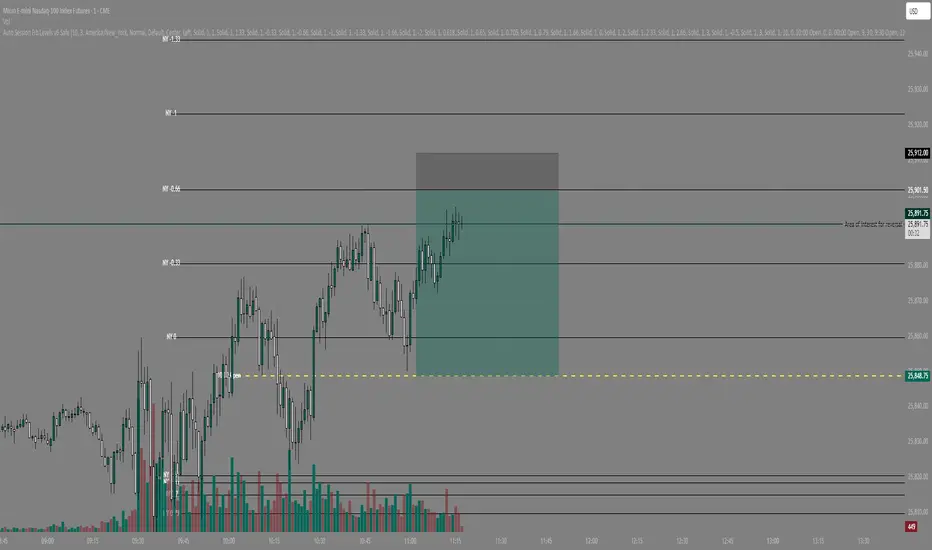
Auto Session Fib/Open LevelsThis indicator automatically plots fib levels and key opening levels so you don't have to (: Default levels are set to Longhorn Trades (Peter Kennedy) fib settings and two key openings of my liking.Indicador Pine Script®por spudtrades78
IB range + Breakout fibsThe IB High / Low + Auto-Fib indicator automatically plots the Initial Balance range and a Fibonacci projection for each trading day. Define your IB start and end times (e.g., 09:30–10:30). The indicator marks the IB High and IB Low from that session and extends them to the session close. It keeps the last N days visible for context. When price breaks outside the IB range, it automatically plots a Fibonacci retracement/extension from the opposite IB side to the breakout, using levels 0, 0.236, 0.382, 0.5, 0.618, 0.88, 1. The Fib updates dynamically as the breakout extends, and labels are neatly aligned on the right side of the chart for clarity. Ideal for traders who monitor Initial Balance breaks, range expansions, and Fibonacci reaction levels throughout the trading session. Indicador Pine Script®por IamhigherI94
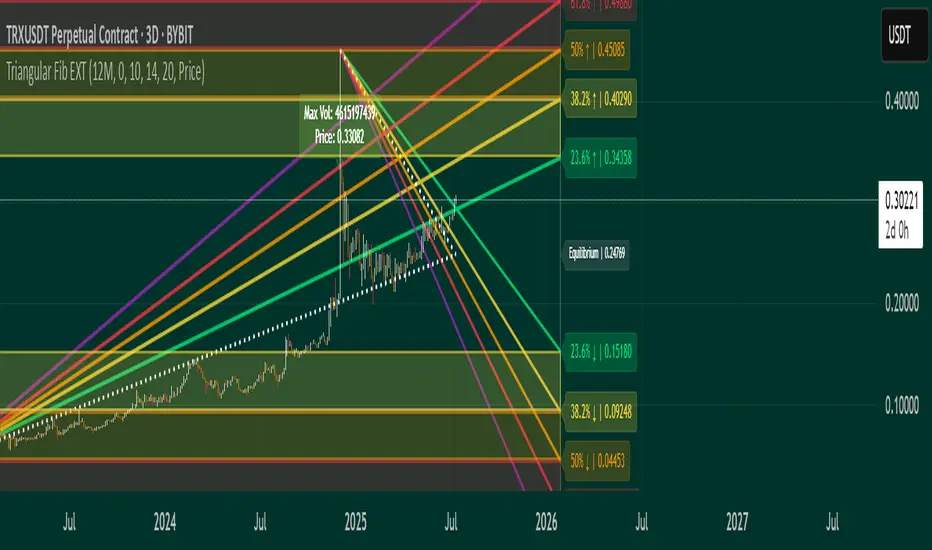
Triangular Fib🔍 Features - Dynamic Lookback & Projection: Automatically adjusts the range and projection horizon based on timeframe changes. - Triangular Fibonacci Arms: Projects fib levels upward and downward from high/low extremes to highlight potential price inflections. - Volatility-Shaded Equilibrium: Visual zone highlights areas of consolidation or energy buildup before breakouts. - Breakout Alerts: Detects and signals bullish/bearish breakouts from triangular fib thresholds. - Auto-Traced Triangle Wedge: Dotted wedge lines visually represent narrowing price action from range extremes to midpoint. Ideal for traders who seek visual clarity, price symmetry, and alert-driven decision-making across multiple timeframes. Whether you're swing trading or intraday scouting, this script provides a richly layered roadmap of market potential. Not financial advice. Indicador Pine Script®por ximi-imibittyAtualizado 77187
Manual Fib Levels (Paul Laurent Trading)📜 Script Description for TradingView Manual Fibonacci Levels with Whole Number Lines This script draws infinite horizontal lines for custom Fibonacci retracement and extension levels, based on manually entered high and low points. It also includes additional lines at full whole number levels (e.g., 1.0000, 2.0000, 3.0000), making it easier to visualize key psychological price zones within the Fibonacci range. Features: * Custom manual high/low inputs * Infinite Fib lines (retracement + extension) * Separate whole-number lines within the Fib range * Adjustable line color and thickness for both sets Useful for traders who prefer visual clarity with precise price alignment across major and whole-number levels. Indicador Pine Script®por Paul_LaurentAtualizado 37
Blackflag FTS (1H Trailing) + MSB-OB FibThis indicator combines a 1-hour trailing stop system with multi-timeframe Fibonacci retracement levels and ZigZag structure detection to assist traders in identifying trend direction and potential reversal zones. Features: ✅ 1-Hour Trailing Stop: Uses an ATR-based trailing stop mechanism to track trend direction and dynamic support/resistance. ✅ Multi-Timeframe Approach: The trailing stop is calculated on the 1-hour timeframe, while the ZigZag and Fibonacci retracement levels are based on the 15-minute chart. ✅ ZigZag Structure Detection: Helps filter market swings and trend reversals dynamically. ✅ Fibonacci Levels (0.5 & 0.786): Key retracement levels to watch for price reactions. ✅ Alerts for Key Levels: Get notified when the price crosses important levels (1H trailing stop, Fib 0.5, Fib 0.786). How It Works: The trailing stop adapts dynamically based on ATR values and determines trend direction. ZigZag detection filters out minor price movements to highlight major swing points. Fibonacci levels are calculated based on ZigZag swings, helping traders spot potential reversal zones. This tool is useful for trend-following traders, breakout traders, and Fibonacci-based strategies. Let me know if you'd like any modifications! 🚀Indicador Pine Script®por fangerraten11292
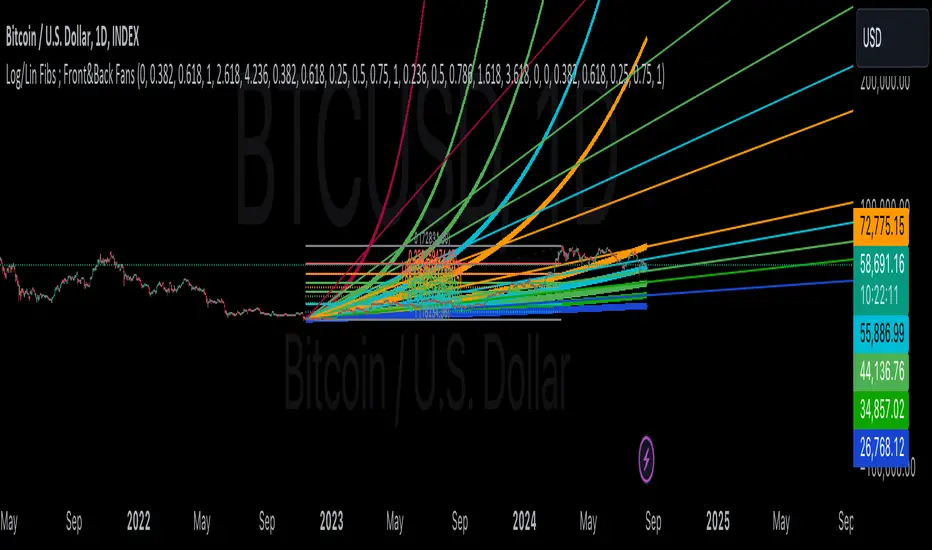
Linear and Logarithmic Fibonacci Levels and (Price&Time) FansIntroduction The Fibonacci Retracement tool is a go-to for traders looking to spot potential support and resistance levels. By measuring the distance between swing highs and lows, you can apply Fibonacci ratios like 0.236, 0.382, and 0.618 to predict key market levels. Traditionally, these levels are set by dividing this distance into equal parts—known as Linear Levels. A more refined approach, Logarithmic Price and Time Levels, divides the distance into proportionally equal segments. Plus, this indicator now includes Fibonacci fans, adding another layer of analysis by projecting potential price levels using trendlines based on Fibonacci ratios. This tool makes it easier to identify both Linear and Logarithmic levels while also leveraging Fibonacci fans for a more complete market view. Applications Logarithmic Levels and Fibonacci fans are ideal for volatile markets. In crypto, they’re especially effective for BTCUSDT (check out the wick from January 23, 2024). They also help spot accumulation and distribution patterns in high-volume altcoins like FETUSDT . In traditional markets, they’re useful for tracking stocks like TSLA and NVDA with extreme price swings, as well as indices in inflation-affected markets like XU100 , or recession-hit currency pairs like JPYUSD . How to Use This indicator is intuitive and similar to TradingView’s Fibonacci Tool. Select your reference levels (Level 1 and Level 0), then tweak the settings to customize your analysis, including adding Fibonacci fans for extra insights. Why It’s Different Unlike TradingView’s tool, which forces you to switch to a logarithmic scale (messing with other indicators and trend lines), this indicator lets you view both Linear and Logarithmic levels—and Fibonacci fans on Price and Time Series—without changing your chart’s scale. The original Fibonacci Code was derived from zekicanozkanli, modified and upgraded to plot fib front and back fans as well. Due to TV Max Plot restrictions I need to publish just Front and Back and Front Fibs separately.Indicador Pine Script®por AutomatedTradingAlgorithms150
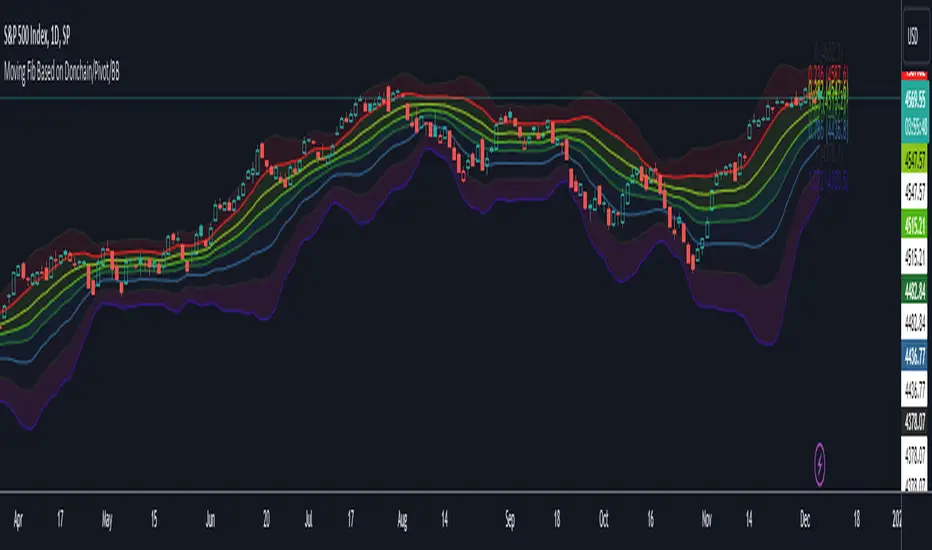
Moving Fib Based on Donchain/Pivot/BBThis script's purpose is to provide the user with an indicator that automatically plots Fibonacci levels. The user has three main options for determining the Fibonacci's high and low. This indicator offers an ample number of settings, making it a modular Fibonacci overlay. The default setting is based on Donchian high and low. Another option is to base the high and low on TradingView's Pivot indicator. The last option is to determine Fibonacci levels based on Bollinger Bands. Add up to 16 Fib levels with customizable settings, plot them on a log scale, and explore various other settings to personalize the Fib overlay. This indicator can be utilized for trading momentum or mean reversion strategiesIndicador Pine Script®por rapmadarang67
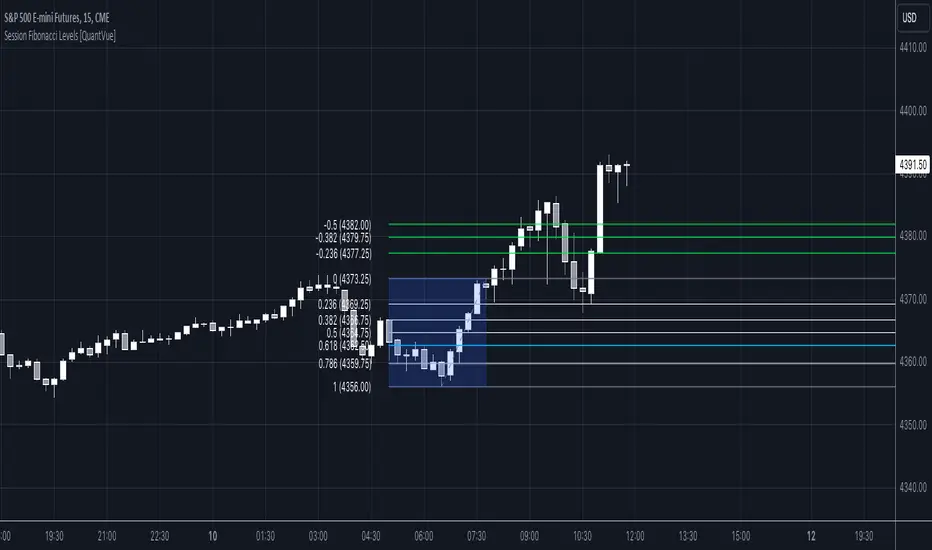
Session Fibonacci Levels [QuantVue]The "Session Fibonacci Levels" indicator is a powerful tool designed for traders who aim to use Fibonacci retracement and extension levels in their trading strategy. The indicator combines Fibonacci levels with customized trading sessions, allowing traders to observe and utilize Fibonacci levels that are automatically calculated for each defined session. This approach offers a dynamic and session-relevant perspective on potential support and resistance levels, which can be crucial for intraday trading strategies. 🔹The indicator calculates Fibonacci retracement and extension levels based on the high and low prices of a specified trading session, dynamically adjusting to the location of the high and low bar. If the low of the session occurs before the high, the fib levels are measured from low to high. If the low of the session occurs after the high, the fib levels are measured from high to low. 🔹Users can set their time zone and define trading sessions, allowing for flexibility and applicability across global markets. This is particularly beneficial for traders who focus on specific market hours like the London or New York sessions. Important sessions: New York (8:00am - 5:00pm EST) London (3:00am - 12:00pm EST) Asia (7:00pm - 4:00am EST) Custom session (user defined session in indicator settings) 🔹The indicator dynamically updates Fibonacci levels as new highs and lows are made within the session, keeping the analysis current. Additionally, it provides alerts when prices hit key Fibonacci levels, aiding in timely decision-making. How to Use: Configure the time zone and session time Once the session begins, the indicator will begin highlighting the session range When the session ends, Fibonacci levels based on the high and low of the session will be drawn Use these levels to identify potential support and resistance areas Indicador Pine Script®por QuantVue88655
PDHL levels with INTRADAY Auto FIBThe present script includes Previous day High/low levels and once the PDH or PDL breaks the present bar's background changes color according to the direction of price breakout. It's helpful when working on lower timeframe charts with small screen space, so that the user can know that the PDHL has been taken out in one glance at the chart instead of scrolling all around to find out whether the PDH or PDL are broken or not. The high and low of day before yesterday are also plotted for reference. The intraday fib levels get drawn taking present day's high and low into account, useful to mark support/retest levels. The color of the intraday AUTO FIB high and low lines also change from gray to respective assigned colors once the present day price crosses PDH or PDL this is helpful while viewing charts on mobile app. Disclaimer: Only for studying price movement ideas, trading is not advised.Indicador Pine Script®por TathaastuVatsAtualizado 99409
ALMA stdev band with fibsArnaud Legoux Moving Average with standard deviation band and standard deviation Fibonacci levels. Standard deviation band is alma + stdev and alma - stdev. Fibonacci levels are alma + stdev * fib ratio and alma - stdev * fib ratio (0.382 / 0.5 / 0.618 / 1.618 / 2.618). Used like a moving average, but also shows probable price range based on past volatility, and helps to recognize support/resistance levels, trends and trend momentum based on the Fibonacci levels.Indicador Pine Script®por BobBasic1158
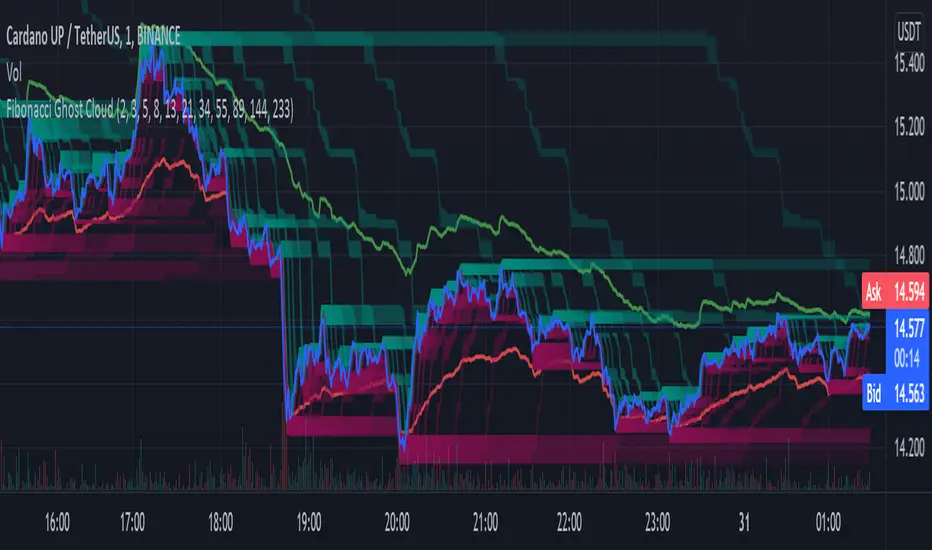
Fibonacci Ghost CloudHello my nocturnal minions.... This is your dark knight in the crypto light.... your alpha and omega, your crypto king reigning wisdom down from my gilded throne of code! Enjoy the spooky Fibonacci Ghost Cloud. Shadows of previous Fibonacci look-back levels provide possible entries, stop losses, and take profit levels for intrepid crypto travelers. DESCRIPTION This indicator is front weighted by using the Fibonacci integer sequence..... 2,3,5,8,13. Each green and red "ghost" is a reflection of the highest highs and lowest lows of a given FIB lookback. The guide lines, red and green, are averages of the highs (green) and the lows (red). USAGE The "ghosts" can be used as possible support and resistance levels. They diminish in intensity (they become more transparent) as these ghosts move back further in time. When multiple greens overlap it is an indicator of a lot of recent price action at that level. The same is true of overlapping red. In addition, the amount of ghosts above and/or below are indicative of recent price action taking place at a higher or a lower level CURRENT PRICE IS LOWER THAN RECENT PA - There will be many green ghosts above, but few or no red ghosts below. CURRENT PRICE IS HIGHER THAN RECENT PA- There will be many red ghosts below, but few or no green above TAKE PROFIT - Possible take profit targets could be on the approach to a previous green level STOP LOSS - Possible stop losses could be at lower red level Like Bollinger bands, the green and red "average" lines can help to indicate that a security is oversold or underbought according to how close it is to a recent average. Nearing the red line can indicate that the security is oversold - and the converse is also true. DERIVATIONS Within the code is additional greyed-out lines which could be activated allowing you to target the open or close, instead of the High-Low - the current settings SETTINGS: You can change the FIB levels and substitute your own integer sequence to use as the lookback. Feel free to offer feedback and/or suggest features you would like to have added. Indicador Pine Script®por cryptofilioAtualizado 105
Auto Fib Golden Pocket Band - Strategy with Buy Signalsthis strategy is based on the Indicator "Auto Fib Golden Pocket Band - "Autofib Moving Average" it's the same as the indicator but with: - the strategy tester included - several entry Signal filter - Dynamic SL Estratégia Pine Script®por imal_maxAtualizado 44665
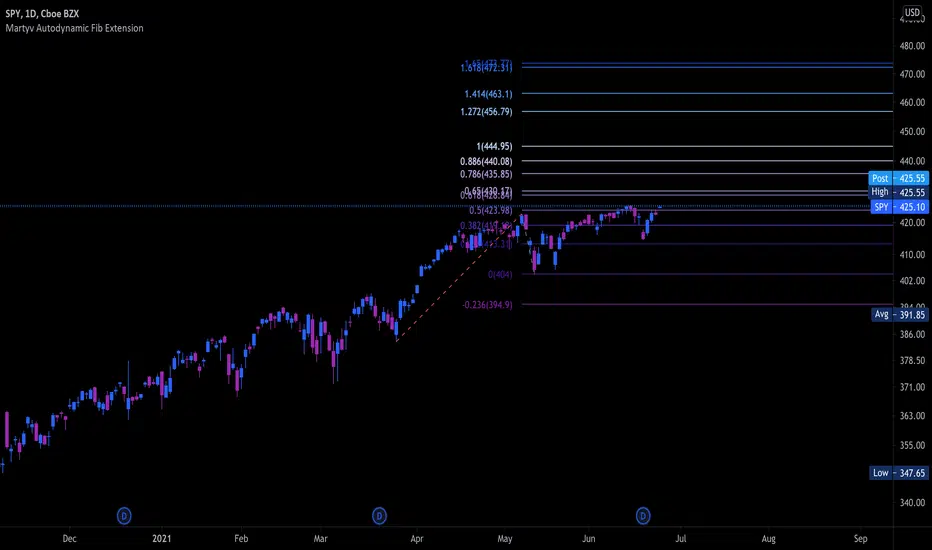
Martyv Auto Fib Extension with Logarithmic SupportSimilar to the Auto Fib Retracement tool - I took the out-of-the-box functionality and added Logarithmic support, as well as nicer colors and easier management of levels. I'm... 90% sure I got the Fib calculations correct. If you see something, say something! Would love any suggestions for improvement.Indicador Pine Script®por AnkerEliteAtualizado 1717703
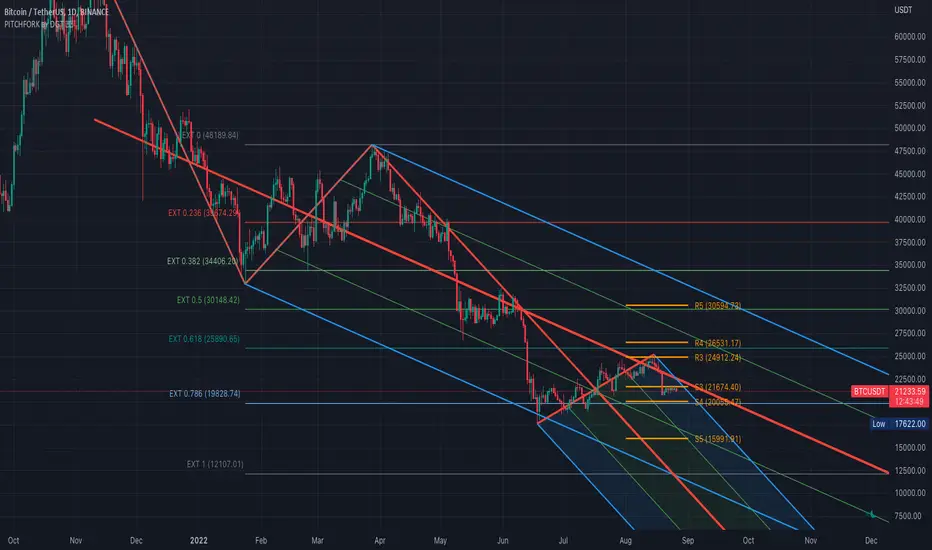
Auto Pitchfork, Fib Retracement and Zig Zag by DGTPitchfork is a technical indicator for a quick and easy way for traders to identify possible levels of support and resistance of an asset's price. It is presents and based on the idea that the market is geometric and cyclical in nature Developed by Alan Andrews, so sometimes called Andrews’ Pitchfork It is created by placing three points at the end of previous trends Schiff and Modified Pitchfork is a technical analysis tool derived from Andrews' Pitchfork In general, traders will purchase the asset when the price falls near the support of either the center trendline or the lowest trendline. Conversely, they'll sell the asset when it approaches the resistance of either the center line or the highest trendline. █ Study OPTIONS Auto Pitchfork , the main aim of the study Pivots threshold can be customized by “Deviation” and “Depth” input options Pitchfork Type selection, available options Andrews' Pitchfork (Original), Schiff and Modified Pitchfork Ability to set ALERTs for the Pitchfork Levels Ability to add customized levels (all level lines customizable) Auto Fib Retracement – This is the build-in study of TradingView, slight changes applied to fit with Auto Pitchfork Zig Zag – Derived from build-in Auto Fib Retracement with some customization options. █ Usage Tips : Andrews' Pitchfork (Original) best fit in a Strong Trending Market Schiff and Modified Pitchfork better with Correcting or Sideways Market. Modified Pitchfork is almost identical to a Parallel Chanel Disclaimer : Trading success is all about following your trading strategy and the indicators should fit within your trading strategy, and not to be traded upon solely The script is for informational and educational purposes only. Use of the script does not constitute professional and/or financial advice. You alone have the sole responsibility of evaluating the script output and risks associated with the use of the script. In exchange for using the script, you agree not to hold dgtrd TradingView user liable for any possible claim for damages arising from any decision you make based on use of the script Indicador Pine Script®por dgtrdAtualizado 158158 11.7 K
Auto Fib CustomThis is simply a slight modification of the built-in Auto Fib Retracement script. I extended the price levels to round at 5 digits rather than 2 and included 5 custom fib levels that can be turned on or off. The defaults are also updated a bit per my own personal preference but those of course can be changed. There are probably others with better versions out there but I'm getting started on Pine so have at it if you wish.Indicador Pine Script®por pauls0101Atualizado 71
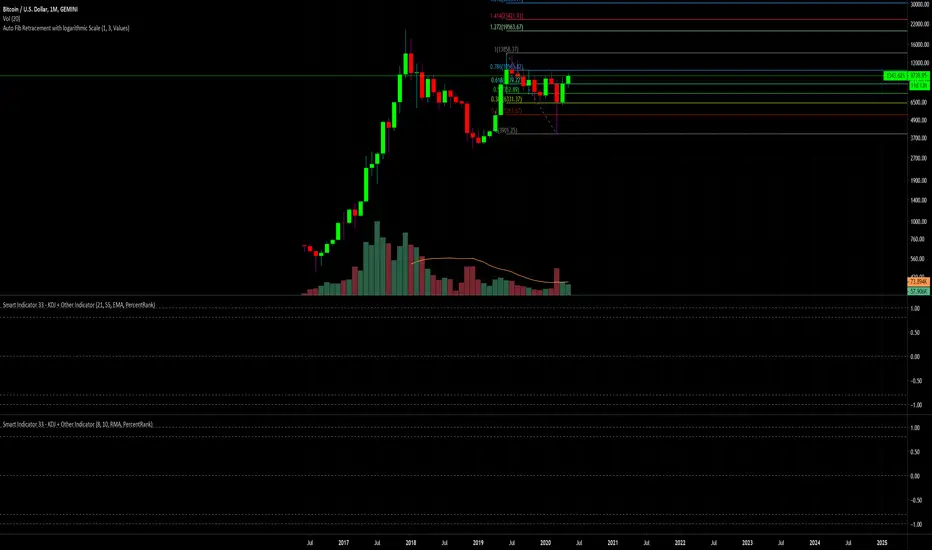
Auto Fib Retracement with logarithmic ScaleThis is the same Original Pine Built-in Script announced in tradingview blog on 19-05-2020 ( "Auto Fib Retracement — the New Pine Indicator" ), but with the option to use on Logarithmic Scale. Indicador Pine Script®por RodrigoKazuma405
Donchian FibsSo this is donchian channel with its fibs level the TF is set to 1440 min to show daily trend the highs and lows of the channel is shown so why this shit? I like sometime to play on lower TF lets say 5 min chart or 15 min chart So if I reduce the TF to 60 on 5 or 15 min chart I can get more realistic fib system then the regular that we normaly use So you need to play with TF to get the best result for your chart :)Indicador Pine Script®por RafaelZioni33180
ote 3d v0This was supposed to be an automatic ICT OTE (Optimal Trade Entry) Fib level placement on a 3-day scale, but this did not turn out anywhere near close to how I envisioned it working. Probably with some more development and applied math for the fib levels, I can get this to work even with breached 3D levels, but currently it's an exercise in frustration. Indicador Pine Script®por UnknownUnicorn279684122232
Lysergik's Stochastic SynergyThis indicator shows the average Stochastic RSI output of the 15m, 1h, 2h, 4h, and Daily Stochastic RSI. It will change in its behavior depending on the time-frame you're using, but for many markets it works best on the 30m time-frame and the daily time-frame. It is best used along with Lysergik's Fib Cross, which will allow you to avoid false signals in the stochastic synergy indicator. If your MA cross (50, 200) indicates a direction change opposite of the stochastic RSI synergy indicator then that is a signal to wait for more price action to determine your entry/exit points. Using the Lysergik's Fib Cross, the same applies, but remember that a golden cross (white cross symbol) followed directly by a golden ratio cross (gold cross symbol) is even further indication that the stochastic RSI needs more breathing room before reversing. This indicator is fully adjustable for you to back-test against charts and refine the indicator to your market. The inputs in respective order are as follows: RSI Length, Stoch Length, Smooth K, Smooth D, Upper Limit, Lower Limit, Basis Enjoy and remember only make trades on your own terms. Happy trading/investing! :)Indicador Pine Script®por lysergik1179
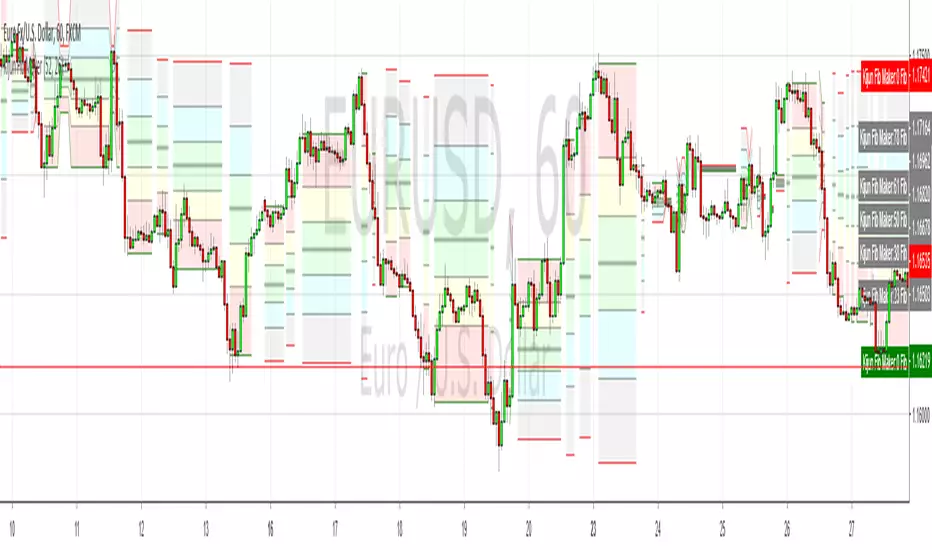
Kijun-based Fib Retracement MakerI noticed a while back that Ichimoku's Kijun line is generally the same as the 50% fib, particular when it's flat, so I coded this to draw fibs from that point. Obviously it draws too many (and maybe someone has a solution for this?) but I think it's a cool idea so here it isIndicador Pine Script®por scarf11339
12H Fib Retracement This prints out fib retracements for EverEvolving’s (beta) ICC 12 hr levels on all timeframes indicator. Indicador Pine Script®por Reanu_Keeves1
12H Fib MidpointsPrints the .5 fib retrace for final trading levels on the 1 minute chart. Background process is exactly how its done in the video EverEvolving365 sharedIndicador Pine Script®por Reanu_Keeves4