Pesquisar nos scripts por "entry"
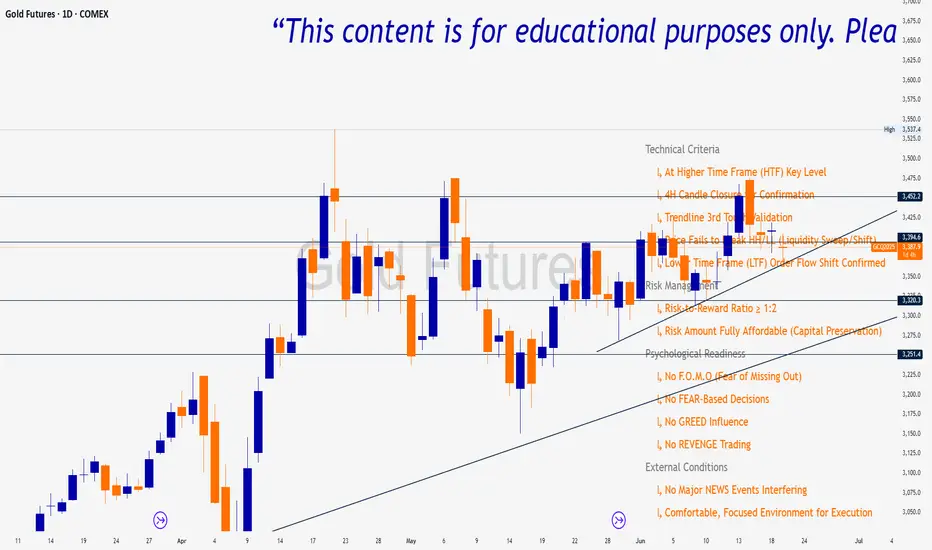
ENTRY CONFIRMATION V2An indicator from candle man. Helps determine whether supply and demand zone are truly supply or demand.
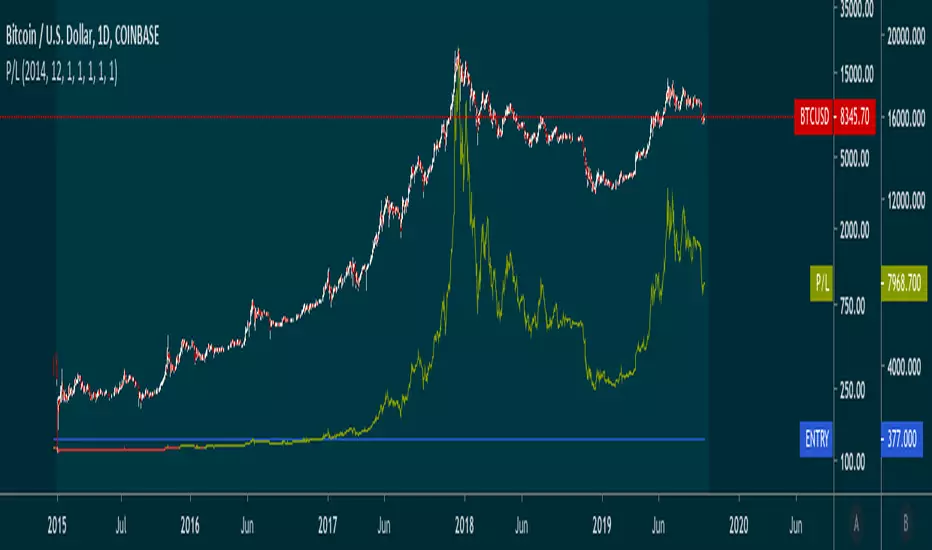
Entry Percent: EssamThis Pine Script code is designed to perform the task of computing and showcasing the profit percentage, profit value, and the duration for which a specific asset is held, all in real-time. The script effectively leverages the built-in resources to provide a seamless and robust experience, as it presents the calculated figures in an easily readable format on the chart, without causing any lag or disruptions to the chart.
MA_Script- Entry Point : base on MA20, MA50, MA100, MA200.
- Exit Point : base on stop loss, MA and trailing stop.
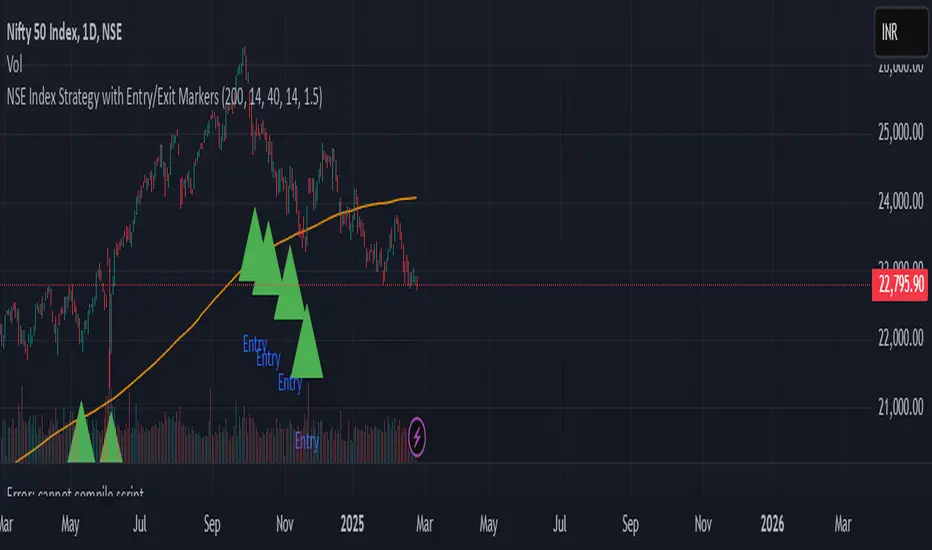
sa-strategy with HTF-TSLEntry- based on HA close above HMA confirmation done with ST and HTF ATR
Exit- based on close below ATR which works as trailing SL
[MV] %B with SMA + Volume Based Colored Bars
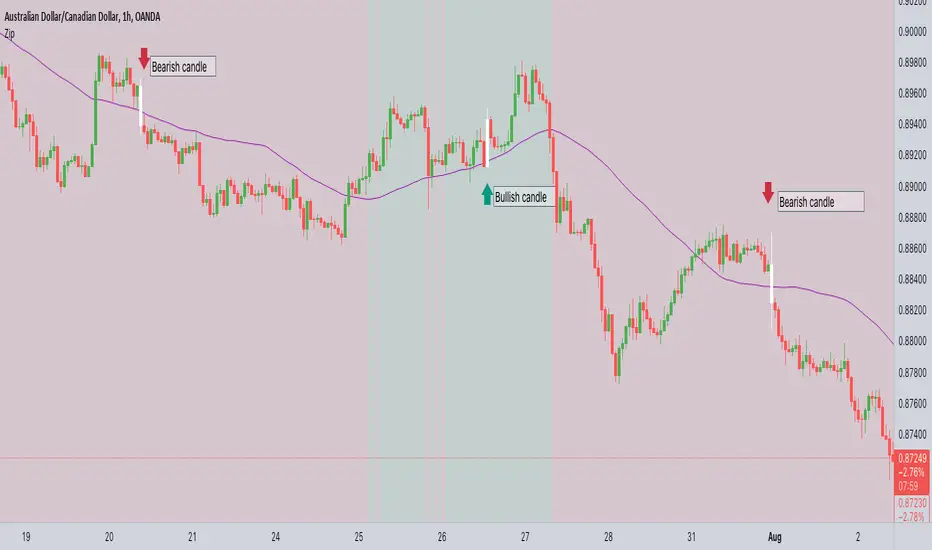
Entry Signal when %B Crosses with SMA and this is more meaningful if it supports colored bars.
Black Bar when prices go down and volume is bigger than 150% of its average, that indicates us price action is supported by a strong bearish volume
Blue Bar when prices go up and volume bigger than 150% of its average, that indicates us price action is supported by a strong bullish volume
VBC author @KIVANCfr3762
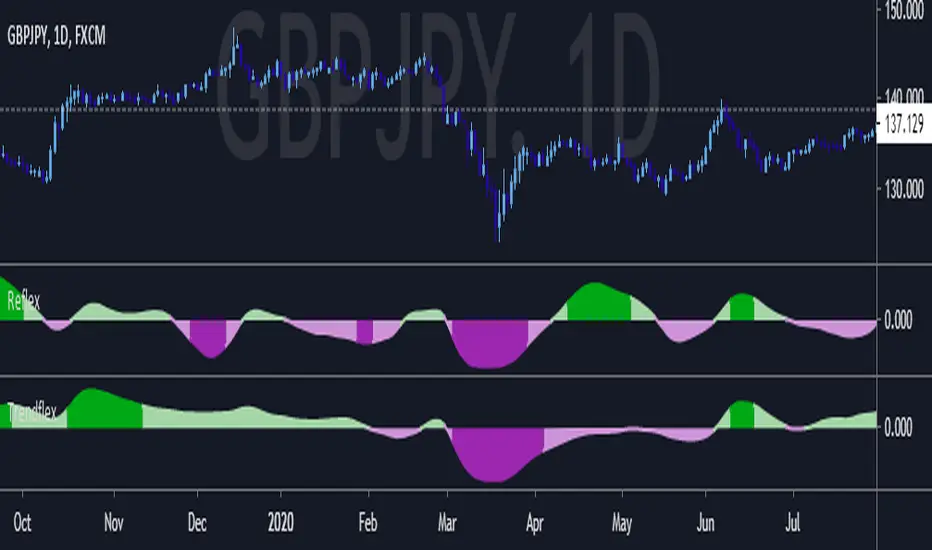
FX Sniper: T3-CCI Strategy - With 100 IndicatorsEntry signal when moving above -100, sell signal when going below 100
Amazing Crossover SystemEntry Rules
BUY when the 5 EMA crosses above the 10 EMA from underneath and the RSI crosses above the 50.0 mark from the bottom.
SELL when the 5 EMA crosses below the 10 EMA from the top and the RSI crosses below the 50.0 mark from the top.
Make sure that the RSI did cross 50.0 from the top or bottom and not just ranging tightly around the level.
How to setup Alert:
1) Add the Amazing Crossover System to your chart via Indicators
2) Find your currency pair
3) Set the timeframe on the chart to 1 hour
4) Press 'Alt + A' (create alert shortcut)
5) Set the following criteria for the alert:
Condition = 'Amazing Crossover System', Plot, ' BUY Signal'
The rest of the alert can be customized to your preferences
5) Repeat steps 1 - 4, but set the Condition = 'Amazing Crossover System', Plot, ' SELL Signal'
Fresh Algo | Signals & Overlays™ v25//@version=5
indicator("Fresh Algo | Signals & Overlays™ v25", overlay=true, max_lines_count=500, max_labels_count=500, max_boxes_count=350)
// Telegram Join Us >> t.me
//...................../´¯¯/)
//...................,/¯.../
//.................../..../
//.............../´¯/'..'/´¯¯`·¸
//.........../'/.../..../....../¨¯\
//..........('(....´...´... ¯~/'..')
//...........\..............'...../
//............\....\.........._.·´
//.............\..............(
//..............\..............\
//----
//---------
// Telegram Join Us >> t.me
bullcolor = #00dbff
bearcolor = #b2b5be
ema150 = ta.ema(close, 150)
ema250 = ta.ema(close, 250)
gr_customalert = "Custom Alerts"
gr_signal = "General Configurations"
gr_PullBacksignal = "Trading Assistants"
gr_RiskManage = "Risk Management"
gr_dash = "Dashboard Configurations"
//symbol info
symInfoCheck = false
symInfo = syminfo.ticker + ' | ' + timeframe.period + (timeframe.isminutes ? 'M' : na)
date = str.tostring(dayofmonth(time_close)) + '/' + str.tostring(month(time_close)) + '/' + str.tostring(year(time_close))
//text positioning
textVPosition = 'middle'
textHPosition = 'center'
//symbol info positioning
symVPosition = 'top'
symHPosition = 'left'
//cell size
width = 0
height = 0
//title settings
c_title = #b2b5be80
s_title = 'large'
a_title = 'center'
//subtitle settings
c_subtitle = #b2b5be80
s_subtitle = 'normal'
a_subtitle = 'center'
c_bg = color.new(color.blue, 100)
// Get user input
showSignals = textVPosition == 'middle' and textHPosition == 'center' and c_title == #b2b5be80 and s_title == 'large' and a_title == 'center' and c_subtitle == #b2b5be80 and s_subtitle == 'normal' and a_subtitle == 'center' ? input(true, "Show Signal's", group=gr_signal) : na
//showSignals = true
sensitivity = textVPosition == 'middle' and textHPosition == 'center' and c_title == #b2b5be80 and s_title == 'large' and a_title == 'center' and c_subtitle == #b2b5be80 and s_subtitle == 'normal' and a_subtitle == 'center' ? input.float(2.4, "Sensitivity", 0.1, step=0.1, group=gr_signal): na
STuner = textVPosition == 'middle' and textHPosition == 'center' and c_title == #b2b5be80 and s_title == 'large' and a_title == 'center' and c_subtitle == #b2b5be80 and s_subtitle == 'normal' and a_subtitle == 'center' ? input.int(10, "Signal Tuner(1-25)", minval = 1, maxval = 25, group=gr_signal): na
Presets = "All Signals"
//Presets = input.string("All Signals", "Presets", , group=gr_signal)
filterstyle = textVPosition == 'middle' and textHPosition == 'center' and c_title == #b2b5be80 and s_title == 'large' and a_title == 'center' and c_subtitle == #b2b5be80 and s_subtitle == 'normal' and a_subtitle == 'center' ? input.string("Trending Signals ", "Signal Mode / Filters", ["Trending Signals ", "Contrarian Signals ", "High Volume ", "Strong ", "Swing ", "Smooth ", "Scalping ", "Scalping+ "], group=gr_signal): na
//TextStyle = input.string("Minimal", "Signal Style", , group=gr_signal)
//periodTrendCloud = input.string("Smooth", "Trend Cloud Style", , group=gr_Other_Settings)
TextStyle = "Minimal"
consSignalsFilter = filterstyle == "Trending Signals " ? true : false
StrongSignalsOnly = filterstyle == "Strong " ? true : false
highVolSignals = filterstyle == "High Volume " ? true : false
signalsTrendCloud = (filterstyle == "Smooth ") ? true : (filterstyle == "Scalping ") ? true : (filterstyle == "Scalping+ ") ? true : (filterstyle == "Swing ") ? true : false
ContrarianOnly = filterstyle == "Contrarian Signals " ? true : false
TrendMap = 'Trend Gradient'
momentumCandles = false
assistantenable = textVPosition == 'middle' and textHPosition == 'center' and c_title == #b2b5be80 and s_title == 'large' and a_title == 'center' and c_subtitle == #b2b5be80 and s_subtitle == 'normal' and a_subtitle == 'center' ? input(true,'', group=gr_PullBacksignal, inline = 'sexyshit'): na
assistantmode = textVPosition == 'middle' and textHPosition == 'center' and c_title == #b2b5be80 and s_title == 'large' and a_title == 'center' and c_subtitle == #b2b5be80 and s_subtitle == 'normal' and a_subtitle == 'center' ? input.string('Trend Assistant', 'Assistant | Mode', , group = gr_PullBacksignal, inline = 'sexyshit'): na
Show_PR = textVPosition == 'middle' and textHPosition == 'center' and c_title == #b2b5be80 and s_title == 'large' and a_title == 'center' and c_subtitle == #b2b5be80 and s_subtitle == 'normal' and a_subtitle == 'center' ? input.bool(true, title="", group = gr_PullBacksignal , inline = "Features1"): na
MSTuner = textVPosition == 'middle' and textHPosition == 'center' and c_title == #b2b5be80 and s_title == 'large' and a_title == 'center' and c_subtitle == #b2b5be80 and s_subtitle == 'normal' and a_subtitle == 'center' ? input.int(8, "Reversal Dot | Tuner(2-30)", minval = 2, maxval = 30, group=gr_PullBacksignal, inline = "Features1"): na
LongTrendAverage = assistantmode == 'Trend Tracker' and assistantenable == true ? true : false
analyscloud = assistantmode == 'Trend Assistant' and assistantenable == true ? true : false
showTrendCloud = (filterstyle == "Smooth ") ? true : (filterstyle == "Scalping ") ? true : (filterstyle == "Scalping+ ") ? true : (filterstyle == "Swing ") ? true : false
periodTrendCloud = (filterstyle == "Smooth ") ? "Smooth" : (filterstyle == "Scalping ") ? "Scalping" : (filterstyle == "Scalping+ ") ? "Scalping+" : (filterstyle == "Swing ") ? "Swing" : na
//ScalpingPlus = input(false, "Fast trend cloud", group=gr_Other_Settings)
//fastTrendCloudLen = input.int(55, "Fast trend cloud", 2, group=gr_Other_Settings)
fill(plot(showTrendCloud and periodTrendCloud == "Smooth" ? na : assistantenable == true and assistantmode == 'Trend Tracker' ? ema150 : na, "", na, editable=false), plot(showTrendCloud and periodTrendCloud == "Smooth" ? na : assistantenable == true and assistantmode == 'Trend Tracker' ? ema250 : na, "", na, editable=false), ema150 > ema250 ? color.new(bullcolor, 70) : ema150 < ema250 ? color.new(bearcolor, 70) : na)
showDashboard = textVPosition == 'middle' and textHPosition == 'center' and c_title == #b2b5be80 and s_title == 'large' and a_title == 'center' and c_subtitle == #b2b5be80 and s_subtitle == 'normal' and a_subtitle == 'center' ? input(true, "Smart Panel", group = gr_dash , inline = "Features1"): na
locationDashboard = textVPosition == 'middle' and textHPosition == 'center' and c_title == #b2b5be80 and s_title == 'large' and a_title == 'center' and c_subtitle == #b2b5be80 and s_subtitle == 'normal' and a_subtitle == 'center' ? input.string("Bottom Right", "Dashboard Location", , group = gr_dash , tooltip="Smart Panel"): na
sizeDashboard = textVPosition == 'middle' and textHPosition == 'center' and c_title == #b2b5be80 and s_title == 'large' and a_title == 'center' and c_subtitle == #b2b5be80 and s_subtitle == 'normal' and a_subtitle == 'center' ? input.string("Small", "Dashboard Size", , group = gr_dash , tooltip="Smart Panel"): na
tpLabels = textVPosition == 'middle' and textHPosition == 'center' and c_title == #b2b5be80 and s_title == 'large' and a_title == 'center' and c_subtitle == #b2b5be80 and s_subtitle == 'normal' and a_subtitle == 'center' ? input(true, "Dynamic Take Profit Lables", group=gr_RiskManage): na
ShowTpSlAreas = textVPosition == 'middle' and textHPosition == 'center' and c_title == #b2b5be80 and s_title == 'large' and a_title == 'center' and c_subtitle == #b2b5be80 and s_subtitle == 'normal' and a_subtitle == 'center' ? input(true, "Show take Profit/Stop-loss Area", group=gr_RiskManage): na
ShowTrailingSL = textVPosition == 'middle' and textHPosition == 'center' and c_title == #b2b5be80 and s_title == 'large' and a_title == 'center' and c_subtitle == #b2b5be80 and s_subtitle == 'normal' and a_subtitle == 'center' ? input(false, "Show trailing Stop-loss", group=gr_RiskManage): na
usePercSL = textVPosition == 'middle' and textHPosition == 'center' and c_title == #b2b5be80 and s_title == 'large' and a_title == 'center' and c_subtitle == #b2b5be80 and s_subtitle == 'normal' and a_subtitle == 'center' ? input(false, "SL/TRAILING", inline="1", group=gr_RiskManage): na
percTrailingSL = textVPosition == 'middle' and textHPosition == 'center' and c_title == #b2b5be80 and s_title == 'large' and a_title == 'center' and c_subtitle == #b2b5be80 and s_subtitle == 'normal' and a_subtitle == 'center' ? input.float(1, "", 0, step=0.1, inline="1", group=gr_RiskManage): na
useTP1 = textVPosition == 'middle' and textHPosition == 'center' and c_title == #b2b5be80 and s_title == 'large' and a_title == 'center' and c_subtitle == #b2b5be80 and s_subtitle == 'normal' and a_subtitle == 'center' ? input(true, "", inline="1", group=gr_RiskManage): na
multTP1 = textVPosition == 'middle' and textHPosition == 'center' and c_title == #b2b5be80 and s_title == 'large' and a_title == 'center' and c_subtitle == #b2b5be80 and s_subtitle == 'normal' and a_subtitle == 'center' ? input.float(1, "TP 1", 0, inline="1", group=gr_RiskManage): na
useTP2 = textVPosition == 'middle' and textHPosition == 'center' and c_title == #b2b5be80 and s_title == 'large' and a_title == 'center' and c_subtitle == #b2b5be80 and s_subtitle == 'normal' and a_subtitle == 'center' ? input(true, "", inline="4", group=gr_RiskManage): na
multTP2 = textVPosition == 'middle' and textHPosition == 'center' and c_title == #b2b5be80 and s_title == 'large' and a_title == 'center' and c_subtitle == #b2b5be80 and s_subtitle == 'normal' and a_subtitle == 'center' ? input.float(2, "TP 2 ", 0, inline="4", group=gr_RiskManage): na
useTP3 = textVPosition == 'middle' and textHPosition == 'center' and c_title == #b2b5be80 and s_title == 'large' and a_title == 'center' and c_subtitle == #b2b5be80 and s_subtitle == 'normal' and a_subtitle == 'center' ? input(true, "", inline="4", group=gr_RiskManage): na
multTP3 = textVPosition == 'middle' and textHPosition == 'center' and c_title == #b2b5be80 and s_title == 'large' and a_title == 'center' and c_subtitle == #b2b5be80 and s_subtitle == 'normal' and a_subtitle == 'center' ? input.float(3, "TP 3", 0, inline="4", group=gr_RiskManage): na
ShowSwings = textVPosition == 'middle' and textHPosition == 'center' and c_title == #b2b5be80 and s_title == 'large' and a_title == 'center' and c_subtitle == #b2b5be80 and s_subtitle == 'normal' and a_subtitle == 'center' ? input(false, "Show Market Structure ", inline="3", group=gr_RiskManage): na
periodSwings = textVPosition == 'middle' and textHPosition == 'center' and c_title == #b2b5be80 and s_title == 'large' and a_title == 'center' and c_subtitle == #b2b5be80 and s_subtitle == 'normal' and a_subtitle == 'center' ? input.int(10, " ", 2, inline="3", group=gr_RiskManage): na
//showTS = input(title='Show Trend Shifter', defval=false, group='Contrarian SIGNALS')
// showsignals = input(title='Show Signals', defval=false, group='Contrarian SIGNALS')
// Alerts Managemnt
Normalbuy_alert = textVPosition == 'middle' and textHPosition == 'center' and c_title == #b2b5be80 and s_title == 'large' and a_title == 'center' and c_subtitle == #b2b5be80 and s_subtitle == 'normal' and a_subtitle == 'center' ? input.bool(title='Buy Signal ', defval=false, inline = "NB", group=gr_customalert): na
Strongbuy_alert = textVPosition == 'middle' and textHPosition == 'center' and c_title == #b2b5be80 and s_title == 'large' and a_title == 'center' and c_subtitle == #b2b5be80 and s_subtitle == 'normal' and a_subtitle == 'center' ? input.bool(title='Strong Buy', defval=false, inline = "NB", group=gr_customalert): na
Normalsell_alert = textVPosition == 'middle' and textHPosition == 'center' and c_title == #b2b5be80 and s_title == 'large' and a_title == 'center' and c_subtitle == #b2b5be80 and s_subtitle == 'normal' and a_subtitle == 'center' ? input.bool(title='Sell Signal ', defval=false , inline = "NS", group=gr_customalert): na
Strongsell_alert = textVPosition == 'middle' and textHPosition == 'center' and c_title == #b2b5be80 and s_title == 'large' and a_title == 'center' and c_subtitle == #b2b5be80 and s_subtitle == 'normal' and a_subtitle == 'center' ? input.bool(title='Strong Sell', defval=false , inline = "NS", group=gr_customalert): na
slalert = textVPosition == 'middle' and textHPosition == 'center' and c_title == #b2b5be80 and s_title == 'large' and a_title == 'center' and c_subtitle == #b2b5be80 and s_subtitle == 'normal' and a_subtitle == 'center' ? input.bool(title='Stop-Loss ', defval=false , inline = "SLTP1", group=gr_customalert): na
tp1alert = textVPosition == 'middle' and textHPosition == 'center' and c_title == #b2b5be80 and s_title == 'large' and a_title == 'center' and c_subtitle == #b2b5be80 and s_subtitle == 'normal' and a_subtitle == 'center' ? input.bool(title='Target 1', defval=false , inline = "SLTP1", group=gr_customalert): na
tp2alert = textVPosition == 'middle' and textHPosition == 'center' and c_title == #b2b5be80 and s_title == 'large' and a_title == 'center' and c_subtitle == #b2b5be80 and s_subtitle == 'normal' and a_subtitle == 'center' ? input.bool(title='Target 2 ', defval=false , inline = "TP2TP3", group=gr_customalert): na
tp3alert = textVPosition == 'middle' and textHPosition == 'center' and c_title == #b2b5be80 and s_title == 'large' and a_title == 'center' and c_subtitle == #b2b5be80 and s_subtitle == 'normal' and a_subtitle == 'center' ? input.bool(title='Target 3', defval=false , inline = "TP2TP3", group=gr_customalert): na
bullcrosscloud_alert = textVPosition == 'middle' and textHPosition == 'center' and c_title == #b2b5be80 and s_title == 'large' and a_title == 'center' and c_subtitle == #b2b5be80 and s_subtitle == 'normal' and a_subtitle == 'center' ? input.bool(title='Bullish Cloud', defval=false, inline = "CD", group=gr_customalert): na
bearcrosscloud_alert = textVPosition == 'middle' and textHPosition == 'center' and c_title == #b2b5be80 and s_title == 'large' and a_title == 'center' and c_subtitle == #b2b5be80 and s_subtitle == 'normal' and a_subtitle == 'center' ? input.bool(title='Bearish Cloud', defval=false, inline = "CD", group=gr_customalert): na
showCons = false
paintCons = false
// Signal Text
SimpleBuy = "Buy"
StrongB = "Strong\nBuy"
SimpleSell = "Sell"
StrongS = "Strong\nSell"
if TextStyle == "Normal"
SimpleBuy := "Buy"
StrongB := "Strong\nBuy"
SimpleSell:= "Sell"
StrongS := "Strong\nSell"
if TextStyle == "Minimal"
SimpleBuy := "▲"
StrongB := "▲+"
SimpleSell:= "▼"
StrongS := "▼+"
// Signal Text Color
// bullsignalcolor = #000000
// bearsignalcolor = color.rgb(0, 0, 0)
// if TextStyle == "Normal"
// bullsignalcolor := color.rgb(0, 0, 0)
// bearsignalcolor := color.rgb(0, 0, 0)
// if TextStyle == "Minimal"
// bullsignalcolor := color.rgb(0, 0, 0)
// bearsignalcolor := color.rgb(0, 0, 0)
src = close
RSII = ta.ema(ta.rsi(src, 50), 30)
TR = math.abs(RSII - RSII )
wwalpha = 1 / 50
WWMA = 0.0
WWMA := wwalpha * TR + (1 - wwalpha) * nz(WWMA )
ATRRSI = 0.0
ATRRSI := wwalpha * WWMA + (1 - wwalpha) * nz(ATRRSI )
TsFast = ta.ema(ta.rsi(src, 50), 30)
TsUP = TsFast + ATRRSI * 4.236
TsDN = TsFast - ATRRSI * 4.236
textWatermark = table.new(textVPosition + '_' + textHPosition, 1, 3)
TsSlow = 0.0
TsSlow := TsUP < nz(TsSlow ) ? TsUP : TsFast > nz(TsSlow ) and TsFast < nz(TsSlow ) ? TsDN : TsDN > nz(TsSlow ) ? TsDN : TsFast < nz(TsSlow ) and TsFast > nz(TsSlow ) ? TsUP : nz(TsSlow )
Colorh = TsFast > 55 ? color.rgb(255, 0, 0) : TsFast < 45 ? color.rgb(0, 255, 8) : #ffffff
//QQF = plot(TsFast, 'TS FAST', color=color.new(color.maroon, 100), linewidth=2, display=display.none, editable = false)
//QQS = plot(TsSlow, 'TS SLOW', color=color.new(color.white, 100), linewidth=2, display=display.none , editable = false)
//plot(TsFast, color=Colorh, linewidth=2, style=plot.style_area, histbase=50)
//BearLimit = hline(60, color=color.gray, linestyle=hline.style_dashed)
//BullLimt = hline(40, color=color.gray, linestyle=hline.style_dashed)
bulllim = 45
bearlim = 55
BullSignalr = ta.crossover(TsFast, TsSlow) and TsFast < bulllim
BearSignallr = ta.crossunder(TsFast, TsSlow) and TsFast > bearlim
/////////////////////////////////////////////////////////
// Trap Detector
////////////////////////////////////////////////////////
// Functions
wavetrend(src, chlLen, avgLen) =>
esa = ta.ema(src, chlLen)
d = ta.ema(math.abs(src - esa), chlLen)
ci = (src - esa) / (0.015 * d)
wt1 = ta.ema(ci, avgLen)
wt2 = ta.sma(wt1, 3)
f_top_fractal(src) => src < src and src < src and src > src and src > src
f_bot_fractal(src) => src > src and src > src and src < src and src < src
f_fractalize (src) => f_top_fractal(src) ? 1 : f_bot_fractal(src) ? -1 : 0
f_findDivs(src, topLimit, botLimit) =>
fractalTop = f_fractalize(src) > 0 and src >= topLimit ? src : na
fractalBot = f_fractalize(src) < 0 and src <= botLimit ? src : na
highPrev = ta.valuewhen(fractalTop, src , 0)
highPrice = ta.valuewhen(fractalTop, high , 0)
lowPrev = ta.valuewhen(fractalBot, src , 0)
lowPrice = ta.valuewhen(fractalBot, low , 0)
bearSignal = fractalTop and high > highPrice and src < highPrev
bullSignal = fractalBot and low < lowPrice and src > lowPrev
// Get components
= wavetrend(close, 5*MSTuner, 10*MSTuner)
= f_findDivs(wt2, 10, -35)
= f_findDivs(wt2, 40, -70)
wtDivBull = wtDivBull1 or wtDivBull2
wtDivBear = wtDivBear1 or wtDivBear2
plotshape(ta.crossover(wt1, wt2) and Show_PR and wt2 <= -60 and textVPosition == 'middle' and textHPosition == 'center' and c_title == #b2b5be80 and s_title == 'large' and a_title == 'center' and c_subtitle == #b2b5be80 and s_subtitle == 'normal' and a_subtitle == 'center', "Reversal Dot Buy" , shape.circle, location.belowbar, color.new(bullcolor,60), size=size.tiny)
plotshape(ta.crossunder(wt1, wt2) and Show_PR and wt2 >= 60 and textVPosition == 'middle' and textHPosition == 'center' and c_title == #b2b5be80 and s_title == 'large' and a_title == 'center' and c_subtitle == #b2b5be80 and s_subtitle == 'normal' and a_subtitle == 'center', "Reversal Dot Sell", shape.circle, location.abovebar, color.new(bearcolor,60), size=size.tiny)
rsi = ta.rsi(close ,14)
// Functions
f_chartTfInMinutes() =>
float _resInMinutes = timeframe.multiplier * (
timeframe.isseconds ? 1. / 60 :
timeframe.isminutes ? 1. :
timeframe.isdaily ? 60. * 24 :
timeframe.isweekly ? 60. * 24 * 7 :
timeframe.ismonthly ? 60. * 24 * 30.4375 : na)
atr(len) =>
tr = ta.tr
atr = 0.0
atr := nz(atr + (tr - atr ) / len, tr)
supertrend(src, factor, len) =>
atr = ta.atr(len)
upperBand = src + factor * atr
lowerBand = src - factor * atr
prevLowerBand = nz(lowerBand )
prevUpperBand = nz(upperBand )
lowerBand := lowerBand > prevLowerBand or close < prevLowerBand ? lowerBand : prevLowerBand
upperBand := upperBand < prevUpperBand or close > prevUpperBand ? upperBand : prevUpperBand
int direction = na
float superTrend = na
prevSuperTrend = superTrend
if prevSuperTrend == prevUpperBand
direction := close > upperBand ? 1 : -1
else
direction := close < lowerBand ? -1 : 1
superTrend := direction == 1 ? lowerBand : direction == -1 ? upperBand : na
dchannel(len)=>
hh = ta.highest(len)
ll = ta.lowest (len)
trend = 0
trend := close > hh ? 1 : close < ll ? -1 : nz(trend )
trendScalper(show, len1, len2, len3, colorBull, colorBear, colorBarBull, colorBarBear) =>
avgOC = math.avg(open, close)
ha_o = 0.0, ha_o := na(ha_o ) ? avgOC : (ha_o + ohlc4 ) / 2
ema1 = ta.ema(ha_o, len1), ema2 = ta.ema(ha_o, len2), ema3 = ta.ema(ha_o, len3)
ris1 = ema1 > ema1 , ris2 = ema2 > ema2 , ris3 = ema3 > ema3
fal1 = ema1 < ema1 , fal2 = ema2 < ema2 , fal3 = ema3 < ema3
colorEma1 = ris1 ? colorBull : fal1 ? colorBear : na, colorEma2 = ris2 ? colorBull : fal2 ? colorBear : na, colorEma3 = ris3 ? colorBull : fal3 ? colorBear : na
fillEma1 = avgOC > ema1 ? colorBull : avgOC < ema1 ? colorBear : na, fillEma2 = ema1 > ema2 ? colorBull : ema1 < ema2 ? colorBear : na, fillEma3 = ema2 > ema3 ? colorBull : ema2 < ema3 ? colorBear : na
colorBar = close < ema1 and close < ema2 ? colorBarBear : colorBarBull
candlesMom() =>
= ta.macd(close, 2, 4, 3)
(macd > 10 and macd > macd ) or (macd < 10 and macd < macd )
trailingSL(buy, sell, factor, len, usePerc, perc) =>
atr = atr(len)
upperBand = high + (usePerc ? high * (perc / 100) : factor * atr)
lowerBand = low - (usePerc ? low * (perc / 100) : factor * atr)
prevLowerBand = nz(lowerBand )
prevUpperBand = nz(upperBand )
lowerBand := lowerBand > prevLowerBand or buy ? lowerBand : prevLowerBand
upperBand := upperBand < prevUpperBand or sell ? upperBand : prevUpperBand
int direction = na
float stop = na
prevSuperTrend = stop
if prevSuperTrend == prevUpperBand
direction := buy ? 1 : -1
else
direction := sell ? -1 : 1
stop := direction == 1 ? lowerBand : direction == -1 ? upperBand : na
add_to_zz(zz, val, bi) =>
array.unshift(zz, bi)
array.unshift(zz, val)
if array.size(zz) > 12
array.pop(zz)
update_zz(zz, val, bi, dir) =>
if array.size(zz) == 0
add_to_zz(zz, val, bi)
else
if dir == 1 and val > array.get(zz, 0) or dir == -1 and val < array.get(zz, 0)
array.set(zz, 0, val)
array.set(zz, 1, bi)
0
// Get components
vosc = ta.obv - ta.ema(ta.obv, 20)
bs = ta.ema(nz(math.abs((open - close) / (high - low) * 100)), 3)
ema = ta.ema(close, 200)
emaBull = close > ema
equal_tf(res) => str.tonumber(res) == f_chartTfInMinutes()
higher_tf(res) => str.tonumber(res) > f_chartTfInMinutes()
too_small_tf(res) => (timeframe.isweekly and res=="1") or (timeframe.ismonthly and str.tonumber(res) < 10)
securityNoRep(sym, res, src) =>
bool bull = na
bull := equal_tf(res) ? src : bull
bull := higher_tf(res) ? request.security(sym, res, src, barmerge.gaps_off, barmerge.lookahead_on) : bull
bull_array = request.security_lower_tf(syminfo.tickerid, higher_tf(res) ? str.tostring(f_chartTfInMinutes()) : too_small_tf(res) ? (timeframe.isweekly ? "3" : "10") : res, src)
if array.size(bull_array) > 1 and not equal_tf(res) and not higher_tf(res)
bull := array.pop(bull_array)
array.clear(bull_array)
bull
//TF1Bull = securityNoRep(syminfo.tickerid, "1" , emaBull)
//TF3Bull = securityNoRep(syminfo.tickerid, "3" , emaBull)
TF5Bull = securityNoRep(syminfo.tickerid, "5" , emaBull)
//TF10Bull = securityNoRep(syminfo.tickerid, "10" , emaBull)
TF15Bull = securityNoRep(syminfo.tickerid, "15" , emaBull)
TF30Bull = securityNoRep(syminfo.tickerid, "30" , emaBull)
TF60Bull = securityNoRep(syminfo.tickerid, "60" , emaBull)
//TF120Bull = securityNoRep(syminfo.tickerid, "120" , emaBull)
TF240Bull = securityNoRep(syminfo.tickerid, "240" , emaBull)
//TF720Bull = securityNoRep(syminfo.tickerid, "720" , emaBull)
//TFDBull = securityNoRep(syminfo.tickerid, "1440", emaBull)
hma55 = ta.hma(close, 55 )
= ta.macd(close, 12, 26, 9)
supertrend = supertrend(close, sensitivity, STuner)
maintrend = dchannel(30)
confBull = (ta.crossover (close, supertrend) or (ta.crossover (close, supertrend) and maintrend < 0)) and macd > 0 and macd > macd and ema150 > ema250 and hma55 > hma55 and maintrend > 0 and textVPosition == 'middle' and textHPosition == 'center' and c_title == #b2b5be80 and s_title == 'large' and a_title == 'center' and c_subtitle == #b2b5be80 and s_subtitle == 'normal' and a_subtitle == 'center'
confBear = (ta.crossunder(close, supertrend) or (ta.crossunder(close, supertrend) and maintrend > 0)) and macd < 0 and macd < macd and ema150 < ema250 and hma55 < hma55 and maintrend < 0 and textVPosition == 'middle' and textHPosition == 'center' and c_title == #b2b5be80 and s_title == 'large' and a_title == 'center' and c_subtitle == #b2b5be80 and s_subtitle == 'normal' and a_subtitle == 'center'
trendcloud = supertrend(ohlc4, periodTrendCloud == "Swing" ? 7 : 4, 10)
hma = periodTrendCloud == "Scalping+" ? ta.hma(close, 55) : na
none = close > 0
= ta.dmi(14, 14)
consFilter = adx > 20
ContBear = TsFast > 65
ContBull = TsFast < 35
StrongFilter = ta.ema(close, 200)
//volFilter = (ta.ema(volume, 25) - ta.ema(volume, 26)) / ta.ema(volume, 26) > 0
volFilter = (ta.ema(volume, 15) - ta.ema(volume, 20)) / ta.ema(volume, 25) > 0
trendFilter = trendcloud
bull = (Presets == "All Signals" ? ta.crossover (close, supertrend) : confBull and not confBull ) and Presets != "Trend Scalper" and (StrongSignalsOnly ? close > StrongFilter : none) and (ContrarianOnly ? ContBull : none) and (consSignalsFilter ? consFilter : none) and (highVolSignals ? volFilter : none) and (signalsTrendCloud ? (periodTrendCloud == "Smooth" ? ema150 > ema250 : close > trendFilter) : none)
bear = (Presets == "All Signals" ? ta.crossunder(close, supertrend) : confBear and not confBear ) and Presets != "Trend Scalper" and (StrongSignalsOnly ? close < StrongFilter : none) and (ContrarianOnly ? ContBear : none) and (consSignalsFilter ? consFilter : none) and (highVolSignals ? volFilter : none) and (signalsTrendCloud ? (periodTrendCloud == "Smooth" ? ema150 < ema250 : close < trendFilter) : none)
countBull = ta.barssince(bull)
countBear = ta.barssince(bear)
trigger = nz(countBull, bar_index) < nz(countBear, bar_index) ? 1 : 0
= trendScalper(Presets == "Trend Scalper" ? true : false, 5, 9, 21, bullcolor, bearcolor, bullcolor, bearcolor)
trailingStop = trailingSL(bull, bear, 2.2, 14, usePercSL, percTrailingSL)
float _ph = ta.highestbars(high, periodSwings) == 0 ? high : na
float _pl = ta.lowestbars (low, periodSwings) == 0 ? low : na
var _dir = 0, dir_ = _pl and na(_ph) ? -1 : _dir, _dir := _ph and na(_pl) ? 1 : dir_, dirChg = ta.change(_dir)
var zz = array.new_float(0), zzOld = array.copy(zz)
float zzLive = _ph or _pl ? (dirChg ? add_to_zz(zz, _dir == 1 ? _ph : _pl, bar_index) : update_zz(zz, _dir == 1 ? _ph : _pl, bar_index, _dir)) : na
float hb_ = ta.highestbars(10) == 0 ? high : na
float lb_ = ta.lowestbars (10) == 0 ? low : na
var int dir = 0
float zz_ = na
float pp = na
var int consCnt = 0
var float condHi = na
var float condLo = na
float H_ = ta.highest(5)
float L_ = ta.lowest (5)
var line lineUp = na
var line lineDn = na
bool breakUp = false
bool breakDn = false
var float pvh1_price = array.new_float(1000, na)
var int pvh1_time = array.new_int (1000, na)
var float pvl1_price = array.new_float(1000, na)
var int pvl1_time = array.new_int (1000, na)
var float pvh2_price = array.new_float(1000, na)
var int pvh2_time = array.new_int (1000, na)
var float pvl2_price = array.new_float(1000, na)
var int pvl2_time = array.new_int (1000, na)
var float htcmrll_price = na
var int htcmrll_time = na
var float ltcmrhh_price = na
var int ltcmrhh_time = na
var box long_boxes = array.new_box()
var box short_boxes = array.new_box()
var float temp_pv_0 = na
var float temp_pv_1 = na
var float temp_pv_2 = na
bool pvh = high < high and high > high
bool pvl = low > low and low < low
int pv1_time = bar_index
float pv1_high = high
float pv1_low = low
var buyBars = array.new_box(365, na)
for i = 0 to 364
box.delete(array.get(buyBars, i))
var sellBars = array.new_box(365, na)
for i = 0 to 364
box.delete(array.get(sellBars, i))
// Colors
green = bullcolor, green50 = color.new(green, 50), green20 = color.new(green, 80)
red = bearcolor, red50 = color.new(red, 50), red20 = color.new(red, 80)
silver = #B2B5BE, silver50 = color.new(silver, 50), silver20 = color.new(silver, 80)
// Plots
atrBand = usePercSL ? (trigger ? low : high) * (percTrailingSL / 100) : ta.atr(14) * 2.2
atrStop = trigger ? low - atrBand : high + atrBand
lastTrade(src) => ta.valuewhen(bull or bear, src, 0)
entry_y = lastTrade(close)
stop_y = lastTrade(atrStop)
tp1_y = (entry_y-lastTrade(atrStop))*multTP1 + entry_y
tp2_y = (entry_y-lastTrade(atrStop))*multTP2 + entry_y
tp3_y = (entry_y-lastTrade(atrStop))*multTP3 + entry_y
labelTpSl(cond, y, txt, color) =>
label labelTpSl = ShowTpSlAreas and cond ? label.new(bar_index + 1, y, txt, xloc.bar_index, yloc.price, color, label.style_label_left, color.white, size.normal) : na
label.delete(labelTpSl )
labelTpSl(none, entry_y, "Entry : " + str.tostring(math.round_to_mintick(entry_y)), color.orange)
labelTpSl(none, stop_y , "Stop loss : " + str.tostring(math.round_to_mintick(atrStop)), bearcolor)
labelTpSl(useTP1 and multTP1 != 0, tp1_y, "TP 1 : " + str.tostring(math.round_to_mintick(tp1_y)), bullcolor)
labelTpSl(useTP2 and multTP2 != 0, tp2_y, "TP 2 : " + str.tostring(math.round_to_mintick(tp2_y)), bullcolor)
labelTpSl(useTP3 and multTP3 != 0, tp3_y, "TP 3 : " + str.tostring(math.round_to_mintick(tp3_y)), bullcolor)
lineTpSl(cond, y, color, style) =>
line lineTpSl = ShowTpSlAreas and cond ? line.new(bar_index - (trigger ? countBull : countBear), y, bar_index + 1, y, xloc.bar_index, extend.none, color, style) : na
line.delete(lineTpSl )
lineTpSl(none, entry_y, color.orange, line.style_dashed)
lineTpSl(none, stop_y , bearcolor , line.style_solid )
lineTpSl(useTP1 and multTP1 != 0, tp1_y, bullcolor, line.style_dotted)
lineTpSl(useTP2 and multTP2 != 0, tp2_y, bullcolor, line.style_dotted)
lineTpSl(useTP3 and multTP3 != 0, tp3_y, bullcolor, line.style_dotted)
buy = showSignals and bull ? label.new(bar_index, low , close > StrongFilter ? StrongB : SimpleBuy , xloc.bar_index, yloc.belowbar, bullcolor, label.style_label_up , #000000, size.normal) : na
sell = showSignals and bear ? label.new(bar_index, high, close < StrongFilter ? StrongS : SimpleSell , xloc.bar_index, yloc.abovebar, bearcolor , label.style_label_down, #000000, size.normal) : na
tpLabels(tp) =>
tp1Bull = ta.crossover (rsi, 70), tp2Bull = ta.crossover (rsi, 75), tp3Bull = ta.crossover (rsi, 80)
tp1Bear = ta.crossunder(rsi, 30), tp2Bear = ta.crossunder(rsi, 25), tp3Bear = ta.crossunder(rsi, 20)
tp1Bull := tp1Bull and (nz(ta.barssince(tp1Bull) , 9999) > countBull), tp2Bull := tp2Bull and (ta.barssince(tp1Bull) <= countBull), tp2Bull := tp2Bull and (nz(ta.barssince(tp2Bull) , 9999) > countBull), tp3Bull := tp3Bull and (ta.barssince(tp2Bull) <= countBull), tp3Bull := tp3Bull and (nz(ta.barssince(tp3Bull) , 9999) > countBull)
tp1Bear := tp1Bear and (nz(ta.barssince(tp1Bear) , 9999) > countBear), tp2Bear := tp2Bear and (ta.barssince(tp1Bear) <= countBear), tp2Bear := tp2Bear and (nz(ta.barssince(tp2Bear) , 9999) > countBear), tp3Bear := tp3Bear and (ta.barssince(tp2Bear) <= countBear), tp3Bear := tp3Bear and (nz(ta.barssince(tp3Bear) , 9999) > countBear)
if Presets != "Trend Scalper" and tpLabels
trigger ? (tp == 1 ? tp1Bull : tp == 2 ? tp2Bull : tp3Bull) : (tp == 1 ? tp1Bear : tp == 2 ? tp2Bear : tp3Bear)
plotshape(tpLabels(1), "", shape.xcross, location.abovebar, trigger ? green : na , 0, "TP 1", trigger ? green : na , false)
plotshape(tpLabels(2), "", shape.xcross, location.abovebar, trigger ? green : na , 0, "TP 2", trigger ? green : na , false)
plotshape(tpLabels(3), "", shape.xcross, location.abovebar, trigger ? green : na , 0, "TP 3", trigger ? green : na , false)
plotshape(tpLabels(1), "", shape.xcross, location.belowbar, trigger ? na : red, 0, "TP 1", trigger ? na : red, false)
plotshape(tpLabels(2), "", shape.xcross, location.belowbar, trigger ? na : red, 0, "TP 2", trigger ? na : red, false)
plotshape(tpLabels(3), "", shape.xcross, location.belowbar, trigger ? na : red, 0, "TP 3", trigger ? na : red, false)
var label zzLabel = na
if array.size(zz) > 12 and ShowSwings
if array.get(zz, 0) != array.get(zzOld, 0) or array.get(zz, 1) != array.get(zzOld, 1)
if array.get(zz, 2) == array.get(zzOld, 2) and array.get(zz, 3) == array.get(zzOld, 3)
label.delete(zzLabel)
zzLabel := label.new(math.round(array.get(zz, 1)), array.get(zz, 0), _dir == 1 ? array.get(zz, 0) > array.get(zz, 4) ? ((array.get(zz, 4) < array.get(zz, 8)) ? "High" : "HH") : "LH" : array.get(zz, 0) < array.get(zz, 4) ? ((array.get(zz, 4) > array.get(zz, 8)) ? "Low" : "LL") : "HL", xloc.bar_index, yloc.price, color.new(color.white, 100), _dir == 1 ? label.style_label_down : label.style_label_up, _dir == 1 ? bullcolor : bearcolor)
if showCons and barstate.isconfirmed
dir := hb_ and na(lb_) ? 1 : lb_ and na(hb_) ? -1 : dir
if hb_ and lb_
if dir == 1
zz_ := hb_
else
zz_ := lb_
else
zz_ := hb_ ? hb_ : lb_ ? lb_ : na
for x = 0 to 1000
if na(close) or dir != dir
break
if zz_
if na(pp)
pp := zz_
else
if dir == 1 and zz_ > pp
pp := zz_
if dir == -1 and zz_ < pp
pp := zz_
if pp != pp
if consCnt > 5
if pp > condHi
breakUp := true
if pp < condLo
breakDn := true
if consCnt > 0 and pp <= condHi and pp >= condLo
consCnt += 1
else
consCnt := 0
else
consCnt += 1
if consCnt >= 5
if consCnt == 5
condHi := H_
condLo := L_
else
line.delete(lineUp)
line.delete(lineDn)
condHi := math.max(condHi, high)
condLo := math.min(condLo, low )
lineUp := line.new(bar_index, condHi , bar_index - consCnt, condHi , color=bearcolor , style=line.style_dashed)
lineDn := line.new(bar_index, condLo , bar_index - consCnt, condLo , color=color.lime, style=line.style_dashed)
fill(plot(condHi, "", na, 1, plot.style_stepline, editable=false), plot(condLo, "", na, 1, plot.style_stepline, editable=false), paintCons and consCnt > 5 ? color.white : na, "", false)
//buy_col = color.new(#0ac20a,0)
//sell_col = color.new(#fd1605,0)
//text_col = color.new(#FFFFFF,0)
// -------- Bearish trend (blue) color selection --------
// getSellColor(count) =>
// if count == 1
// color.new(#11e7f2,0)
// else
// if count == 2
// color.new(#11d9f2,0)
// else
// if count == 3
// color.new(#11cbf2,0)
// else
// if count == 4
// color.new(#11aff2,0)
// else
// if count == 5
// color.new(#1193f2,0)
// else
// if count == 6
// color.new(#1176f2,0)
// else
// if count == 7
// color.new(#105df4,0)
// else
// if count == 8
// color.new(#1051f5,0)
// else
// if count == 9
// color.new(#0f44f5,0)
// else
// if count == 10
// color.new(#0c3de0,0)
// else
// if count == 11
// color.new(#0935ca,0)
// else
// if count == 12
// color.new(#062eb4,0)
// else
// if count == 13
// color.new(#02269e,0)
// -------- Bullish trend (blue) color selection --------
// getBuyColor(count) =>
// if count == 1
// color.new(#eef211,0)
// else
// if count == 2
// color.new(#efdc11,0)
// else
// if count == 3
// color.new(#f0c511,0)
// else
// if count == 4
// color.new(#f1af11,0)
// else
// if count == 5
// color.new(#f29811,0)
// else
// if count == 6
// color.new(#f28811,0)
// else
// if count == 7
// color.new(#f27811,0)
// else
// if count == 8
// color.new(#f26811,0)
// else
// if count == 9
// color.new(#f25811,0)
// else
// if count == 10
// color.new(#ea420d,0)
// else
// if count == 11
// color.new(#e12c09,0)
// else
// if count == 12
// color.new(#d81605,0)
// else
// if count == 13
// color.new(#cf0000,0)
// -------- Calculate bearish trend sequence --------
buySetup = 0
buySetup := close < close ? buySetup == 13 ? 1 : buySetup + 1 : 0
// -------- Calculate bullish trend sequence --------
sellSetup = 0
sellSetup := close > close ? sellSetup == 13 ? 1 : sellSetup + 1 : 0
// -------- Paint bars --------
//barColour = buySetup >= 1 ? getBuyColor(buySetup) : sellSetup >= 1 ? getSellColor(sellSetup) : na
// Candle Coloring
// Input
FastteyLength = 12
SjlowLeyLength = 26
srrrc = close
signalXLength = 9
// Data reference
= ta.macd(srrrc, FastteyLength, SjlowLeyLength, signalXLength)
// 4 level of green
// greenHigh = #eeff00
// greenMidHigh = #c7ca00
// greenMidLow = #ddb500
// greenLow = #8635ff
// // Yellow
// yellowLow = #8635ff
// // 4 level of red
// redHigh = #ffffff
// redMidHigh = #cecece
// redMidLow = #dbdbdb
// redLow = #8635ff
// // Default color
// candleBody = yellowLow
// // Ranging trend
// if histX > 0
// if histX > histX and histX > 0
// candleBody := greenLow
// if histX < 0
// if histX < histX and histX < 0
// candleBody := redLow
// // Bullish trend
// if MacdX > 0 and histX > 0
// candleBody := greenMidLow
// if histX > histX and MacdX > 0 and histX > 0
// candleBody := greenMidHigh
// if histX > histX and MacdX > 0 and histX > 0
// candleBody := greenHigh
// // Bearish trend
// if MacdX < 0 and histX < 0
// candleBody := redMidLow
// if histX < histX and MacdX < 0 and histX < 0
// candleBody := redMidHigh
// if histX < histX and MacdX < 0 and histX < 0
// candleBody := redHigh
//barcolor(candleBody)
//barcolor(TrendMap == 'RSI Gradient' ? barColour : na, title='Bar colors (heatmap)',editable=false)
//barcolor(momentumCandles and candlesMom() ? color.rgb(187, 187, 187) : TrendMap == 'Signal Based' ? (Presets == "Trend Scalper" ? colorBar : na(countBull) and na(countBear) ? color.gray : trigger ? bullcolor : bearcolor) : TrendMap == 'RSI Gradient' ? barColour : TrendMap == 'Trend Gradient' ? candleBody : na , editable=false)
//plotcandle(open, high, low, close , color = momentumCandles and candlesMom() ? color.rgb(187, 187, 187) : TrendMap == 'Signal Based' ? (Presets == "Trend Scalper" ? colorBar : na(countBull) and na(countBear) ? color.gray : trigger ? bullcolor : bearcolor) : TrendMap == 'RSI Gradient' ? barColour : TrendMap == 'Trend Gradient' ? candleBody : na , editable=false , wickcolor = momentumCandles and candlesMom() ? color.rgb(187, 187, 187) : TrendMap == 'Signal Based' ? (Presets == "Trend Scalper" ? colorBar : na(countBull) and na(countBear) ? color.gray : trigger ? bullcolor : bearcolor) : TrendMap == 'RSI Gradient' ? barColour : TrendMap == 'Trend Gradient' ? candleBody : na , editable=false , bordercolor = momentumCandles and candlesMom() ? color.rgb(187, 187, 187) : TrendMap == 'Signal Based' ? (Presets == "Trend Scalper" ? colorBar : na(countBull) and na(countBear) ? color.gray : trigger ? bullcolor : bearcolor) : TrendMap == 'RSI Gradient' ? barColour : TrendMap == 'Trend Gradient' ? candleBody : na , editable=false , editable = false)
fill(plot(showTrendCloud and periodTrendCloud == "Smooth" ? ema150 : na, "", na, editable=false), plot(showTrendCloud and periodTrendCloud == "Smooth" ? ema250 : na, "", na, editable=false), ema150 > ema250 ? color.new(bullcolor, 70) : ema150 < ema250 ? color.new(bearcolor, 70) : na)
plot(ShowTrailingSL and trigger and nz(ta.barssince(low < trailingStop), bar_index) > countBull ? trailingStop : na, "", green, 1, plot.style_linebr, editable=false)
plot(ShowTrailingSL and not trigger and nz(ta.barssince(high > trailingStop), bar_index) > countBear ? trailingStop : na, "", red , 1, plot.style_linebr, editable=false)
p0 = plot(avgOC, "", na , editable=false)
p1 = plot(ema5 , "", colorEma5 , editable=false)
p2 = plot(ema9 , "", colorEma9 , editable=false)
p3 = plot(ema21, "", colorEma21, editable=false)
plot(LongTrendAverage ? ta.ema(close, 250) : na, 'Trend Tracer', linewidth=2, color=close > ta.ema(close, 250) ? color.new(bullcolor, 45) : color.new(bearcolor, 45))
fill(p0, p1, fillEma5 )
fill(p1, p2, fillEma9 )
fill(p2, p3, fillEma21)
fill(plot(showTrendCloud and periodTrendCloud != "Smooth" and periodTrendCloud != "Scalping+" and trendcloud != 0 and close > trendcloud ? trendcloud : na, "", bullcolor, 1, plot.style_linebr, editable=false), p0, color.new(bullcolor, 90))
fill(plot(showTrendCloud and periodTrendCloud != "Smooth" and periodTrendCloud != "Scalping+" and trendcloud != 0 and close < trendcloud ? trendcloud : na, "", bearcolor , 1, plot.style_linebr, editable=false), p0, color.new(bearcolor , 90))
//fill(plot(hma, "", hma > hma ? green : hma < hma ? red : na, editable=false), plot(hma , "", hma > hma ? green : hma < hma ? red : na, editable=false), hma > hma ? green : hma < hma ? red : na)
////////////////////////////////////////////////////////////////////////////////////////////////
// Get user input
indicatorTF = "Chart"
// Functions
sqz(bbLen, bbMult, kcLen, kcMult, source) =>
upperBB = ta.sma(source, bbLen) + ta.stdev(source, bbLen) * bbMult
lowerBB = ta.sma(source, bbLen) - ta.stdev(source, bbLen) * bbMult
upperKC = ta.sma(source, kcLen) + ta.sma(ta.tr, kcLen) * kcMult
lowerKC = ta.sma(source, kcLen) - ta.sma(ta.tr, kcLen) * kcMult
sqzOn = lowerBB > lowerKC and upperBB < upperKC
sqzOff = lowerBB < lowerKC and upperBB > upperKC
qqe(rsiLen, rsiSmooth, factor, source, bbLen, bbMult) =>
rsiMa = ta.ema(ta.rsi(source, rsiLen), rsiSmooth)
delta = ta.ema(ta.ema(math.abs(ta.mom(rsiMa, 1)), rsiLen * 2 - 1), rsiLen * 2 - 1) * factor
longBand = 0.0, longBand := rsiMa > longBand and rsiMa > longBand ? math.max(longBand , rsiMa - delta) : rsiMa - delta
shortBand = 0.0, shortBand := rsiMa < shortBand and rsiMa < shortBand ? math.min(shortBand , rsiMa + delta) : rsiMa + delta
cross1 = ta.cross(rsiMa, shortBand )
cross2 = ta.cross(rsiMa, longBand )
trend = 0.0, trend := cross1 ? 1 : cross2 ? -1 : nz(trend , 1)
fastDelta = trend == 1 ? longBand : shortBand
_hist = rsiMa - 50
_line = fastDelta - 50
= ta.bb(_line, bbLen, bbMult)
// Get components
cond(_offset) =>
top = ta.highest(high, 10)
bot = ta.lowest(low, 10)
osc = ta.ema(hlc3, 5) - ta.ema(ohlc4, 20)
oscRis = osc > osc
oscFal = osc < osc
oscA0 = osc > 0
oscB0 = osc < 0
oscTop = oscFal and oscRis
oscBot = oscRis and oscFal
bullR = oscB0 and oscBot and ((osc > ta.valuewhen(oscB0 and oscBot, osc, 1) and bot < ta.valuewhen(oscB0 and oscBot, bot, 1)))
bearR = oscA0 and oscTop and ((osc < ta.valuewhen(oscA0 and oscTop, osc, 1) and top > ta.valuewhen(oscA0 and oscTop, top, 1)))
bullH = oscB0 and oscBot and ((osc < ta.valuewhen(oscB0 and oscBot, osc, 1) and bot > ta.valuewhen(oscB0 and oscBot, bot, 1)))
bearH = oscA0 and oscTop and ((osc > ta.valuewhen(oscA0 and oscTop, osc, 1) and top < ta.valuewhen(oscA0 and oscTop, top, 1)))
= sqz(20, 2, 20, 2, close)
= qqe(6, 6, 3, close, 50, 0.001)
= qqe(6, 5, 1.618, close, 50, 1)
= ta.dmi(14, 14)
[osc , oscRis , oscFal , oscA0 , oscB0 , oscTop , oscBot , bullR , bearR , bullH , bearH , sqzOn , sqzOff , _hist1 , upper1 , lower1 , _hist2 , _line2 , tvr ]
tf = indicatorTF == "Chart" ? timeframe.period : indicatorTF == "1 minute" ? "1" : indicatorTF == "3 minutes" ? "3" : indicatorTF == "5 minutes" ? "5" : indicatorTF == "10 minutes" ? "10" : indicatorTF == "15 minutes" ? "15" : indicatorTF == "30 minutes" ? "30" : indicatorTF == "45 minutes" ? "45" : indicatorTF == "1 hour" ? "60" : indicatorTF == "2 hours" ? "120" : indicatorTF == "3 hours" ? "180" : indicatorTF == "4 hours" ? "240" : indicatorTF == "12 hours" ? "720" : indicatorTF == "1 day" ? "1D" : indicatorTF == "1 week" ? "1W" : indicatorTF == "1 month" ? "1M" : na
= request.security(syminfo.tickerid, tf, cond(indicatorTF != "Chart" and barstate.isrealtime ? 1 : 0))
//colorTVR = tvr < 15 ? #F6525F : tvr > 15 and tvr < 25 ? #B2B5BE : #66BB6A
// Plots
//plot(Presets == "Money Moves TrendVR" ? tvr : na, "", colorTVR, editable=false)
TrendText = "Trending"
if tvr < 15 and tvr < 25
TrendText := "No trend"
if tvr > 15 and tvr < 25
TrendText := "Ranging"
//------------------------------------------------------------------------------------------------------- Volatitiry
//Calculates Volatility for Dashboard
atrr = 3 * ta.atr(10)
stdAtr = 2 * ta.stdev(atrr, 20)
smaAtr = ta.sma(atrr, 20)
topAtrDev = smaAtr + stdAtr
bottomAtrDev = smaAtr - stdAtr
calcDev = (atrr - bottomAtrDev) / (topAtrDev - bottomAtrDev)
percentVol = 40 * calcDev + 30
AvrLength = 21
PercentFilter = 144
xAavrVolume = ta.rma(volume, AvrLength)
nResLess = volume * 100 / xAavrVolume < PercentFilter ? 0 : volume
nRes = nResLess
clr = close < open ? #b2b5be : #00dbff
//plot(nRes, color=clr, style=plot.style_columns, title='Volume Filter', transp=20)
VolitiText = "Inactive"
if nRes
VolitiText := "Active"
//////////////////////////////////////////
ema69 = ta.ema(close, 9)
totalSentTxt = ema69 > ema69 ? 'Bullish' : ema69 < ema69 ? 'Bearish' : 'Flat'
// INputs
//Timezones
tz_incr = 0
use_exchange = false
//------------------------------------------------------------------------------
//Settings
//-----------------------------------------------------------------------------{
//Session A
NYSes = true
NYTxt = 'New York'
NYTime = '1300-2200'
//Session B
LDSes = true
sesb_txt = 'London'
sesb_ses = '0700-1600'
//Session C
show_sesc = true
sesc_txt = 'Tokyo'
sesc_ses = '0000-0900'
//Session D
show_sesd = true
sesd_txt = 'Sydney'
sesd_ses = '2100-0600'
//-----------------------------------------------------------------------------}
//Sessions
//-----------------------------------------------------------------------------{
tff = timeframe.period
var tz = use_exchange ? syminfo.timezone :
str.format('UTC{0}{1}', tz_incr >= 0 ? '+' : '-', math.abs(tz_incr))
is_sesa = math.sign(nz(time(tff, NYTime, tz)))
is_sesb = math.sign(nz(time(tff, sesb_ses, tz)))
is_sesc = math.sign(nz(time(tff, sesc_ses, tz)))
is_sesd = math.sign(nz(time(tff, sesd_ses, tz)))
////////////////////////////////////////////
SessionText = "Default"
if is_sesd
SessionText := sesd_txt
if is_sesc
SessionText := sesc_txt
if is_sesb
SessionText := sesb_txt
if is_sesa
SessionText := NYTxt
if is_sesd and is_sesc
SessionText := "Sydney/Tokyo"
if is_sesb and is_sesc
SessionText := "Tokyo/London"
if is_sesb and is_sesa
SessionText := "London/Newyork"
if is_sesa and is_sesd
SessionText := "Newyork/Sydney"
//-----------------------------------------------------------------------------}
//Overlays color.green : color.red
//
var dashboard_loc = locationDashboard == "Top Right" ? position.top_right : locationDashboard == "Middle Right" ? position.middle_right : locationDashboard == "Bottom Right" ? position.bottom_right : locationDashboard == "Top Center" ? position.top_center : locationDashboard == "Middle Center" ? position.middle_center : locationDashboard == "Bottom Center" ? position.bottom_center : locationDashboard == "Top Left" ? position.top_left : locationDashboard == "Middle Left" ? position.middle_left : position.bottom_left
var dashboard_size = sizeDashboard == "Large" ? size.large : sizeDashboard == "Normal" ? size.normal : sizeDashboard == "Small" ? size.small : size.tiny
var dashboard = showDashboard ? table.new(dashboard_loc, 3, 7, color.rgb(30, 34, 45 , 60), #3d384300, 2, color.rgb(30, 34, 45 , 60), 1) : na
dashboard_cell(column, row, txt, signal=false) => table.cell(dashboard, column, row, txt, 0, 0, signal ? #000000 : color.white, text_size=dashboard_size)
dashboard_cell_bg(column, row, col) => table.cell_set_bgcolor(dashboard, column, row, col)
if barstate.islast and showDashboard
// MTF Trend
dashboard_cell(0, 0 , "MTF")
dashboard_cell(0, 2 , "M5") , dashboard_cell_bg(0, 2 , TF5Bull ? #00dbff : #b2b5be)
dashboard_cell(0, 3 , "M15") , dashboard_cell_bg(0, 3 , TF15Bull ? #00dbff : #b2b5be)
dashboard_cell(0, 4 , "M30") , dashboard_cell_bg(0, 4 , TF30Bull ? #00dbff : #b2b5be)
dashboard_cell(0, 5 , "1H") , dashboard_cell_bg(0, 5 , TF60Bull ? #00dbff : #b2b5be)
dashboard_cell(0, 6 , "4H") , dashboard_cell_bg(0, 6 , TF240Bull ? #00dbff : #b2b5be)
// Middel part
dashboard_cell(1, 0 , "Fresh Algo | Signals & Overlays™")
dashboard_cell(1, 2 , "🔥 Market State ")
dashboard_cell(1, 3 , "⚠️ Volatility ")
dashboard_cell(1, 4 , "🏦 Institutional Activity ")
dashboard_cell(1, 5 , "🕒 Current Session (UTC) ")
dashboard_cell(1, 6 , "🌊 Trend Pressure ")
// End part
dashboard_cell(2, 0 , "")
dashboard_cell(2, 2 , TrendText)
dashboard_cell(2, 3 , str.tostring(percentVol, '##.##') + '%')
dashboard_cell(2, 4 , VolitiText)
dashboard_cell(2, 5 , SessionText)
dashboard_cell(2, 6 , totalSentTxt)
// Alerts
f_sl_crossed() =>
ret = false
stop = ShowTrailingSL ? trailingStop : stop_y
crossBull = low >= stop and low < stop and ta.barssince(low >= stop and low < stop ) >= countBull - 1
crossBear = high <= stop and high > stop and ta.barssince(high <= stop and high > stop ) >= countBear - 1
ret := trigger ? crossBull : crossBear
f_tp_crossed(tp) =>
ret = false
profit = tp
crossBull = high <= profit and high > profit and ta.barssince(high <= profit and high > profit ) >= countBull - 1
crossBear = low >= profit and low < profit and ta.barssince(low >= profit and low < profit ) >= countBear - 1
ret := trigger ? crossBull : crossBear
alert01 = (bull and close <= StrongFilter) or (bear and close >= StrongFilter)
alert02 = bull or bear
alert03 = (bull and close > StrongFilter) or (bear and close < StrongFilter)
alert04 = bull and close <= StrongFilter
alert06 = bear and close >= StrongFilter
alert07 = bull and close > StrongFilter
alert08 = bear and close < StrongFilter
alert09 = f_sl_crossed()
alert11 = f_tp_crossed(tp1_y)
alert12 = f_tp_crossed(tp2_y)
alert13 = f_tp_crossed(tp3_y)
alert14 = periodTrendCloud == "Smooth" ? ta.crossunder(ema150, ema250) : (close < trendcloud) and (close > trendcloud)
alert15 = periodTrendCloud == "Smooth" ? ta.crossover (ema150, ema250) : (close > trendcloud) and (close < trendcloud)
// Signal Alerts
if alert04 and Normalbuy_alert
alert('Buy Signal Alert !!!' , alert.freq_once_per_bar_close)
alert(syminfo.tickerid)
if alert07 and Strongbuy_alert
alert('Strong Buy Signal Alert !!!', alert.freq_once_per_bar_close)
alert(syminfo.tickerid)
if (bear and close >= StrongFilter) and Normalsell_alert
alert('Sell Signal Alert !!!', alert.freq_once_per_bar_close)
alert(syminfo.tickerid)
if (bear and close < StrongFilter) and Strongsell_alert
alert('Strong Sell Signal Alert !!!', alert.freq_once_per_bar_close)
alert(syminfo.tickerid)
// Risk Management Alerts
if alert09 and slalert
alert('SL Alert !!!', alert.freq_once_per_bar_close)
alert(syminfo.tickerid)
if alert11 and tp1alert
alert('Target 1 Alert !!!', alert.freq_once_per_bar_close)
alert(syminfo.tickerid)
if alert12 and tp2alert
alert('Target 2 Alert !!!', alert.freq_once_per_bar_close)
alert(syminfo.tickerid)
if alert13 and tp3alert
alert('Target 3 Alert !!!', alert.freq_once_per_bar_close)
alert(syminfo.tickerid)
// Cloud Alert
if alert15 and bullcrosscloud_alert
alert('Cloud Turned Bullish !!!', alert.freq_once_per_bar_close)
alert(syminfo.tickerid)
if alert14 and bearcrosscloud_alert
alert('Cloud Turned Bearish !!!', alert.freq_once_per_bar_close)
alert(syminfo.tickerid)
alertcondition(alert01, "Any Signal Contrarian Buy / Contrarian sell", "Buy or Sell")
alertcondition(alert04, "Contrarian Buy alert", "Buy")
alertcondition(alert06, "Contrarian Sell alert", "Sell")
// Bar Coloring
// Input
fastLength = 12
slowLength = 26
srcceed = close
signalLength = 9
// Data reference
= ta.macd(srcceed, fastLength, slowLength, signalLength)
// 4 level of green
greenHighh = #00dbff
greenMidHighh = #61eaff
greenMidLowh = #40e6ff
greenLowh = #61eaff
// Yellow
yellowLowh = #80eeff
// 4 level of red
redHighh = #a1f3ff
redMidHighh = #c0f7ff
redMidLowh = #e0fbff
redLowh = #FFFFFF
// Default color
candleBodyd = yellowLowh
// Ranging trend
if hist > 0
if hist > hist and hist > 0
candleBodyd := greenLowh
if hist < 0
if hist < hist and hist < 0
candleBodyd := redLowh
// Bullish trend
if macdda > 0 and hist > 0
candleBodyd := greenMidLowh
if hist > hist and macd > 0 and hist > 0
candleBodyd := greenMidHighh
if hist > hist and macd > 0 and hist > 0
candleBodyd := greenHighh
// Bearish trend
if macdda < 0 and hist < 0
candleBodyd := redMidLowh
if hist < hist and macd < 0 and hist < 0
candleBodyd := redMidHighh
if hist < hist and macd < 0 and hist < 0
candleBodyd := redHighh
barcolor(candleBodyd) // Include suggestion by Shaheen204
//
tenkan_len = 365
tenkan_mult = 3
kijun_len = 365
kijun_mult = 7
spanB_len = 365
spanB_mult = 10
offset = 1
//------------------------------------------------------------------------------
avg(src,length,mult)=>
atr = ta.atr(50)*mult
up = hl2 + atr
dn = hl2 - atr
upper = 0.,lower = 0.
upper := src < upper ? math.min(up,upper ) : up
lower := src > lower ? math.max(dn,lower ) : dn
os = 0,max = 0.,min = 0.
os := src > upper ? 1 : src < lower ? 0 : os
spt = os == 1 ? lower : upper
max := ta.cross(src,spt) ? math.max(src,max ) : os == 1 ? math.max(src,max ) : spt
min := ta.cross(src,spt) ? math.min(src,min ) : os == 0 ? math.min(src,min ) : spt
math.avg(max,min)
//------------------------------------------------------------------------------
tenkan = avg(close,tenkan_len,tenkan_mult)
kijun = avg(close,kijun_len,kijun_mult)
senkouA = math.avg(kijun,tenkan)
senkouB = avg(close,spanB_len,spanB_mult)
//------------------------------------------------------------------------------
cloud_a = color.new(#00dbff, 80)
cloud_b = color.new(#b2b5be, 80)
A = plot(senkouA,'Senkou Span A',na,offset=offset-1, editable = false)
B = plot(senkouB,'Senkou Span B',na,offset=offset-1, editable = false)
fill(A,B,senkouA > senkouB and textVPosition == 'middle' and textHPosition == 'center' and c_title == #b2b5be80 and s_title == 'large' and a_title == 'center' and c_subtitle == #b2b5be80 and s_subtitle == 'normal' and a_subtitle == 'center' and analyscloud == true ? cloud_a : analyscloud == true ? cloud_b : na)
// Telegram Join Us >> t.me
//...................../´¯¯/)
//...................,/¯.../
//.................../..../
//.............../´¯/'..'/´¯¯`·¸
//.........../'/.../..../....../¨¯\
//..........('(....´...´... ¯~/'..')
//...........\..............'...../
//............\....\.........._.·´
//.............\..............(
//..............\..............\
//----
//---------
// Telegram Join Us >> t.me
YM Ultimate SNIPER v5# YM Ultimate SNIPER v5 - Documentation & Trading Guide
## 🎯 Unified GRA + DeepFlow | YM/MYM Optimized
**TARGET: 3-7 High-Confluence Trades per Day**
---
## ⚡ QUICK START
```
┌─────────────────────────────────────────────────────────────────┐
│ YM ULTIMATE SNIPER v5 │
├─────────────────────────────────────────────────────────────────┤
│ │
│ SIGNALS: │
│ S🎯 = S-Tier (50+ pts) → HOLD position │
│ A🎯 = A-Tier (25-49 pts) → SWING trade │
│ B🎯 = B-Tier (12-24 pts) → SCALP quick │
│ Z = Zone entry (price at FVG zone) │
│ │
│ SESSIONS (ET): │
│ LDN = 3:00-5:00 AM (London) │
│ NY = 9:30-11:30 AM (New York Open) │
│ PWR = 3:00-4:00 PM (Power Hour) │
│ │
│ COLORS: │
│ 🟩 Green zones = Bullish FVG (buy zone) │
│ 🟥 Red zones = Bearish FVG (sell zone) │
│ 🟣 Purple lines = Single prints (S/R levels) │
│ │
│ TABLE (Top Right): │
│ Pts = Candle point range │
│ Tier = S/A/B/X classification │
│ Vol = Volume ratio (green = good) │
│ Delta = Buy/Sell dominance │
│ Sess = Current session │
│ Zone = In FVG zone status │
│ Score = Confluence score /10 │
│ CVD = Cumulative delta direction │
│ R:R = Risk:Reward ratio │
│ │
└─────────────────────────────────────────────────────────────────┘
```
---
## 📋 VERSION 5 CHANGES
### What's New
- **Removed all imbalance code** - caused compilation errors
- **Simplified delta analysis** - uses candle structure instead of intrabar data
- **Cleaner confluence scoring** - 5 clear factors, max 10 points
- **Reliable table** - updates on last bar only, no flickering
- **Works on YM and MYM** - same logic applies to micro contracts
### Removed Features
- Candle-anchored imbalance markers
- Imbalance S/R zones
- Intrabar volume profile analysis
- POC visualization
### Kept & Improved
- Tier classification (S/A/B)
- FVG zone detection & visualization
- Single print detection
- Session windows with backgrounds
- Confluence scoring
- Stop/Target auto-calculation
- All alerts
---
## 🎯 SIGNAL TYPES
### Tier Signals (S🎯, A🎯, B🎯)
These are high-confluence signals that pass all filters:
| Tier | Points | Value/Contract | Action | Hold Time |
|------|--------|----------------|--------|-----------|
| **S** | 50+ | $250+ | HOLD | 2-5 min |
| **A** | 25-49 | $125-245 | SWING | 1-3 min |
| **B** | 12-24 | $60-120 | SCALP | 30-90 sec |
**Filters Required:**
1. Tier threshold met (points)
2. Volume ≥ 1.8x average
3. Delta dominance ≥ 62%
4. Body ratio ≥ 70%
5. Range ≥ 1.3x average
6. Proper wicks (no reversal wicks)
7. CVD confirmation (optional)
8. In trading session
### Zone Signals (Z)
Zone entries trigger when:
- Price is inside an FVG zone
- Delta shows dominance in zone direction
- Volume is above average
- In active session
- No tier signal already present
---
## 📊 CONFLUENCE SCORING
**Maximum Score: 10 points**
| Factor | Points | Condition |
|--------|--------|-----------|
| Tier | 1-3 | B=1, A=2, S=3 |
| In Zone | +2 | Price inside FVG zone |
| Strong Volume | +2 | Volume ≥ 2x average |
| Strong Delta | +2 | Delta ≥ 70% |
| CVD Momentum | +1 | CVD trending with signal |
**Score Interpretation:**
- **7-10**: Elite setup - full size
- **5-6**: Good setup - standard size
- **4**: Minimum threshold - reduced size
- **< 4**: No signal shown
---
## ⏰ SESSION WINDOWS
### London (3:00-5:00 AM ET)
- European institutional flow
- Character: Slow build-up, clean trends
- Expected trades: 1-2
- Best for: Zone entries, A/B tier
### NY Open (9:30-11:30 AM ET)
- Highest volume, most institutional activity
- Character: Initial balance, breakouts
- Expected trades: 2-3
- Best for: S/A tier, zone confluence
### Power Hour (3:00-4:00 PM ET)
- End-of-day rebalancing, MOC orders
- Character: Mean reversion or trend acceleration
- Expected trades: 1-2
- Best for: Zone entries, B tier scalps
---
## 🟩 FVG ZONES
### What Are FVG Zones?
Fair Value Gaps (FVGs) are price gaps between candles where price moved so fast that a gap was left. These gaps often act as support/resistance.
### Zone Requirements
- Gap size ≥ 25% of ATR
- Impulse candle has strong body (≥ 70%)
- Impulse candle is 1.5x average range
- Volume above average on impulse
- Created during active session
### Zone States
1. **Fresh** (bright color) - Just created, untested
2. **Tested** (gray) - Price touched zone midpoint
3. **Broken** (removed) - Price closed through zone
### Trading FVG Zones
| Zone | Approach From | Expected |
|------|--------------|----------|
| 🟩 Bull | Above (falling) | Support - look for bounce |
| 🟥 Bear | Below (rising) | Resistance - look for rejection |
---
## 🟣 SINGLE PRINTS
Single prints mark candles with:
- Range > 1.3x average
- Body > 70% of range
- Volume > 1.8x average
- Clear delta dominance
These become horizontal support/resistance lines extending into the future.
---
## 📊 TABLE REFERENCE
| Row | Label | Meaning |
|-----|-------|---------|
| 1 | Pts | Current candle point range |
| 2 | Tier | S/A/B/X classification |
| 3 | Vol | Volume ratio vs 20-bar average |
| 4 | Delta | Buy/Sell percentage dominance |
| 5 | Sess | Current session (LDN/NY/PWR/OFF) |
| 6 | Zone | In FVG zone (BULL/BEAR/---) |
| 7 | Score | Confluence score out of 10 |
| 8 | CVD | Delta momentum direction |
| 9 | R:R | Risk:Reward if signal active |
### Color Coding
- **Green/Lime**: Good, meets threshold
- **Yellow**: Caution, borderline
- **Red**: Bad, below threshold
- **Gray**: Inactive/neutral
---
## 🔧 SETTINGS GUIDE
### Tier Thresholds
| Setting | Default | Notes |
|---------|---------|-------|
| S-Tier | 50 pts | ~$250/contract |
| A-Tier | 25 pts | ~$125/contract |
| B-Tier | 12 pts | ~$60/contract |
### Sniper Filters
| Setting | Default | Notes |
|---------|---------|-------|
| Min Volume Ratio | 1.8x | Lower = more signals |
| Delta Dominance | 62% | Lower = more signals |
| Body Ratio | 70% | Higher = fewer, cleaner |
| Range Multiplier | 1.3x | Higher = fewer, bigger moves |
| CVD Confirm | On | Off = more signals |
### Recommended Configurations
**Conservative (3-4 trades/day):**
```
Min Confluence: 6
Volume Ratio: 2.0
Delta Threshold: 65%
Body Ratio: 75%
```
**Standard (5-7 trades/day):**
```
Min Confluence: 4
Volume Ratio: 1.8
Delta Threshold: 62%
Body Ratio: 70%
```
**Aggressive (7-10 trades/day):**
```
Min Confluence: 3
Volume Ratio: 1.5
Delta Threshold: 60%
Body Ratio: 65%
```
---
## ✓ ENTRY CHECKLIST
Before entering any trade:
1. ☐ Signal present (S🎯, A🎯, B🎯, or Z)
2. ☐ Session active (LDN, NY, or PWR)
3. ☐ Score ≥ 4 (preferably 6+)
4. ☐ Vol shows GREEN
5. ☐ Delta colored (not gray)
6. ☐ CVD arrow matches direction
7. ☐ Note stop/target lines
8. ☐ Execute at signal candle close
---
## ⛔ DO NOT TRADE
- Session shows "OFF"
- Score < 4
- Vol shows RED
- Delta gray (no dominance)
- Multiple conflicting signals
- Major news imminent (FOMC, NFP, CPI)
- Overnight session (11:30 PM - 3:00 AM ET)
---
## 🎯 POSITION SIZING
| Tier | Score | Size | Stop |
|------|-------|------|------|
| S (50+ pts) | 7+ | 100% | Below/above candle |
| A (25-49 pts) | 5-6 | 75% | Below/above candle |
| B (12-24 pts) | 4 | 50% | Below/above candle |
| Zone | Any | 50% | Beyond zone |
---
## 🚨 ALERTS
### Priority Alerts (Set These)
| Alert | Action |
|-------|--------|
| 🎯 S-TIER | Drop everything, check immediately |
| 🎯 A-TIER | Evaluate within 15 seconds |
| 🎯 B-TIER | Check if available |
| 🎯 ZONE | Good context entry |
### Info Alerts (Optional)
| Alert | Purpose |
|-------|---------|
| NEW BULL/BEAR FVG | Mark zones on mental map |
| SINGLE PRINT | Note for future S/R |
| SESSION OPEN | Prepare to trade |
---
## 📈 TRADE JOURNAL
```
DATE: ___________
SESSION: ☐ LDN ☐ NY ☐ PWR
TRADE:
├── Time: _______
├── Signal: S🎯 / A🎯 / B🎯 / Z
├── Direction: LONG / SHORT
├── Score: ___/10
├── Entry: _______
├── Stop: _______
├── Target: _______
├── In Zone: ☐ Yes ☐ No
├── Result: +/- ___ pts ($_____)
└── Notes: _______________________
DAILY:
├── Trades: ___
├── Wins: ___ | Losses: ___
├── Net P/L: $_____
└── Best setup: _______________________
```
---
## 🏆 GOLDEN RULES
> **"Wait for the session. Off-hours = noise."**
> **"Score 6+ is your edge. Anything less is gambling."**
> **"Zone + Tier = bread and butter combo."**
> **"One great trade beats five forced trades."**
> **"Leave every trade with money. YM gives you time."**
---
## 🔧 TROUBLESHOOTING
| Issue | Solution |
|-------|----------|
| No signals | Lower min score to 3-4 |
| Too many signals | Raise min score to 6+ |
| Zones cluttering | Reduce max zones to 8 |
| Missing sessions | Check timezone setting |
| Table not updating | Resize chart or refresh |
---
## 📝 TECHNICAL NOTES
- **Pine Script v6**
- **Works on**: YM, MYM, any Dow futures
- **Recommended TF**: 1-5 minute for day trading
- **Min TradingView Plan**: Free (no intrabar data required)
---
*© Alexandro Disla - YM Ultimate SNIPER v5*
*Clean Build | Proven Components Only*
Hash SupertrendHash Supertrend is a visually enhanced Supertrend-based indicator designed by Hash Capital Research, tuned specifically for crypto trend trading on Solana (SOL) and Bitcoin (BTC). It combines institutional-style color coding, an optional session time filter, and production-ready alerts for systematic and discretionary traders alike.
What This Indicator Is
Hash Supertrend is a trend-following volatility band indicator built on TradingView’s native ta.supertrend() function.
It’s optimized and visually styled for:
High-volatility crypto pairs (especially SOL/USDT, SOL/USD, BTC/USDT, BTC/USD)
Timeframes typically used by crypto traders (from 5m scalping to 4H swing and 1D trend following)
The script is an indicator, not a strategy:
It does not place trades or show backtest results.
It provides clear trend states, flips, and alerts that you can plug into your own execution stack or manual trading.
Key Features
✅ Tuned for Crypto (Solana & Bitcoin)
Parameters are chosen to respond well to the volatility profile of SOL and BTC, reducing noise while still catching strong moves.
✅ Non-repainting Supertrend Core
Uses TradingView’s built-in ta.supertrend — values may move intrabar as the bar forms, but once a bar closes, the historical line and signals do not repaint.
✅ Fluorescent Trend Visualization
Bright green for bullish phases
Bright red for bearish phases
Adaptive color intensity based on user setting
✅ Glow Layer & Trend Zones
Glow effect around the Supertrend line for instant visual recognition
Optional filled zones between price and line for “trend cloud” style visualization
✅ Time Filter (Session Control)
Option to only mark signals during specific hours for those wanting to integrate with webhooks
Designed for traders who avoid certain sessions (e.g., low-liquidity hours)
✅ Signal Dots & Alerts
Tiny green dots for bullish flips
Tiny red dots for bearish flips
Professional, preconfigured alerts for:
Long Entry
Short Entry
Any Trend Change
Filtered signals outside trading hours (for monitoring only)
The core logic is built on:
ATR Length (ATR Length) Default: 16
Lower values (7–10): more sensitive, more signals, more noise
Higher values (12–20): smoother, fewer but stronger trend signals
Factor (Factor) Default: 3.11
Lower values (1.5–2.5): tighter bands, earlier entries, higher whipsaws
Higher values (3.0–4.0+): wider bands, later entries, stronger trend confirmation
The indicator reads direction from ta.supertrend and classifies:
Bullish Trend: direction < 0
Bearish Trend: direction > 0
A trend flip happens when direction changes sign:
longSignal: Supertrend flips from above price to below price (bearish → bullish)
shortSignal: Supertrend flips from below price to above price (bullish → bearish)
MTF VWAP Resonance [By Testeded]📈 MTF VWAP Resonance Hunter
(多级别 VWAP 共振捕猎者 - 终极版)
🇬🇧 English Description
1. Design Philosophy: The Institutional Edge
While typical indicators measure simple price action, VWAP (Volume Weighted Average Price) measures Value and Institutional Cost.
Professional traders and algorithms anchor their decisions to time-based benchmarks: Daily, Weekly, Monthly, and Quarterly. When prices return to these levels, they are testing the average cost basis of the market participants from that period.
The Logic of "Multi-Level Resonance" (MTF): A single VWAP line can be broken. However, when the Daily VWAP, Weekly Upper Band, and Quarterly Basis all overlap at the exact same price level, a "Market Consensus" is formed. This tool uses a background algorithm to detect these overlaps across 6 Timeframes (4H to Year) and visualizes them as "Resonance Boxes" instead of cluttering your chart with lines.
2. Key Features
⚓ Anchored VWAP Engine: Calculates VWAP + Standard Deviation Bands for 4H, Daily, Weekly, Monthly, Quarterly, and Yearly cycles simultaneously.
⚡ Smart Resonance Radar: Automatically detects when levels from different timeframes cluster together.
2-Line Confluence: ⚡ (Watch)
3-Line Confluence: ⚡⚡ (Strong)
4+ Line Confluence: ⚡⚡⚡ (Iron Wall)
🧘 Visual Modes (Zen / Focus):
Full Mode: Shows lines, dashboard, and resonance boxes.
Focus Mode: Hides lines, keeps dashboard and boxes.
Zen Mode: Hides EVERYTHING except the Resonance Boxes. Pure price action.
🏢 The Quarterly Line: Specifically designed to track the Quarterly VWAP, a critical level for institutional rebalancing and earnings cycles.
🎨 Customizable UI: Adjustable table text size (Small to Huge) and display styles.
3. How to Trade
Identify the Wall: Look for Red Boxes (Resistance) or Green Boxes (Support) with high star ratings (⚡⚡).
Read the Dashboard: Check the label (e.g., Q VWAP + W Lower). This tells you exactly who is defending this level (e.g., "Quarterly Buyers defending cost").
Sniper Entry: Wait for price to touch the Resonance Box. These levels often trigger sharp reversals or major breakouts.
🇨🇳 中文说明 (Chinese Description)
1. 设计哲学:多级别的全局视角
布林带反映的是波动率,而 VWAP(成交量加权平均价) 反映的是**“真金白银的持仓成本”**。
机构交易者和算法通常会锚定特定的时间周期进行交易:日内、周线、月线以及季度线。 “多级别共振”的逻辑: 单一周期的 VWAP 很容易失效。但是,当 日线 VWAP、周线上轨 和 季度线成本 在同一个价格位置重叠时,意味着短线、中线和长线资金在此处达成了**“价值共识”。 本指标通过后台算法,同时监控 6个时间周期 (4H - 年线),将这些重叠的价位转化为可视化的“共振框”**,提供一个多级别的全局视角。
2. 核心功能
⚓ 全周期锚定 VWAP:后台实时计算 4H, 日线, 周线, 月线, 季度线, 年线 的 VWAP 及其标准差轨道。
⚡ 智能共振雷达:自动检测不同周期的关键位重叠。
2线共振:⚡ (关注)
3线共振:⚡⚡ (强力支撑/阻力)
4线以上:⚡⚡⚡ (核弹级/铁壁共振)
🧘 显示模式 (Zen / Focus):
全面模式:显示所有线条 + 表格 + 共振框。
专注模式:隐藏线条,保留表格 + 共振框。
极简模式 (Zen):隐藏一切干扰,只显示共振框。像狙击手一样只看目标。
🏢 季度线增强:特别加入了 Quarterly VWAP (季度线),这是机构季末调仓和财报周期的重要防守线。
🎨 高度客制化:支持调整表格文字大小(从“小”到“巨大”),适配各种分辨率屏幕。
3. 实战用法
寻找“墙壁”:关注图表上的 红色共振框 (阻力) 或 绿色共振框 (支撑),尤其是带有 ⚡⚡ 标志的区域。
解读筹码:看一眼右上角的仪表盘标签(例如 Q VWAP + W Lower)。这意味着“季度级别的平均成本”与“周线级别的超卖线”重合,支撑力度极强。
警报交易:开启警报功能。不需要盯着屏幕,当价格撞上共振框时,指标会自动通知你。
BTC – VERI - Valuation & Entity Ratio IndexVERI: Valuation & Entity Ratio IndexObservation-only.
Data: IntoTheBlock.
Overview & Philosophy
The name VERI is derived from the Latin Veritas (Truth). In a crypto market often driven by deceptive speculative noise, this indicator seeks to establish the "On-Chain Truth" of a price trend.
It operates on the thesis that price action is only sustainable when verified by high-conviction capital flows.VERI is a fundamental composite oscillator that fuses Entity Behavior (Who is holding?) with Network Valuation (Is the price fair?) to identify Bitcoin market cycle extremes.
The "Alpha"
Why this Composite stands out: on-chain metrics often tell only half the story.
MVRV tells you if the price is cheap, but not if anyone is actually buying.
Whale Activity tells you if large players are moving, but not if they are accumulating at a value discount.
VERI fuses these two dimensions into a single Z-Score. It identifies the rare, high-probability moments where Smart Money Conviction intersects with Deep Value.
Methodology
The Mathematics of VERI: The indicator constructs a composite index using three fundamental metrics from IntoTheBlock:
The "Who" (Entity Ratio) : We calculate the flow ratio between Whales (>1% supply holders) and Retail (<0.1% supply holders). A rising ratio indicates supply is transferring from weak hands to strong hands.
The "Why" (Valuation Multiplier) : We utilize the MVRV (Market Value to Realized Value) ratio. To isolate value opportunities, we use the inverse (1 / MVRV).
The Fusion : These factors are multiplied to create the raw VERI index.
Normalization & Inversion
We apply a rolling Z-Score (standard deviation from the mean) and invert the result.
How to Interpret the Indicator
Because the output is inverted, the visual logic matches price action intuitively:
🟥 Distribution Zone (High Values > 1.5):
The Signal: "Low Conviction Overvaluation."
Context: The price is historically expensive relative to the cost basis (High MVRV), and Whales are distributing coins to Retail.Implication: Historically precedes macro tops or deep corrections.
🟩 Accumulation Zone (Low Values < -1.5):
The Signal: "High Conviction Undervaluation."Context: The price is historically cheap (Low MVRV), and Whales are aggressively accumulating relative to Retail.
Implication: Historically precedes macro bottoms and generational entry points.
Zero Line : Represents the historical baseline. A crossover of the zero line often confirms a regime shift (e.g., from Bear to Bull).
Visual Guide & Features
Dynamic Coloring: The line turns Red in the Distribution Zone, Blue in the Accumulation Zone, and Orange during neutral trends.
Zone Labels: Static labels are pinned to the left side of the chart for immediate context.
The "Data Check" Monitor (Status Table): Since this indicator relies on third-party fundamental data, we have included a diagnostic table in the bottom-right corner.
Data Check Monitor Guide
STATUS: LIVE (Green): The indicator is functioning correctly. All data feeds (Whales, Retail, MVRV) are being retrieved successfully.
STATUS: WAIT (Red): The indicator cannot retrieve data. This might happen for some reasons, e.g. your TradingView plan may not support IntoTheBlock integration.
Settings
Lookback Period (Default: 365): The window used for Z-Score normalization. We use a full year to smooth out seasonal volatility.
Smoothing (Default: 7): A 7-day smoothing is applied to the signal to filter out daily noise.
Zone Thresholds: Users can customize the specific Z-Score levels for the Distribution and Accumulation bands.
Disclaimer
This script is for research and educational purposes only. It uses historical on-chain data to visualize market structure and does not constitute financial advice. Past performance of whale entities does not guarantee future results.
Tags
bitcoin, btc, on-chain, mvrv, whales, valuation, fundamentals, cycle, oscillator, veri
EMA Smoothed Standard Error Bands-zrbb-EMA Smoothed Standard Error Bands-zrbb-
The Standard Error Bands (SEM) indicator is primarily used in market analysis to measure price volatility, assess trend strength, and identify potential market reversals or consolidation zones. Similar to Bollinger Bands, it is typically based on linear regression lines rather than simple moving averages, providing traders with a visual range of price fluctuations around its average trend.
Specific functions include:
* Measuring Volatility: The width of the SEM directly reflects market volatility. When price trends are stable, the bandwidth typically contracts, indicating that data points are clustered around the mean; conversely, when market volatility increases, the bandwidth expands, indicating greater price dispersion.
* Assessing Trend Strength and Direction: This indicator can show the direction of the current trend and assess its strength by observing the price's position within the bands. If the price consistently touches or trades near the boundary on one side of the band, it usually indicates a strong trend in that direction.
* Identifying Overbought/Oversold Signals: While not a strictly overbought/oversold indicator, when the price touches or breaks through the upper or lower band, it may indicate that the market is in a state of extreme volatility in the short term, potentially leading to a price pullback or reversal.
Predicting Potential Trend Ends or Consolidation: When the standard error band begins to expand significantly, it can be a signal that the momentum of the current trend is weakening, and the market may be about to enter a consolidation phase or the trend may be about to reverse.
Assisting Decision Making and Risk Management: Traders use the boundary lines as potential support and resistance levels to help determine entry and exit points or set stop-loss levels, thereby managing trading risk.
In summary, the standard error band is a dynamic volatility tool that helps traders better understand market behavior by quantifying the degree to which prices deviate from their predicted trend, providing an important reference, especially in judging the continuation of trends and potential turning points.
标准误差带(Standard Error Bands)指标在市场分析中主要用于衡量价格波动性、判断趋势强度以及识别潜在的市场反转或盘整区域。它类似于布林带(Bollinger Bands),但通常基于线性回归线而不是简单的移动平均线,为交易者提供了价格围绕其平均趋势波动的视觉范围。
具体作用包括:
衡量波动性:标准误差带的宽度直接反映了市场的波动性。当价格趋势稳定时,带宽通常会收缩,表明数据点聚集在均值附近;相反,当市场波动加剧时,带宽会扩张,表明价格离散程度增大。
判断趋势强度和方向:该指标可以显示当前趋势的方向,并通过观察价格在带内的位置来评估趋势的强度。如果价格持续触及或运行在某一侧的边界附近,通常意味着该方向的趋势强劲。
识别超买/超卖信号:虽然不是严格意义上的超买/超卖指标,但当价格触及或突破上轨或下轨时,可能预示着市场短期内处于极端的波动状态,可能会出现价格回调或反转。
预测潜在的趋势结束或盘整:当标准误差带开始显著扩张时,这可能是一个信号,表明当前趋势的动能正在减弱,市场可能即将进入盘整期或趋势即将反转。
辅助决策和风险管理:交易者利用边界线作为潜在的支撑位和阻力位,帮助确定进场、出场点位或设置止损水平,从而管理交易风险。
总之,标准误差带是一个动态的波动率工具,它通过量化价格偏离其预测趋势的程度,帮助交易者更清晰地理解市场行为,尤其是在判断趋势的持续性和潜在转折点方面提供了重要参考。
Third eye • StrategyThird eye • Strategy – User Guide
1. Idea & Concept
Third eye • Strategy combines three things into one system:
Ichimoku Cloud – to define market regime and support/resistance.
Moving Average (trend filter) – to trade only in the dominant direction.
CCI (Commodity Channel Index) – to generate precise entry signals on momentum breakouts.
The script is a strategy, not an indicator: it can backtest entries, exits, SL, TP and BreakEven logic automatically.
2. Indicators Used
2.1 Ichimoku
Standard Ichimoku settings (by default 9/26/52/26) are used:
Conversion Line (Tenkan-sen)
Base Line (Kijun-sen)
Leading Span A & B (Kumo Cloud)
Lagging Span is calculated but hidden from the chart (for visual simplicity).
From the cloud we derive:
kumoTop – top of the cloud under current price.
kumoBottom – bottom of the cloud under current price.
Flags:
is_above_kumo – price above the cloud.
is_below_kumo – price below the cloud.
is_in_kumo – price inside the cloud.
These conditions are used as trend / regime filters and for stop-loss & trailing stops.
2.2 Moving Average
You can optionally display and use a trend MA:
Types: SMA, EMA, DEMA, WMA
Length: configurable (default 200)
Source: default close
Filter idea:
If MA Direction Filter is ON:
When Close > MA → strategy allows only Long signals.
When Close < MA → strategy allows only Short signals.
The MA is plotted on the chart (if enabled).
2.3 CCI & Panel
The CCI (Commodity Channel Index) is used for entry timing:
CCI length and source are configurable (default length 20, source hlc3).
Two thresholds:
CCI Upper Threshold (Long) – default +100
CCI Lower Threshold (Short) – default –100
Signals:
Long signal:
CCI crosses up through the upper threshold
cci_val < upper_threshold and cci_val > upper_threshold
Short signal:
CCI crosses down through the lower threshold
cci_val > lower_threshold and cci_val < lower_threshold
There is a panel (table) in the bottom-right corner:
Shows current CCI value.
Shows filter status as colored dots:
Green = filter enabled and passed.
Red = filter enabled and blocking trades.
Gray = filter is disabled.
Filters shown in the panel:
Ichimoku Cloud filter (Long/Short)
Ichimoku Lines filter (Conversion/Base vs Cloud)
MA Direction filter
3. Filters & Trade Direction
All filters can be turned ON/OFF independently.
3.1 Ichimoku Cloud Filter
Purpose: trade only when price is clearly above or below the Kumo.
Long Cloud Filter (Use Ichimoku Cloud Filter) – when enabled:
Long trades only if close > cloud top.
Short Cloud Filter – when enabled:
Short trades only if close < cloud bottom.
If the cloud filter is disabled, this condition is ignored.
3.2 Ichimoku Lines Above/Below Cloud
Purpose: stronger trend confirmation: Ichimoku lines should also be on the “correct” side of the cloud.
Long Lines Filter:
Long allowed only if Conversion Line and Base Line are both above the cloud.
Short Lines Filter:
Short allowed only if both lines are below the cloud.
If this filter is OFF, the conditions are not checked.
3.3 MA Direction Filter
As described above:
When ON:
Close > MA → only Longs.
Close < MA → only Shorts.
4. Anti-Re-Entry Logic (Cloud Touch Reset)
The strategy uses internal flags to avoid continuous re-entries in the same direction without a reset.
Two flags:
allowLong
allowShort
After a Long entry, allowLong is set to false, allowShort to true.
After a Short entry, allowShort is set to false, allowLong to true.
Flags are reset when price touches the Kumo:
If Low goes into the cloud → allowLong = true
If High goes into the cloud → allowShort = true
If Close is inside the cloud → both allowLong and allowShort are set to true
There is a key option:
Wait Position Close Before Flag Reset
If ON: cloud touch will reset flags only when there is no open position.
If OFF: flags can be reset even while a trade is open.
This gives a kind of regime-based re-entry control: after a trend leg, you wait for a “cloud interaction” to allow new signals.
5. Risk Management
All risk management is handled inside the strategy.
5.1 Position Sizing
Order Size % of Equity – default 10%
The strategy calculates:
position_value = equity * (Order Size % / 100)
position_qty = position_value / close
So position size automatically adapts to your current equity.
5.2 Take Profit Modes
You can choose one of two TP modes:
Percent
Fibonacci
5.2.1 Percent Mode
Single Take Profit at X% from entry (default 2%).
For Long:
TP = entry_price * (1 + tp_pct / 100)
For Short:
TP = entry_price * (1 - tp_pct / 100)
One strategy.exit per side is used: "Long TP/SL" and "Short TP/SL".
5.2.2 Fibonacci Mode (2 partial TPs)
In this mode, TP levels are based on a virtual Fib-style extension between entry and stop-loss.
Inputs:
Fib TP1 Level (default 1.618)
Fib TP2 Level (default 2.5)
TP1 Share % (Fib) (default 50%)
TP2 share is automatically 100% - TP1 share.
Process for Long:
Compute a reference Stop (see SL section below) → sl_for_fib.
Compute distance: dist = entry_price - sl_for_fib.
TP levels:
TP1 = entry_price + dist * (Fib TP1 Level - 1)
TP2 = entry_price + dist * (Fib TP2 Level - 1)
For Short, the logic is mirrored.
Two exits are used:
TP1 – closes TP1 share % of position.
TP2 – closes remaining TP2 share %.
Same stop is used for both partial exits.
5.3 Stop-Loss Modes
You can choose one of three Stop Loss modes:
Stable – fixed % from entry.
Ichimoku – fixed level derived from the Kumo.
Ichimoku Trailing – dynamic SL following the cloud.
5.3.1 Stable SL
For Long:
SL = entry_price * (1 - Stable SL % / 100)
For Short:
SL = entry_price * (1 + Stable SL % / 100)
Used both for Percent TP mode and as reference for Fib TP if Kumo is not available.
5.3.2 Ichimoku SL (fixed, non-trailing)
At the time of a new trade:
For Long:
Base SL = cloud bottom minus small offset (%)
For Short:
Base SL = cloud top plus small offset (%)
The offset is configurable: Ichimoku SL Offset %.
Once computed, that SL level is fixed for this trade.
5.3.3 Ichimoku Trailing SL
Similar to Ichimoku SL, but recomputed each bar:
For Long:
SL = cloud bottom – offset
For Short:
SL = cloud top + offset
A red trailing SL line is drawn on the chart to visualize current stop level.
This trailing SL is also used as reference for BreakEven and for Fib TP distance.
6. BreakEven Logic (with BE Lines)
BreakEven is optional and supports two modes:
Percent
Fibonacci
Inputs:
Percent mode:
BE Trigger % (from entry) – move SL to BE when price goes this % in profit.
BE Offset % from entry – SL will be set to entry ± this offset.
Fibonacci mode:
BE Fib Level – Fib level at which BE will be activated (default 1.618, same style as TP).
BE Offset % from entry – how far from entry to place BE stop.
The logic:
Before BE is triggered, SL follows its normal mode (Stable/Ichimoku/Ichimoku Trailing).
When BE triggers:
For Long:
New SL = max(current SL, BE SL).
For Short:
New SL = min(current SL, BE SL).
This means BE will never loosen the stop – only tighten it.
When BE is activated, the strategy draws a violet horizontal line at the BreakEven level (once per trade).
BE state is cleared when the position is closed or when a new position is opened.
7. Entry & Exit Logic (Summary)
7.1 Long Entry
Conditions for a Long:
CCI signal:
CCI crosses up through the upper threshold.
Ichimoku Cloud Filter (optional):
If enabled → price must be above the Kumo.
Ichimoku Lines Filter (optional):
If enabled → Conversion Line and Base Line must be above the Kumo.
MA Direction Filter (optional):
If enabled → Close must be above the chosen MA.
Anti-re-entry flag:
allowLong must be true (cloud-based reset).
Position check:
Long entries are allowed when current position size ≤ 0 (so it can also reverse from short to long).
If all these conditions are true, the strategy sends:
strategy.entry("Long", strategy.long, qty = calculated_qty)
After entry:
allowLong = false
allowShort = true
7.2 Short Entry
Same structure, mirrored:
CCI signal:
CCI crosses down through the lower threshold.
Cloud filter: price must be below cloud (if enabled).
Lines filter: conversion & base must be below cloud (if enabled).
MA filter: Close must be below MA (if enabled).
allowShort must be true.
Position check: position size ≥ 0 (allows reversal from long to short).
Then:
strategy.entry("Short", strategy.short, qty = calculated_qty)
Flags update:
allowShort = false
allowLong = true
7.3 Exits
While in a position:
The strategy continuously recalculates SL (depending on chosen mode) and, in Percent mode, TP.
In Fib mode, fixed TP levels are computed at entry.
BreakEven may raise/tighten the SL if its conditions are met.
Exits are executed via strategy.exit:
Percent mode: one TP+SL exit per side.
Fib mode: two partial exits (TP1 and TP2) sharing the same SL.
At position open, the script also draws visual lines:
White line — entry price.
Green line(s) — TP level(s).
Red line — SL (if not using Ichimoku Trailing; with trailing, the red line is updated dynamically).
Maximum of 30 lines are kept to avoid clutter.
8. How to Use the Strategy
Choose market & timeframe
Works well on trending instruments. Try crypto, FX or indices on H1–H4, or intraday if you prefer more trades.
Adjust Ichimoku settings
Keep defaults (9/26/52/26) or adapt to your timeframe.
Configure Moving Average
Typical: EMA 200 as a trend filter.
Turn MA Direction Filter ON if you want to trade only with the main trend.
Set CCI thresholds
Default ±100 is classic.
Lower thresholds → more signals, higher noise.
Higher thresholds → fewer but stronger signals.
Enable/disable filters
Turn on Ichimoku Cloud and Ichimoku Lines if you want only “clean” trend trades.
Use Wait Position Close Before Flag Reset to control how often re-entries are allowed.
Choose TP & SL mode
Percent mode is simpler and easier to understand.
Fibonacci mode is more advanced: it aligns TP levels with the distance to stop, giving asymmetric RR setups (two partial TPs).
Choose Stable SL for fixed-risk trades, or Ichimoku / Ichimoku Trailing to tie stops to the cloud structure.
Set BreakEven
Enable BE if you want to lock in risk-free trades after a certain move.
Percent mode is straightforward; Fib mode keeps BreakEven in harmony with your Fib TP setup.
Run Backtest & Optimize
Press “Add to chart” → go to Strategy Tester.
Adjust parameters to your market and timeframe.
Look at equity curve, PF, drawdown, average trade, etc.
Live / Paper Trading
After you’re satisfied with backtest results, use the strategy to generate signals.
You can mirror entries/exits manually or connect them to alerts (if you build an alert-based execution layer).
BAY_PIVOT S/R(4 Full Lines + ALL Labels)//@version=5
indicator("BAY_PIVOT S/R(4 Full Lines + ALL Labels)", overlay=true, max_labels_count=500, max_lines_count=500)
// ────────────────────── TOGGLES ──────────────────────
showPivot = input.bool(true, "Show Pivot (Full Line + Label)")
showTarget = input.bool(true, "Show Target (Full Line + Label)")
showLast = input.bool(true, "Show Last Close (Full Line + Label)")
showPrevClose = input.bool(true, "Show Previous Close (Full Line + Label)")
useBarchartLast = input.bool(true, "Use Barchart 'Last' (Settlement Price)")
showR1R2R3 = input.bool(true, "Show R1 • R2 • R3")
showS1S2S3 = input.bool(true, "Show S1 • S2 • S3")
showStdDev = input.bool(true, "Show ±1σ ±2σ ±3σ")
showFib4W = input.bool(true, "Show 4-Week Fibs")
showFib13W = input.bool(true, "Show 13-Week Fibs")
showMonthHL = input.bool(true, "Show 1M High / Low")
showEntry1 = input.bool(false, "Show Manual Entry 1")
showEntry2 = input.bool(false, "Show Manual Entry 2")
entry1 = input.float(0.0, "Manual Entry 1", step=0.25)
entry2 = input.float(0.0, "Manual Entry 2", step=0.25)
stdLen = input.int(20, "StdDev Length", minval=1)
fib4wBars = input.int(20, "4W Fib Lookback")
fib13wBars = input.int(65, "13W Fib Lookback")
// ────────────────────── DAILY CALCULATIONS ──────────────────────
high_y = request.security(syminfo.tickerid, "D", high , lookahead=barmerge.lookahead_on)
low_y = request.security(syminfo.tickerid, "D", low , lookahead=barmerge.lookahead_on)
close_y = request.security(syminfo.tickerid, "D", close , lookahead=barmerge.lookahead_on)
pivot = (high_y + low_y + close_y) / 3
r1 = pivot + 0.382 * (high_y - low_y)
r2 = pivot + 0.618 * (high_y - low_y)
r3 = pivot + (high_y - low_y)
s1 = pivot - 0.382 * (high_y - low_y)
s2 = pivot - 0.618 * (high_y - low_y)
s3 = pivot - (high_y - low_y)
prevClose = close_y
last = useBarchartLast ? request.security(syminfo.tickerid, "D", close , lookahead=barmerge.lookahead_off) : close
target = pivot + (pivot - prevClose)
// StdDev + Fibs + Monthly (unchanged)
basis = ta.sma(close, stdLen)
dev = ta.stdev(close, stdLen)
stdRes1 = basis + dev
stdRes2 = basis + dev*2
stdRes3 = basis + dev*3
stdSup1 = basis - dev
stdSup2 = basis - dev*2
stdSup3 = basis - dev*3
high4w = ta.highest(high, fib4wBars)
low4w = ta.lowest(low, fib4wBars)
fib382_4w = high4w - (high4w - low4w) * 0.382
fib50_4w = high4w - (high4w - low4w) * 0.500
high13w = ta.highest(high, fib13wBars)
low13w = ta.lowest(low, fib13wBars)
fib382_13w_high = high13w - (high13w - low13w) * 0.382
fib50_13w = high13w - (high13w - low13w) * 0.500
fib382_13w_low = low13w + (high13w - low13w) * 0.382
monthHigh = ta.highest(high, 30)
monthLow = ta.lowest(low, 30)
// ────────────────────── COLORS ──────────────────────
colRed = color.rgb(255,0,0)
colLime = color.rgb(0,255,0)
colYellow = color.rgb(255,255,0)
colOrange = color.rgb(255,165,0)
colWhite = color.rgb(255,255,255)
colGray = color.rgb(128,128,128)
colMagenta = color.rgb(255,0,255)
colPink = color.rgb(233,30,99)
colCyan = color.rgb(0,188,212)
colBlue = color.rgb(0,122,255)
colPurple = color.rgb(128,0,128)
colRed50 = color.new(colRed,50)
colGreen50 = color.new(colLime,50)
// ────────────────────── 4 KEY FULL LINES ──────────────────────
plot(showPivot ? pivot : na, title="PIVOT", color=colYellow, linewidth=3, style=plot.style_linebr)
plot(showTarget ? target : na, title="TARGET", color=colOrange, linewidth=2, style=plot.style_linebr)
plot(showLast ? last : na, title="LAST", color=colWhite, linewidth=2, style=plot.style_linebr)
plot(showPrevClose ? prevClose : na, title="PREV CLOSE",color=colGray, linewidth=1, style=plot.style_linebr)
// ────────────────────── LABELS FOR ALL 4 KEY LEVELS (SAME STYLE AS OTHERS) ──────────────────────
f_label(price, txt, bgColor, txtColor) =>
if barstate.islast and not na(price)
label.new(bar_index, price, txt, style=label.style_label_left, color=bgColor, textcolor=txtColor, size=size.small)
if barstate.islast
showPivot ? f_label(pivot, "PIVOT\n" + str.tostring(pivot, "#.##"), colYellow, color.black) : na
showTarget ? f_label(target, "TARGET\n" + str.tostring(target, "#.##"), colOrange, color.white) : na
showLast ? f_label(last, "LAST\n" + str.tostring(last, "#.##"), colWhite, color.black) : na
showPrevClose ? f_label(prevClose, "PREV CLOSE\n"+ str.tostring(prevClose, "#.##"), colGray, color.white) : na
// ────────────────────── OTHER LEVELS – line stops at label ──────────────────────
f_level(p, txt, tc, lc, w=1) =>
if barstate.islast and not na(p)
lbl = label.new(bar_index, p, txt, style=label.style_label_left, color=lc, textcolor=tc, size=size.small)
line.new(bar_index-400, p, label.get_x(lbl), p, extend=extend.none, color=lc, width=w)
if barstate.islast
if showR1R2R3
f_level(r1, "R1\n" + str.tostring(r1, "#.##"), color.white, colRed)
f_level(r2, "R2\n" + str.tostring(r2, "#.##"), color.white, colRed)
f_level(r3, "R3\n" + str.tostring(r3, "#.##"), color.white, colRed, 2)
if showS1S2S3
f_level(s1, "S1\n" + str.tostring(s1, "#.##"), color.black, colLime)
f_level(s2, "S2\n" + str.tostring(s2, "#.##"), color.black, colLime)
f_level(s3, "S3\n" + str.tostring(s3, "#.##"), color.black, colLime, 2)
if showStdDev
f_level(stdRes1, "+1σ\n" + str.tostring(stdRes1, "#.##"), color.white, colPink)
f_level(stdRes2, "+2σ\n" + str.tostring(stdRes2, "#.##"), color.white, colPink)
f_level(stdRes3, "+3σ\n" + str.tostring(stdRes3, "#.##"), color.white, colPink, 2)
f_level(stdSup1, "-1σ\n" + str.tostring(stdSup1, "#.##"), color.white, colCyan)
f_level(stdSup2, "-2σ\n" + str.tostring(stdSup2, "#.##"), color.white, colCyan)
f_level(stdSup3, "-3σ\n" + str.tostring(stdSup3, "#.##"), color.white, colCyan, 2)
if showFib4W
f_level(fib382_4w, "38.2% 4W\n" + str.tostring(fib382_4w, "#.##"), color.white, colMagenta)
f_level(fib50_4w, "50% 4W\n" + str.tostring(fib50_4w, "#.##"), color.white, colMagenta)
if showFib13W
f_level(fib382_13w_high, "38.2% 13W High\n" + str.tostring(fib382_13w_high, "#.##"), color.white, colMagenta)
f_level(fib50_13w, "50% 13W\n" + str.tostring(fib50_13w, "#.##"), color.white, colMagenta)
f_level(fib382_13w_low, "38.2% 13W Low\n" + str.tostring(fib382_13w_low, "#.##"), color.white, colMagenta)
if showMonthHL
f_level(monthHigh, "1M HIGH\n" + str.tostring(monthHigh, "#.##"), color.white, colRed50, 2)
f_level(monthLow, "1M LOW\n" + str.tostring(monthLow, "#.##"), color.white, colGreen50, 2)
// Manual entries
plot(showEntry1 and entry1 > 0 ? entry1 : na, "Entry 1", color=colBlue, linewidth=2, style=plot.style_linebr)
plot(showEntry2 and entry2 > 0 ? entry2 : na, "Entry 2", color=colPurple, linewidth=2, style=plot.style_linebr)
// Background
bgcolor(close > pivot ? color.new(color.blue, 95) : color.new(color.red, 95))
Big Candle Identifier with RSI Divergence and Advanced Stops1. Strategy Objective
The main goal of this strategy is to:
Identify significant price momentum (big candles).
Enter trades at opportune moments based on market signals (candlestick patterns and RSI divergence).
Limit initial risk through a fixed stop loss.
Maximize profits by using a trailing stop that activates only after the trade moves a specified distance in the profitable direction.
2. Components of the Strategy
A. Big Candle Identification
The strategy identifies big candles as indicators of strong momentum.
A big candle is defined as:
The body (absolute difference between close and open) of the current candle (body0) is larger than the bodies of the last five candles.
The candle is:
Bullish Big Candle: If close > open.
Bearish Big Candle: If open > close.
Purpose: Big candles signal potential continuation or reversal of trends, serving as the primary entry trigger.
B. RSI Divergence
Relative Strength Index (RSI): A momentum oscillator used to detect overbought/oversold conditions and divergence.
Fast RSI: A 5-period RSI, which is more sensitive to short-term price movements.
Slow RSI: A 14-period RSI, which smoothens fluctuations over a longer timeframe.
Divergence: The difference between the fast and slow RSIs.
Positive divergence (divergence > 0): Bullish momentum.
Negative divergence (divergence < 0): Bearish momentum.
Visualization: The divergence is plotted on the chart, helping traders confirm momentum shifts.
C. Stop Loss
Initial Stop Loss:
When entering a trade, an immediate stop loss of 200 points is applied.
This stop loss ensures the maximum risk is capped at a predefined level.
Implementation:
Long Trades: Stop loss is set below the entry price at low - 200 points.
Short Trades: Stop loss is set above the entry price at high + 200 points.
Purpose:
Prevents significant losses if the price moves against the trade immediately after entry.
D. Trailing Stop
The trailing stop is a dynamic risk management tool that adjusts with price movements to lock in profits. Here’s how it works:
Activation Condition:
The trailing stop only starts trailing when the trade moves 200 ticks (profit) in the right direction:
Long Position: close - entry_price >= 200 ticks.
Short Position: entry_price - close >= 200 ticks.
Trailing Logic:
Once activated, the trailing stop:
For Long Positions: Trails behind the price by 150 ticks (trail_stop = close - 150 ticks).
For Short Positions: Trails above the price by 150 ticks (trail_stop = close + 150 ticks).
Exit Condition:
The trade exits automatically if the price touches the trailing stop level.
Purpose:
Ensures profits are locked in as the trade progresses while still allowing room for price fluctuations.
E. Trade Entry Logic
Long Entry:
Triggered when a bullish big candle is identified.
Stop loss is set at low - 200 points.
Short Entry:
Triggered when a bearish big candle is identified.
Stop loss is set at high + 200 points.
F. Trade Exit Logic
Trailing Stop: Automatically exits the trade if the price touches the trailing stop level.
Fixed Stop Loss: Exits the trade if the price hits the predefined stop loss level.
G. 21 EMA
The strategy includes a 21-period Exponential Moving Average (EMA), which acts as a trend filter.
EMA helps visualize the overall market direction:
Price above EMA: Indicates an uptrend.
Price below EMA: Indicates a downtrend.
H. Visualization
Big Candle Identification:
The open and close prices of big candles are plotted for easy reference.
Trailing Stop:
Plotted on the chart to visualize its progression during the trade.
Green Line: Indicates the trailing stop for long positions.
Red Line: Indicates the trailing stop for short positions.
RSI Divergence:
Positive divergence is shown in green.
Negative divergence is shown in red.
3. Key Parameters
trail_start_ticks: The number of ticks required before the trailing stop activates (default: 200 ticks).
trail_distance_ticks: The distance between the trailing stop and price once the trailing stop starts (default: 150 ticks).
initial_stop_loss_points: The fixed stop loss in points applied at entry (default: 200 points).
tick_size: Automatically calculates the minimum tick size for the trading instrument.
4. Workflow of the Strategy
Step 1: Entry Signal
The strategy identifies a big candle (bullish or bearish).
If conditions are met, a trade is entered with a fixed stop loss.
Step 2: Initial Risk Management
The trade starts with an initial stop loss of 200 points.
Step 3: Trailing Stop Activation
If the trade moves 200 ticks in the profitable direction:
The trailing stop is activated and follows the price at a distance of 150 ticks.
Step 4: Exit the Trade
The trade is exited if:
The price hits the trailing stop.
The price hits the initial stop loss.
5. Advantages of the Strategy
Risk Management:
The fixed stop loss ensures that losses are capped.
The trailing stop locks in profits after the trade becomes profitable.
Momentum-Based Entries:
The strategy uses big candles as entry triggers, which often indicate strong price momentum.
Divergence Confirmation:
RSI divergence helps validate momentum and avoid false signals.
Dynamic Profit Protection:
The trailing stop adjusts dynamically, allowing the trade to capture larger moves while protecting gains.
6. Ideal Market Conditions
This strategy performs best in:
Trending Markets:
Big candles and momentum signals are more effective in capturing directional moves.
High Volatility:
Larger price swings improve the probability of reaching the trailing stop activation level (200 ticks).
Nef33 Forex & Crypto Trading Signals PRO
1. Understanding the Indicator's Context
The indicator generates signals based on confluence (trend, volume, key zones, etc.), but it does not include predefined SL or TP levels. To establish them, we must:
Use dynamic or static support/resistance levels already present in the script.
Incorporate volatility (such as ATR) to adjust the levels based on market conditions.
Define a risk/reward ratio (e.g., 1:2).
2. Options for Determining SL and TP
Below, I provide several ideas based on the tools available in the script:
Stop Loss (SL)
The SL should protect you from adverse movements. You can base it on:
ATR (Volatility): Use the smoothed ATR (atr_smooth) multiplied by a factor (e.g., 1.5 or 2) to set a dynamic SL.
Buy: SL = Entry Price - (atr_smooth * atr_mult).
Sell: SL = Entry Price + (atr_smooth * atr_mult).
Key Zones: Place the SL below a support (for buys) or above a resistance (for sells), using Order Blocks, Fair Value Gaps, or Liquidity Zones.
Buy: SL below the nearest ob_lows or fvg_lows.
Sell: SL above the nearest ob_highs or fvg_highs.
VWAP: Use the daily VWAP (vwap_day) as a critical level.
Buy: SL below vwap_day.
Sell: SL above vwap_day.
Take Profit (TP)
The TP should maximize profits. You can base it on:
Risk/Reward Ratio: Multiply the SL distance by a factor (e.g., 2 or 3).
Buy: TP = Entry Price + (SL Distance * 2).
Sell: TP = Entry Price - (SL Distance * 2).
Key Zones: Target the next resistance (for buys) or support (for sells).
Buy: TP at the next ob_highs, fvg_highs, or liq_zone_high.
Sell: TP at the next ob_lows, fvg_lows, or liq_zone_low.
Ichimoku: Use the cloud levels (Senkou Span A/B) as targets.
Buy: TP at senkou_span_a or senkou_span_b (whichever is higher).
Sell: TP at senkou_span_a or senkou_span_b (whichever is lower).
3. Practical Implementation
Since the script does not automatically draw SL/TP, you can:
Calculate them manually: Observe the chart and use the levels mentioned.
Modify the code: Add SL/TP as labels (label.new) at the moment of the signal.
Here’s an example of how to modify the code to display SL and TP based on ATR with a 1:2 risk/reward ratio:
Modified Code (Signals Section)
Find the lines where the signals (trade_buy and trade_sell) are generated and add the following:
pinescript
// Calculate SL and TP based on ATR
atr_sl_mult = 1.5 // Multiplier for SL
atr_tp_mult = 3.0 // Multiplier for TP (1:2 ratio)
sl_distance = atr_smooth * atr_sl_mult
tp_distance = atr_smooth * atr_tp_mult
if trade_buy
entry_price = close
sl_price = entry_price - sl_distance
tp_price = entry_price + tp_distance
label.new(bar_index, low, "Buy: " + str.tostring(math.round(bull_conditions, 1)), color=color.green, textcolor=color.white, style=label.style_label_up, size=size.tiny)
label.new(bar_index, sl_price, "SL: " + str.tostring(math.round(sl_price, 2)), color=color.red, textcolor=color.white, style=label.style_label_down, size=size.tiny)
label.new(bar_index, tp_price, "TP: " + str.tostring(math.round(tp_price, 2)), color=color.blue, textcolor=color.white, style=label.style_label_up, size=size.tiny)
if trade_sell
entry_price = close
sl_price = entry_price + sl_distance
tp_price = entry_price - tp_distance
label.new(bar_index, high, "Sell: " + str.tostring(math.round(bear_conditions, 1)), color=color.red, textcolor=color.white, style=label.style_label_down, size=size.tiny)
label.new(bar_index, sl_price, "SL: " + str.tostring(math.round(sl_price, 2)), color=color.red, textcolor=color.white, style=label.style_label_up, size=size.tiny)
label.new(bar_index, tp_price, "TP: " + str.tostring(math.round(tp_price, 2)), color=color.blue, textcolor=color.white, style=label.style_label_down, size=size.tiny)
Code Explanation
SL: Calculated by subtracting/adding sl_distance to the entry price (close) depending on whether it’s a buy or sell.
TP: Calculated with a double distance (tp_distance) for a 1:2 risk/reward ratio.
Visualization: Labels are added to the chart to display SL (red) and TP (blue).
4. Practical Strategy Without Modifying the Code
If you don’t want to modify the script, follow these steps manually:
Entry: Take the trade_buy or trade_sell signal.
SL: Check the smoothed ATR (atr_smooth) on the chart or calculate a fixed level (e.g., 1.5 times the ATR). Also, review nearby key zones (OB, FVG, VWAP).
TP: Define a target based on the next key zone or multiply the SL distance by 2 or 3.
Example:
Buy at 100, ATR = 2.
SL = 100 - (2 * 1.5) = 97.
TP = 100 + (2 * 3) = 106.
5. Recommendations
Test in Demo: Apply this logic in a demo account to adjust the multipliers (atr_sl_mult, atr_tp_mult) based on the market (forex or crypto).
Combine with Zones: If the ATR-based SL is too wide, use the nearest OB or FVG as a reference.
Risk/Reward Ratio: Adjust the TP based on your tolerance (1:1, 1:2, 1:3)
Risk & Position DashboardRisk & Position Dashboard
Overview
The Risk & Position Dashboard is a comprehensive trading tool designed to help traders calculate optimal position sizes, manage risk, and visualize potential profit/loss scenarios before entering trades. This indicator provides real-time calculations for position sizing based on account size, risk percentage, and stop-loss levels, while displaying multiple take-profit targets with customizable risk-reward ratios.
Key Features
Position Sizing & Risk Management:
Automatic position size calculation based on account size and risk percentage
Support for leveraged trading with maximum leverage limits
Fractional shares support for brokers that allow partial share trading
Real-time fee calculation including entry, stop-loss, and take-profit fees
Break-even price calculation including trading fees
Multi-Target Profit Management:
Support for up to 3 take-profit levels with individual portion allocations
Customizable risk-reward ratios for each take-profit target
Visual profit/loss zones displayed as colored boxes on the chart
Individual profit calculations for each take-profit level
Visual Dashboard:
Clean, customizable table display showing all key metrics
Configurable label positioning and styling options
Real-time tracking of whether stop-loss or take-profit levels have been reached
Color-coded visual zones for easy identification of risk and reward areas
Advanced Configuration:
Comprehensive input validation and error handling
Support for different chart timeframes and symbols
Customizable colors, fonts, and display options
Hide/show individual data fields for personalized dashboard views
How to Use
Set Account Parameters: Configure your account size, maximum risk percentage per trade, and trading fees in the "Account Settings" section.
Define Trade Setup: Use the "Entry" time picker to select your entry point on the chart, then input your entry price and stop-loss level.
Configure Take Profits: Set your desired risk-reward ratios and portion allocations for each take-profit level. The script supports 1-3 take-profit targets.
Analyze Results: The dashboard will automatically calculate and display position size, number of shares, potential profits/losses, fees, and break-even levels.
Visual Confirmation: Colored boxes on the chart show profit zones (green) and loss zones (red), with lines extending to current price levels.
Reset Entry and SL:
You can easily reset the entry and stop-loss by clicking the "Reset points..." button from the script's "More" menu.
This is useful if you want to quickly clear your current trade setup and start fresh without manually adjusting the points on the chart.
Calculations
The script performs sophisticated calculations including:
Position size based on risk amount and price difference between entry and stop-loss
Leverage requirements and position amount calculations
Fee-adjusted risk-reward ratios for realistic profit expectations
Break-even price including all trading costs
Individual profit calculations for partial position closures
Detailed Take-Profit Calculation Formula:
The take-profit prices are calculated using the following mathematical formula:
// Core variables:
// risk_amount = account_size * (risk_percentage / 100)
// total_risk_per_share = |entry_price - sl_price| + (entry_price * fee%) + (sl_price * fee%)
// shares = risk_amount / total_risk_per_share
// direction_factor = 1 for long positions, -1 for short positions
// Take-profit calculation:
net_win = total_risk_per_share * shares * RR_ratio
tp_price = (net_win + (direction_factor * entry_price * shares) + (entry_price * fee% * shares)) / (direction_factor * shares - fee% * shares)
Step-by-step example for a long position (based on screenshot):
Account Size: 2,000 USDT, Risk: 2% = 40 USDT
Entry: 102,062.9 USDT, Stop Loss: 102,178.4 USDT, Fee: 0.06%
Risk per share: |102,062.9 - 102,178.4| + (102,062.9 × 0.0006) + (102,178.4 × 0.0006) = 115.5 + 61.24 + 61.31 = 238.05 USDT
Shares: 40 ÷ 238.05 = 0.168 shares (rounded to 0.17 in display)
Position Size: 0.17 × 102,062.9 = 17,350.69 USDT
Position Amount (with 9x leverage): 17,350.69 ÷ 9 = 1,927.85 USDT
For 2:1 RR: Net win = 238.05 × 0.17 × 2 = 80.94 USDT
TP1 price = (80.94 + (1 × 102,062.9 × 0.17) + (102,062.9 × 0.0006 × 0.17)) ÷ (1 × 0.17 - 0.0006 × 0.17) = 101,464.7 USDT
For 3:1 RR: TP2 price = 101,226.7 USDT (following same formula with RR=3)
This ensures that after accounting for all fees, the actual risk-reward ratio matches the specified target ratio.
Risk Management Features
Maximum Trade Amount: Optional setting to limit position size regardless of account size
Leverage Limits: Built-in maximum leverage protection
Fee Integration: All calculations include realistic trading fees for accurate expectations
Validation: Automatic checking that take-profit portions sum to 100%
Historical Tracking: Visual indication when stop-loss or take-profit levels are reached (within last 5000 bars)
Understanding Max Trade Amount - Multiple Simultaneous Trades:
The "Max Trade Amount" feature is designed for traders who want to open multiple positions simultaneously while maintaining proper risk management. Here's how it works:
Key Concept:
- Risk percentage (2%) always applies to your full Account Size
- Max Trade Amount limits the capital allocated per individual trade
- This allows multiple trades with full risk on each trade
Example from Screenshot:
Account Size: 2,000 USDT
Max Trade Amount: 500 USDT
Risk per Trade: 2% × 2,000 = 40 USDT per trade
Stop Loss Distance: 0.11% from entry
Result: Position Size = 17,350.69 USDT with 35x leverage
Total Risk (including fees): 40.46 USDT
Multiple Trades Strategy:
With this setup, you can open:
Trade 1: 40 USDT risk, 495.73 USDT position amount (35x leverage)
Trade 2: 40 USDT risk, 495.73 USDT position amount (35x leverage)
Trade 3: 40 USDT risk, 495.73 USDT position amount (35x leverage)
Trade 4: 40 USDT risk, 495.73 USDT position amount (35x leverage)
Total Portfolio Exposure:
- 4 simultaneous trades = 4 × 495.73 = 1,982.92 USDT position amount
- Total risk exposure = 4 × 40 = 160 USDT (8% of account)
PivotBoss VWAP Bands (Auto TF) - FixedWhat this indicator shows (high level)
The indicator plots a VWAP line and three bands above (R1, R2, R3) and three bands below (S1, S2, S3).
Band spacing is computed from STD(abs(VWAP − price), N) and multiplied by 1, 2 and 3 to form R1–R3 / S1–S3. The script is timeframe-aware: on 30m/1H charts it uses Weekly VWAP and weekly bands; on Daily charts it uses Monthly VWAP and monthly bands; otherwise it uses the session/chart VWAP.
VWAP = the market’s volume-weighted average price (a measure of fair value). Bands = volatility-scaled zones around that fair value.
Trading idea — concept summary
VWAP = fair value. Price above VWAP implies bullish bias; below VWAP implies bearish bias.
Bands = graded overbought/oversold zones. R1/S1 are near-term limits, R2/S2 are stronger, R3/S3 are extreme.
Use trend alignment + price action + volume to choose higher-probability trades. VWAP bands give location and magnitude; confirmations reduce false signals.
Entry rules (multiple strategies with examples)
A. Momentum breakout (trend-following) — preferred on trending markets
Setup: Price consolidates near or below R1 and then closes above R1 with above-average volume. Chart: 30m/1H (Weekly VWAP) or Daily (Monthly VWAP) depending on your timeframe.
Entry: Enter long at the close of the breakout bar that closes above R1.
Stop-loss: Place initial stop below the higher of (VWAP or recent swing low). Example: if price broke R1 at ₹1,200 and VWAP = ₹1,150, set stop at ₹1,145 (5 rupee buffer below VWAP) or below the last swing low if that is wider.
Target: Partial target at R2, full target at R3. Trail stop to VWAP or to R1 after price reaches R2.
Example numeric: Weekly VWAP = ₹1,150, R1 = ₹1,200, R2 = ₹1,260. Buy at ₹1,205 (close above R1), stop ₹1,145, target1 ₹1,260 (R2), target2 ₹1,320 (R3).
B. Mean-reversion fade near bands — for range-bound markets
Setup: Market is not trending (VWAP flatish). Price rallies up to R2 or R3 and shows rejection (pin bar, bearish engulfing) on increasing or neutral volume.
Entry: Enter short after a confirmed rejection candle that fails to sustain above R2 or R3 (prefer confirmation: close back below R1 or below the rejection candle low).
Stop-loss: Just above the recent high (e.g., 1–2 ATR or a fixed buffer above R2/R3).
Target: First target VWAP, second target S1. Reduce size if taking R3 fade as it’s an extreme.
Example numeric: VWAP = ₹950, R2 = ₹1,020. Price spikes to ₹1,025 and forms a bearish engulfing candle. Enter short at ₹1,015 after the next close below ₹1,020. Stop at ₹1,035, target VWAP ₹950.
C. Pullback entries in trending markets — higher probability
Setup: Price is above VWAP and trending higher (higher highs and higher lows). Price pulls back toward VWAP or S1 with decreasing downside volume and a reversal candle forms.
Entry: Long when price forms a bullish reversal (hammer/inside-bar) with a close back above the pullback candle.
Stop-loss: Below the pullback low (or below S2 if a larger stop is justified).
Target: VWAP then R1; if momentum resumes, trail toward R2/R3.
Example numeric: Price trending above Weekly VWAP at ₹1,400; pullback to S1 at ₹1,360. Enter long at ₹1,370 when a bullish candle closes; stop at ₹1,350; first target VWAP ₹1,400, second target R1 ₹1,450.
Exit rules and money management
Basic exit hierarchy
Hard stop exit — when price hits initial stop-loss. Always use.
Target exit — take partial profits at R1/R2 (for longs) or S1/S2 (for shorts). Use trailing stops for the remainder.
VWAP invalidation — if you entered long above VWAP and price returns and closes significantly below VWAP, consider exiting (condition depends on timeframe and trade size).
Price action exit — reversal patterns (strong opposite candle, bearish/bullish engulfing) near targets or beyond signals to exit.
Trailing rules
After price reaches R2, move stop to breakeven + a small buffer or to VWAP.
After price reaches R3, trail by 1 ATR or lock a defined profit percentage.
Position sizing & risk
Risk per trade: commonly 0.5–2% of account equity.
Determine position size by RiskAmount ÷ (EntryPrice − StopPrice).
If the stop distance is large (e.g., trading R3 fades), reduce position size.
Filters & confirmation (to reduce false signals)
Volume filter: For breakouts, require volume above short-term average (e.g., >20-period average). Breakouts on low volume are suspect.
Trend filter: Only take breakouts in the direction of the higher-timeframe trend (for example, use Daily/Weekly trend when trading 30m/1H).
Candle confirmation: Prefer entries on close of the confirming candle (not intrabar noise).
Multiple confirmations: When R1 break happens but RSI/plotted momentum indicator does not confirm, treat signal as lower probability.
Special considerations for timeframe-aware logic
On 30m/1H the script uses Weekly VWAP/bands. That means band levels change only on weekly candles — they are strong, structural levels. Treat R1/R2/R3 as significant and expect fewer, stronger signals.
On Daily, the script uses Monthly VWAP/bands. These are wider; trades should allow larger stops and smaller position sizes (or be used for swing trades).
On other intraday charts you get session VWAP (useful for intraday scalps).
Example: If you trade 1H and the Weekly R1 is at ₹2,400 while session VWAP is ₹2,350, a close above Weekly R1 represents a weekly-level breakout — prefer that for swing entries rather than scalps.
Example trade walkthrough (step-by-step)
Context: 1H chart, auto-mapped → Weekly VWAP used.
Weekly VWAP = ₹3,000; R1 = ₹3,080; R2 = ₹3,150.
Price consolidates below R1. A large bullish candle closes at ₹3,085 with volume 40% above the 20-bar average.
Entry: Buy at close ₹3,085.
Stop: Place stop at ₹2,995 (just under Weekly VWAP). Risk = ₹90.
Position size: If risking ₹900 per trade → size = 900 ÷ 90 = 10 units.
Targets: Partial take-profit at R2 = ₹3,150; rest trailed with stop moved to breakeven after R2 is hit.
If price reverses and closes below VWAP within two bars, exit immediately to limit drawdown.
When to avoid trading these signals
High-impact news (earnings, macro announcements) that can gap through bands unpredictably.
Thin markets with low volume — VWAP loses significance when volumes are extremely low.
When weekly/monthly bands are flat but intraday price is volatile without clear structure — prefer session VWAP on smaller timeframes.
Alerts & automation suggestions
Alert on close above R1 / below S1 (use the built-in alertcondition the script adds). For higher-confidence alerts, require volume filter in the alert condition.
Automated order rules (if you automate): use limit entry at breakout close plus a small slippage buffer, immediate stop order, and OCO for TP and SL.
BackTestLibLibrary "BackTestLib"
Allows backtesting indicator performance. Tracks typical metrics such as won/loss, profit factor, draw down, etc. Trading View strategy library provides similar (and more comprehensive)
functionality but only works with strategies. This libary was created to address performance tracking within indicators.
Two primary outputs are generated:
1. Summary Table: Displays overall performance metrics for the indicator over the chart's loaded timeframe and history
2. Details Table: Displays a table of individual trade entries and exits. This table can grow larger than the available chart space. It does have a max number of rows supported. I haven't
found a way to add scroll bars or scroll bar equivalents yet.
f_init(data, _defaultStopLoss, _defaultTakeProfit, _useTrailingStop, _useTraingStopToBreakEven, _trailingStopActivation, _trailingStopOffset)
f_init Initialize the backtest data type. Called prior to using the backtester functions
Parameters:
data (backtesterData) : backtesterData to initialize
_defaultStopLoss (float) : Default trade stop loss to apply
_defaultTakeProfit (float) : Default trade take profit to apply
_useTrailingStop (bool) : Trailing stop enabled
_useTraingStopToBreakEven (bool) : When trailing stop active, trailing stop will increase no further than the entry price
_trailingStopActivation (int) : When trailing stop active, trailing will begin once price exceeds base stop loss by this number of points
_trailingStopOffset (int) : When trailing stop active, it will trail the max price achieved by this number of points
Returns: Initialized data set
f_buildResultStr(_resultType, _price, _resultPoints, _numWins, _pointsWon, _numLoss, _pointsLost)
f_buildResultStr Helper function to construct a string of resutling data for exit tooltip labels
Parameters:
_resultType (string)
_price (float)
_resultPoints (float)
_numWins (int)
_pointsWon (float)
_numLoss (int)
_pointsLost (float)
f_buildResultLabel(data, labelVertical, labelOffset, long)
f_buildResultLabel Helper function to construct an Exit label for display on the chart
Parameters:
data (backtesterData)
labelVertical (bool)
labelOffset (int)
long (bool)
f_updateTrailingStop(_entryPrice, _curPrice, _sl, _tp, trailingStopActivationInput, trailingStopOffsetInput, useTrailingStopToBreakEven)
f_updateTrailingStop Helper function to advance the trailing stop as price action dictates
Parameters:
_entryPrice (float)
_curPrice (float)
_sl (float)
_tp (float)
trailingStopActivationInput (float)
trailingStopOffsetInput (float)
useTrailingStopToBreakEven (bool)
Returns: Updated stop loss for current price action
f_enterShort(data, entryPrice, fixedStopLoss)
f_enterShort Helper function to enter a short and collect data necessary for tracking the trade entry
Parameters:
data (backtesterData)
entryPrice (float)
fixedStopLoss (float)
Returns: Updated backtest data
f_enterLong(data, entryPrice, fixedStopLoss)
f_enterLong Helper function to enter a long and collect data necessary for tracking the trade entry
Parameters:
data (backtesterData)
entryPrice (float)
fixedStopLoss (float)
Returns: Updated backtest data
f_exitTrade(data)
f_enterLong Helper function to exit a trade and update/reset tracking data
Parameters:
data (backtesterData)
Returns: Updated backtest data
f_checkTradeConditionForExit(data, condition, curPrice, enableRealTime)
f_checkTradeConditionForExit Helper function to determine if provided condition indicates an exit
Parameters:
data (backtesterData)
condition (bool) : When true trade will exit
curPrice (float)
enableRealTime (bool) : When true trade will evaluate if barstate is relatime or barstate is confirmed; otherwise just checks on is confirmed
Returns: Updated backtest data
f_checkTrade(data, curPrice, curLow, curHigh, enableRealTime)
f_checkTrade Helper function to determine if current price action dictates stop loss or take profit exit
Parameters:
data (backtesterData)
curPrice (float)
curLow (float)
curHigh (float)
enableRealTime (bool) : When true trade will evaluate if barstate is relatime or barstate is confirmed; otherwise just checks on is confirmed
Returns: Updated backtest data
f_fillCell(_table, _column, _row, _title, _value, _bgcolor, _txtcolor, _text_size)
f_fillCell Helper function to construct result table cells
Parameters:
_table (table)
_column (int)
_row (int)
_title (string)
_value (string)
_bgcolor (color)
_txtcolor (color)
_text_size (string)
Returns: Table cell
f_prepareStatsTable(data, drawTesterSummary, drawTesterDetails, summaryTableTextSize, detailsTableTextSize, displayRowZero, summaryTableLocation, detailsTableLocation)
f_fillCell Helper function to populate result table
Parameters:
data (backtesterData)
drawTesterSummary (bool)
drawTesterDetails (bool)
summaryTableTextSize (string)
detailsTableTextSize (string)
displayRowZero (bool)
summaryTableLocation (string)
detailsTableLocation (string)
Returns: Updated backtest data
backtesterData
backtesterData - container for backtest performance metrics
Fields:
tradesArray (array) : Array of strings with entries for each individual trade and its results
pointsBalance (series float) : Running sum of backtest points won/loss results
drawDown (series float) : Running sum of backtest total draw down points
maxDrawDown (series float) : Running sum of backtest total draw down points
maxRunup (series float) : Running sum of max points won over the backtest
numWins (series int) : Number of wins of current backtes set
numLoss (series int) : Number of losses of current backtes set
pointsWon (series float) : Running sum of points won to date
pointsLost (series float) : Running sum of points lost to date
entrySide (series string) : Current entry long/short
tradeActive (series bool) : Indicates if a trade is currently active
tradeComplete (series bool) : Indicates if a trade just exited (due to stop loss or take profit)
entryPrice (series float) : Current trade entry price
entryTime (series int) : Current trade entry time
sl (series float) : Current trade stop loss
tp (series float) : Current trade take profit
defaultStopLoss (series float) : Default trade stop loss to apply
defaultTakeProfit (series float) : Default trade take profit to apply
useTrailingStop (series bool) : Trailing stop enabled
useTrailingStopToBreakEven (series bool) : When trailing stop active, trailing stop will increase no further than the entry price
trailingStopActivation (series int) : When trailing stop active, trailing will begin once price exceeds base stop loss by this number of points
trailingStopOffset (series int) : When trailing stop active, it will trail the max price achieved by this number of points
resultType (series string) : Current trade won/lost
exitPrice (series float) : Current trade exit price
resultPoints (series float) : Current trade points won/lost
summaryTable (series table) : Table to deisplay summary info
tradesTable (series table) : Table to display per trade info