TradingGroundhog - Fundamental Analysis - Multiple RSI Ema(Script Available Version of my previous Fundamental Analysis - Multiple RSI Ema )
As the number of crypto currencies is expanding, we need to find the one which will boom in the next months, weeks or even days.
Therefore, I present to you a Fundamental Analysis tool based on RSI built in order to compare the RSI between the diverse cryptocurrencies.
When cryptocurrencies start to trend, become active, minable and especially "buyable", people are investing their money into them.
As a result,the Daily RSI rises and the price of the crypto in question increases steadily.
With "Fundamental Analysis - Multiple RSI EMA" you can :
Follow up to 20 RSI from different exchanges at the same time.
Find easily Increasing/Decreasing RSI as the lines get transparent if their RSI decrease.
You can also select market with high potential of booming as :
Booming Market : 60 < Daily RSI <= 100 (Strong green background)
Potent Market : 55 < Daily RSI <= 60 (Light green background)
Sleepy Market : 50 < Daily RSI <= 55 (Light red background)
Dying Market : 0 < Daily RSI <= 50 (Strong red background)
Futur booming crypto will go from the Potent Market to the Booming Market
Can be used with the following time frames depending on the necessity:
4H
Daily (Preferred)
Weekly
Monthly
Good trades !
Disclaimer (As it should always be one to any script)
***
This script is intended for and only to be used for personal purposes only. No such information provided by it constitutes advice or a recommendation for any investment or trading strategy for any specific person. There is no guarantee presented or implied as to the accuracy of specific forecasts, projections, or predictive statements offered by the script. Users of the script agree that its original developer does not take responsibility for any of your investment decisions. Please seek professional advice before trading.
***
Pesquisar nos scripts por "daily"

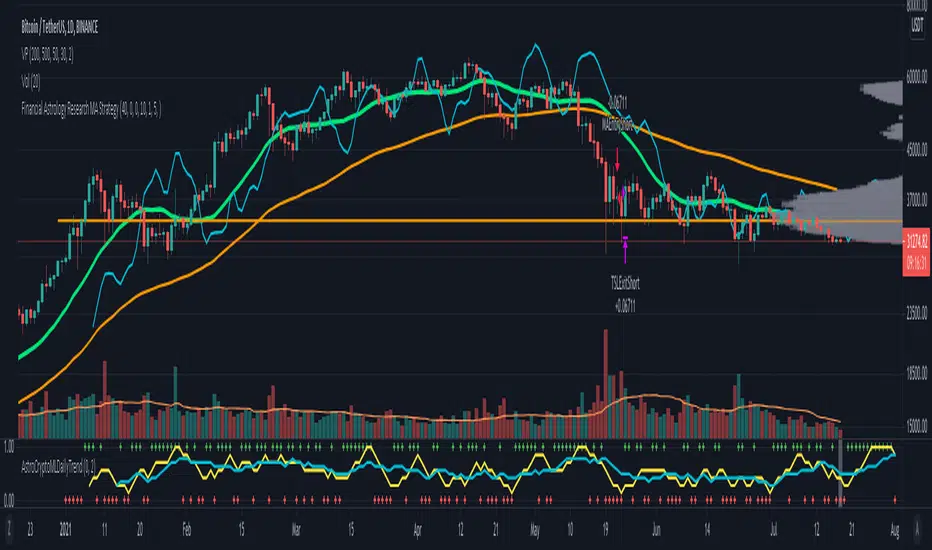
Financial Astrology Crypto ML Daily TrendThis daily trend indicator is based on financial astrology cycles detected with advanced machine learning techniques for the crypto-currencies research portfolio: ADA, BAT, BNB, BTC, DASH, EOS, ETC, ETH, LINK, LTC, XLM, XMR, XRP, ZEC and ZRX. The daily price trend is forecasted through this planets cycles (angular aspects, speed, declination), fast ones are based on Moon, Mercury, Venus and Sun and Mid term cycles are based on Mars, Vesta and Ceres. The combination of all this cycles produce a daily price trend prediction that is encoded into a PineScript array using binary format "0 or 1" that represent sell and buy signals respectively. The indicator provides signals since 2021-01-01 to 2022-12-31, the past months signals purpose is to support backtesting of the indicator combined with other technical indicator entries like MAs, RSI or Stochastic. For future predictions besides 2022 a machine learning models re-train phase will be required.
The resolution of this indicator is 1D, you can tune a parameter where you can determine how many future bars of daily trend are plotted and adjust an hours shift to anticipate future signals into current bar in order to produce a leading indicator effect to anticipate the trend changes with some hours of anticipation. Combined with technical analysis indicators this daily trend is very powerful because can help to produce approximately 60% of profitable signals based on the backtesting results. You can look at our open source Github repositories to validate accuracy using the backtesting strategies we have implemented in Jesse Crypto Trading Framework as proof of concept of the predictive potential of this indicator. Alternatively, we have implemented a PineScript strategy that use this indicator, just consider that we are pending to do signals update to the period July 2021 to December 2022: This strategy have accumulated more than 110 likes and many traders have validated the predictive power of Financial Astrology.
DISCLAIMER: This indicator is experimental and don’t provide financial or investment advice, the main purpose is to demonstrate the predictive power of financial astrology. Any allocation of funds following the documented machine learning model prediction is a high-risk endeavour and it’s the users responsibility to practice healthy risk management according to your situation.
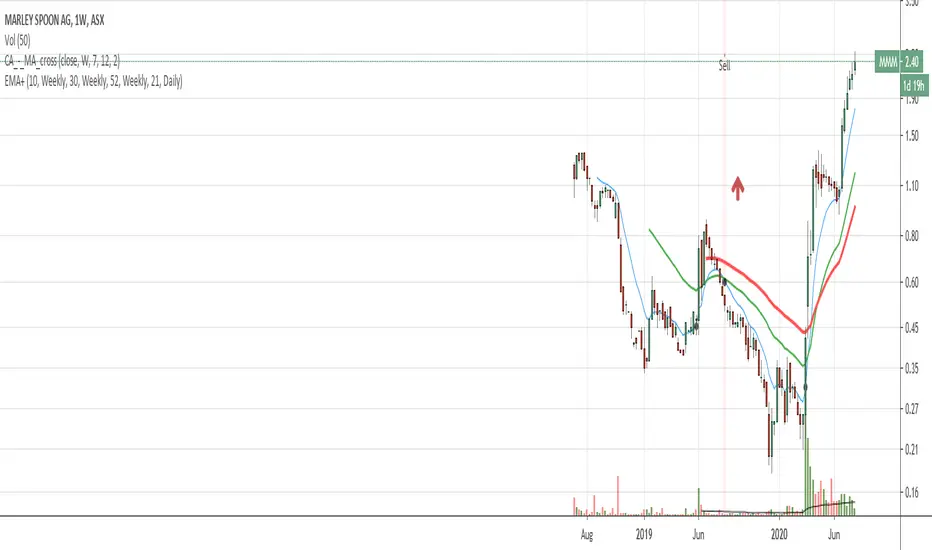
EMA with time-interval dependant visiblity settingThis scrip exposes 4 Exponential Moving Average (EMA) indicators which their visibility can be set to a daily or weekly time-frame (aka intervals). Based on your current chart time-frame, the matching EMA indicators come on and off.
This helps to have meaningful EMAs relevant to your time internal.
In a traditional 10 EMA indicates a plotted indicator would bear a meaning of a 10 day EMA when in daily and 10 week EMA when in weekly chart which may or may not be useful as some who for example only require a 10 week EMA for thier analysis and wouldn't want to cloud a daily chart with an EMA which won't resemble a valuable output for this particular user.
With EMA+, you can choose to see the 10 week EMA only when your chart is in the weekly time interval, so when switched to a daily interval a 10x EMA is not shown anymore.
If you prefer to see a 10 week EMA and a 21 day EMA on the other hand, you will only have 1 EMA shown when in weekly mode which is a 10 week EMA and one EMA when in daily mode with is 21 day EMA.
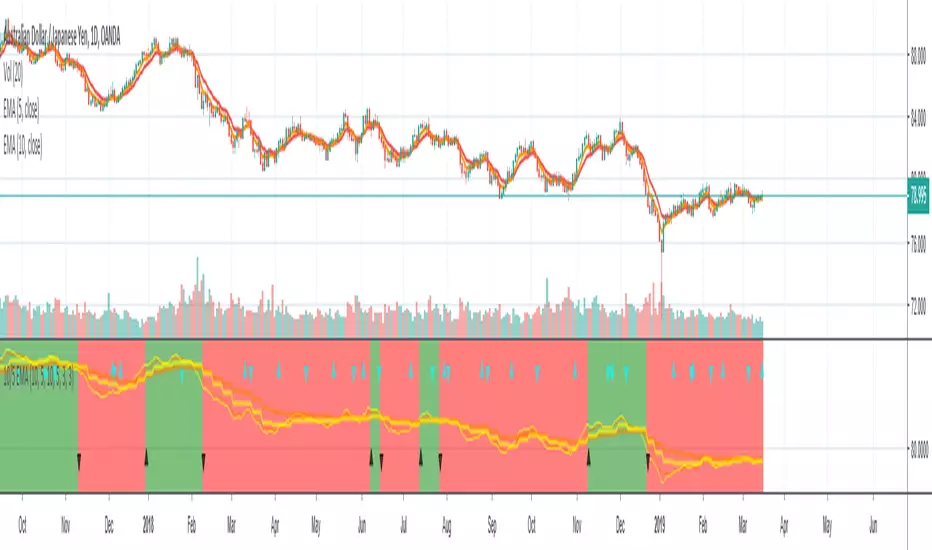
10/5 Weekly/Daily EMAs with ConfirmationsPlots Daily and Weekly 10 & 5 EMAs (but fully customizable to your own).
In addition to plotting the EMAs it color coordinates trend bias and has cross confirmation signals.
Philosophy and how to read:
I use this indicator when trading strictly on the daily timeframe. I have not tested it on other timeframes.
In my trade system I start with both the monthly and weekly charts to define overall bias.
Here’s the general rule of thumb.
10 EMA is direction (bias) and 5 EMA is price.
If 5EMA is below 10EMA there is a bear bias. If 5EMA is above 10EMA there is a bull bias.
This indicator will plot both the daily and weekly 10 & 5 EMAs.
It will also color code the background based on how these EMAs relate to each other.
Light red typically is just the daily is confirmed bear (typically because it could be either or)
Dark red, both daily and weekly in confirmed bear.
Light green, typically just daily is confirmed bull (typically because it could be either or)
Dark green, both daily and weekly in confirmed bull.
In addition to background highlight there is confirmation crosses.
The daily confirmation cross is default yellow triangle.
Down triangle is 5 crossing the 10 downward.
Up triangle is the 5 crossing the 10 upward.
The weekly confirmation is the same only is aqua color.
Generally, on a color change you want to see one or both confirmation in the direction of the bias change.
If you only want to plot the daily bias in the options unclick the setting: Include Weekly Background Plotting. Unclicking this will remove the background coloring for the weekly bias. This might be helpful if you only want to see the strength of what the weekly timeframe is telling you.
Also, I’m primarily a trend trader but I also do have a reversal system I trade with lower R:R parameters.
A good reversal confirmation signal I’ve noticed is the instrument that you are trading should go through a cycle of light color to dark color.
You could also create alerts with this indicator based on just signals. When the signal fires the value will be 1.
Future Updates:
I want to find some way to correlate the distance between these EMAs to enhance the signal. Also to include a velocity component. Plus a few more things.
If you like this indicator please like and leave a comment down below.
Binque's Multi-Moving Average Binque's Multi-Moving Average - One indicator with four simple moving average and four exponential moving averages, plus as a bonus a Day High moving average and a Day Low Moving Average.
Simple Moving Average or MA(14), MA(50), MA(100) and MA(200) all in one indicator
Exponential Moving Average or EMA(8), EMA(14), EMA(20) and EMA(33) all in one indicator
Day High Moving Average - Tracks the Daily High versus most moving averages track the daily close.
Day Low Moving Average - Tracks the Daily Low versus most moving average track the daily close.
To Disable moving averages, Set the color to the chart background and then set the length to 1 and uncheck.
I Use the Daily High Moving Average to track upward resistance in a stock movement for Swing Trading.
I Use the Daily Low Moving Average to track my trailing stop in a stock movement for Swing Trading.

JKLInside Day Screener (Daily)Inside Day screener. I asked AI to code a PineScript that would act as a screener to find inside days. Works only on the daily timeframe.

3Y Rolling Correlation vs SPY (Daily)Correlation vs SPY as measured by daily returns over the Trailing Three Years

NQ 5x Daily SessionsThis indicator automatically plots horizontal lines for the Daily Open as well as four of the most significant trading milestones of the day (CET/Berlin time). It helps you instantly identify psychological price levels and institutional opening marks directly on your chart.
Features:
Key Time Stamps: Automatic lines for the daily opening price and specific session opens at 08:00 (Frankfurt/Pre-Market), 10:00, 14:00, and 15:30 (NYSE Open).
Fully Customizable:
Control line thickness, label visibility, and the extension of current intraday lines via the settings menu.
Trading Application:
These levels often act as significant Support & Resistance during intraday trading. The 08:00 and 15:30 marks, in particular, frequently represent turning points or the start of strong trends, as trading volume spikes significantly during these windows.

Bias Daily 5.0Bias Daily Indicator with Breakout Alerts
Plots bullish, bearish, and consolidation bias levels based on previous daily candles. Alerts trigger when price breaks the previous daily high, low, or either, and bias lines show key levels on the chart.

Bias Daily 3.0Bias Daily Indicator with Breakout Alerts
This indicator plots bullish, bearish, and consolidation bias levels based on previous daily candles. It draws horizontal lines at prior candle highs and lows and lets you track momentum shifts visually.
It also includes flexible alerts:
Break previous candle high
Break previous candle low
Break either high or low
Perfect for spotting key breakout levels and identifying market bias across all intraday and higher timeframes. Fully customizable line colors, styles, and number of previous levels displayed.

BTC Spot CVD (Daily Reset) - Multi ExchangeThis indicator plots intraday Cumulative Volume Delta (CVD) for BTC spot markets across multiple major exchanges in a single pane, allowing quick comparison of relative buying/selling pressure throughout the day.
Exchanges / Pairs included
COINBASE:BTCUSD
OKX:BTCUSDT
BINANCE:BTCUSDT
BITFINEX:BTCUSD
KUCOIN:BTCUSDT
KRAKEN:BTCUSD
BYBIT:BTCUSDT
Each exchange is drawn as its own colored CVD line, and the right edge shows a live label with full symbol name + current CVD value.
How CVD is calculated (important)
TradingView spot feeds generally do not provide true aggressor-side trade data (buy vs sell).
This script uses a tick-rule estimate based on bar-to-bar price change:
If close > close → bar volume is treated as buying (+)
If close < close → bar volume is treated as selling (−)
If unchanged → 0
That signed volume is accumulated over time to form CVD.
Intraday reset
CVD resets at the start of each new trading day (based on the symbol’s daily session/day boundary on TradingView). This makes it easy to compare “today’s” flow across venues without long-term drift.
Units toggle: BTC vs USD
In settings you can switch:
BTC mode: CVD in BTC (base units)
USD mode: CVD converted to quote value using the bar’s price (BTC delta × price).
For USDT pairs, USD mode treats USDT as USD-like.
How to use
Add the indicator to any chart/timeframe.
Use the Inputs panel to show/hide specific exchanges.
Compare which venues lead/lag and where delta is strongest/weakest intraday.
Use the zero line as a quick reference for net positive vs net negative delta for the day.
Notes / limitations
This is an approximation of volume delta using OHLCV data, not true order-flow delta from trade prints.
Results can vary by timeframe because the tick-rule sign is derived from the bar close.

HTF Flip Close Levels, Daily Weekly Monthly TASHTF Flip Close Levels (D/W/M) — Support & Resistance Tool
This indicator automatically plots Daily, Weekly, and Monthly support & resistance levels based on higher-timeframe candle close behaviour.
🔹 What this tool does
The script detects HTF momentum flips using closed candles only:
Support is created when:
A red candle is followed by a green candle
The level is drawn at the close of the red candle
Resistance is created when:
A green candle is followed by a red candle
The level is drawn at the close of the green candle
This creates objective, rule-based horizontal levels derived purely from price behavior, not indicators.
🔹 Features
✅ Plots Daily, Weekly, and Monthly levels simultaneously
✅ Works on any timeframe (1m, 5m, 1H, Daily, Weekly, etc.)
✅ Keeps full historical levels, not just the most recent ones
✅ Optional auto-hide tapped levels (when price touches them)
✅ Tap detection:
Wick touch
or Close cross/touch
✅ Levels are always based on HTF candle closes, never wicks
✅ Designed to stay consistent across timeframe changes
🔹 How to use it (IMPORTANT)
This indicator:
❌ Does NOT predict market direction
❌ Does NOT generate buy/sell signals
❌ Does NOT tell you when to enter or exit
It is a context & confluence tool.
You should use these levels together with:
Market structure
Trend analysis
Volume / orderflow / CVD
Your own entry model
Your own risk management
Think of these levels as areas of interest, not automatic trade signals.
🔹 Best use cases
Confluence with:
Local support/resistance
VWAP / Anchored VWAP
Range highs/lows
Liquidity zones
Reversal or continuation patterns
Identifying:
HTF reaction zones
Decision points
Areas where other traders are likely watching
⚠️ Disclaimer
This indicator is a technical analysis tool only.
It is NOT financial advice.
It does NOT guarantee profits.
All trading decisions and risk are your responsibility.
Use it as part of a complete trading system, not as a standalone strategy.

60D Daily Anchored Quadrants + 12M FibJAO 60D Daily Anchored Quadrants + 12M Fib
Use for projecting 5YR 1YR Highs/Lows based on previous range deviations.
Use 60 Day look back to gain insight on narrative whether price is in a premium/discount and or use PDA that line up with levels for true support/resistance areas

Live Daily HA Background (RTH)This indicator paints the backsground with the daily heikin ashi color


FDAX Session Levels (Daily open, 10:00, 14:00)Automated intraday levels for FDAX/DAX traders based on the Europe/Berlin timezone
Monitored Levels:
Daily Open (DO): Midnight open price (00:00 CET).
08:00 CET: Frankfurt session start.
10:00 CET: Morning trend establishment.
14:00 CET: Pre-US session liquidity shift.
Visibility: Clearly labeled levels with adjustable line thickness (Width 3).
Extend Logic: Toggle between infinite lines or session-only historical views.
Precision: Synced with Eurex trading hours.
Ideal for: Identifying intraday Support/Resistance and S/R flips on 1m to 15m timeframes.

M15 Wednesday Daily Open + Vertical LineWednesday Daily Open M15 – Vertical Line
Marks the daily open candle on Wednesdays using M15 logic and draws a vertical line on it.
Includes a timezone selector to avoid day-shift issues.
Designed for M15 charts and works on all symbols.

Color-Coded Merged Daily & Hourly RSIColor-Coded Merged Daily & Hourly RSI
you caN USE THIS TO BUY OR SELL

StO Price Action - Luminous Daily RoadmapShort Summary
- Luminous Daily Roadmap (LDR) are special trading days
- Marks entire trading days using background coloring
- Creates a clear daily roadmap directly on the chart
- Designed to stay minimal and non-intrusive
Full Description
Overview
- LDR is a proprietary forex trading schedule
- Dates of major trend reversals or significant market continuations
- Highlights full trading days using background colors
- Improves visual structure and day-to-day orientation
- Focuses purely on time segmentation, not price signals
- Suitable for all markets and timeframes
Daily Marking Logic
- Each trading day is visually marked across all its bars
- Background coloring spans the full session of the day
- Works consistently across intraday and higher timeframes
Year Look Back (YLB)
- YLB defines the starting year for day marking
- Markings are only applied from the selected year onward
- Allows focused analysis on recent or specific years
Visualization
- Background color is fully customizable
- Uses high transparency to avoid hiding price action
Usage
- Useful for session-based and daily analysis
- Supports routine-based trading and journaling
- Enhances visual rhythm of the chart
Notes
- This indicator is purely visual and non-predictive
- No alerts or signals are generated
- Best used as a structural overlay for orientation
- Can be combined with any price action or indicator-based workflow

StO Price Action - Daily Outside BarShort Summary
- Outside Bar indicator with multiple range calculation algorithms
- Highlights where the current range fully engulfs the previous
- Works with Daily candles in Daily, H4, and H1 timeframes only
- Highlights the current bar when it engulfs the previous bar according to the selected method
Full Description
Overview
- Identifies bars where the current period's range fully engulfs the prior period's range
- Offers three algorithms for defining the engulfing range:
- High/Low: uses absolute high and low values
- Open/Close: considers candle direction (bull/bear) and compares opens and closes
- Open/Close II: stricter version with exclusive inequalities for engulfing
- Engulfing behavior is detected automatically and highlighted for easy recognition
- Works on multiple markets but restricted to D, H4, and H1 charts for accuracy
Controls
- Year lookback (YLB) configurable to filter older bars
- Custom background color for highlighting Outside Bars
- Simple toggle interface with minimal chart clutter
Visual Representation
- Highlights engulfing bars with configurable background color
- Color transparency adjustable for clarity
Usage
- Use to identify strong market momentum or potential reversals
- Helps spot high-probability setups based on engulfing price action
Notes
- Only compatible with Daily, H4, and H1 timeframes
- Non-repainting: once an Outside Bar is drawn, it will not adjust retroactively
- Best used as a market structure reference not a direct trade signal

Strong Daily Reversal Arrows / Labels
🔁 Reversal indicator on the daily time frame
Bullish Reversal
✔ Previous day was bearish
✔ Today is bullish
✔ Today closes above previous day close
Bearish Reversal
✔ Previous day was bullish
✔ Today is bearish
✔ Today closes below previous day close

Monthly Weekly Daily ATR Calculation A weekly options trading script showing optimal levels using daily and weekly ATR ranges and stop loss. (Open ± ATR)

Multi Timeframe 50 EMA (15m | 1H | Daily)50 EMA of Daily 1 hr and 15 minutes visible in 3 minutes timeframe
